Connect your Hospitable account to automatically send guests their registration form link through Hospitable messaging.
Benefits of the integration
- Automatic registration links without manually adding them to welcome messages.
- Reminders for guests who have not completed their form.
- A notification for the host the day before arrival if registration is incomplete.
- For instant bookings or bookings made less than a day before arrival, the message is sent when the booking is confirmed.
Before you start
You need an active Hospitable account and a Registro Parte Viajeros account.
1. Open Integrations
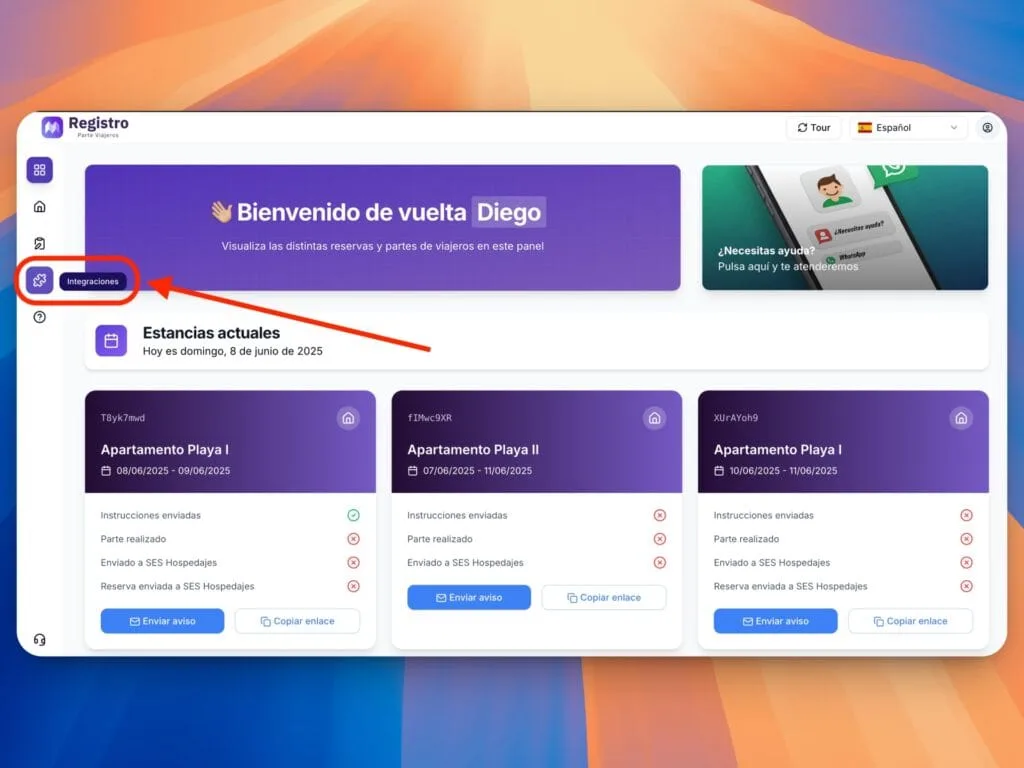
- Sign in to Registro Parte Viajeros and select Integrations in the left menu.
2. Select Hospitable
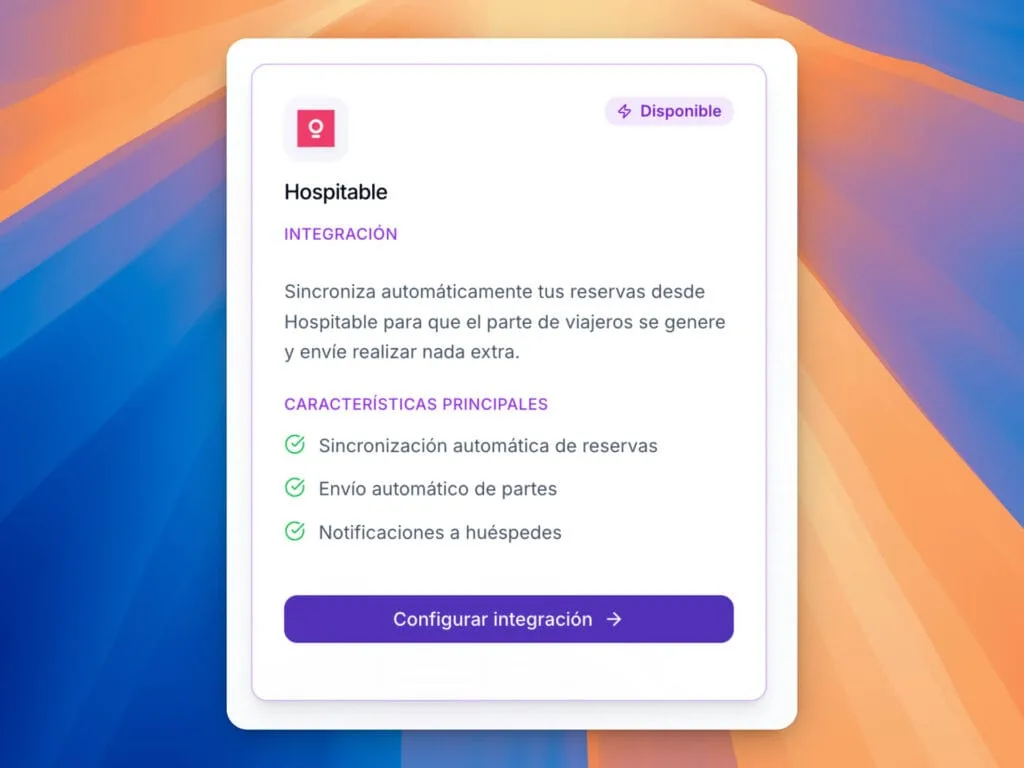
- Find the Hospitable card and click Configure integration.
3. Connect your account
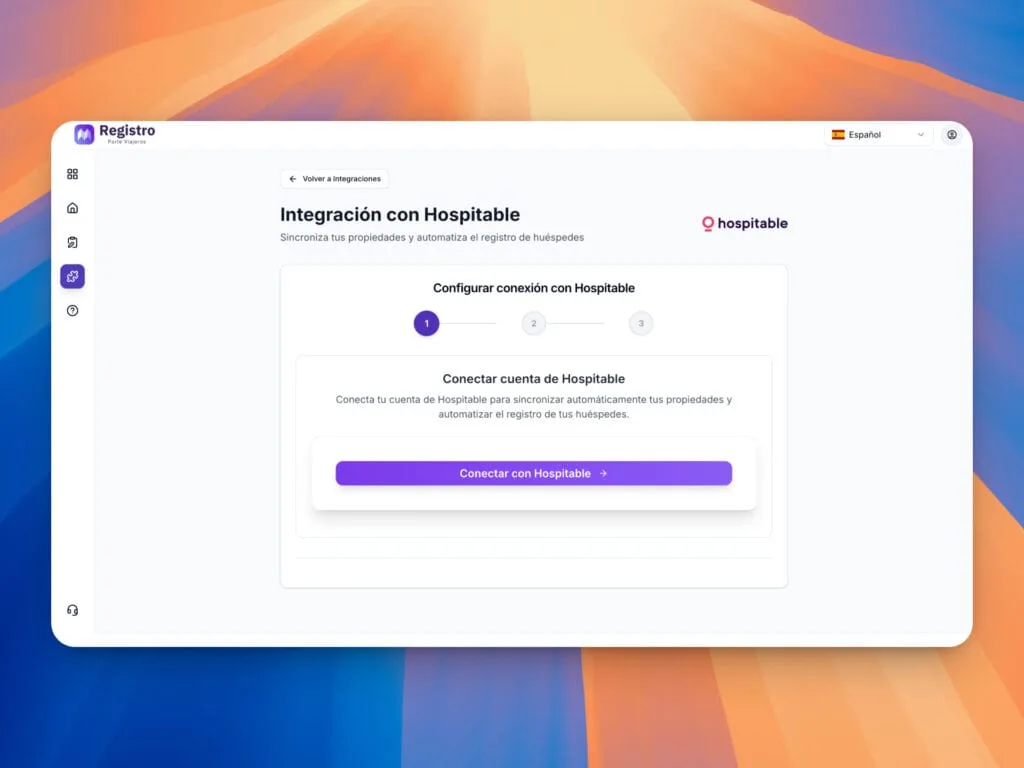
- Click Connect to Hospitable. Its platform opens so you can sign in.
4. Authorize access
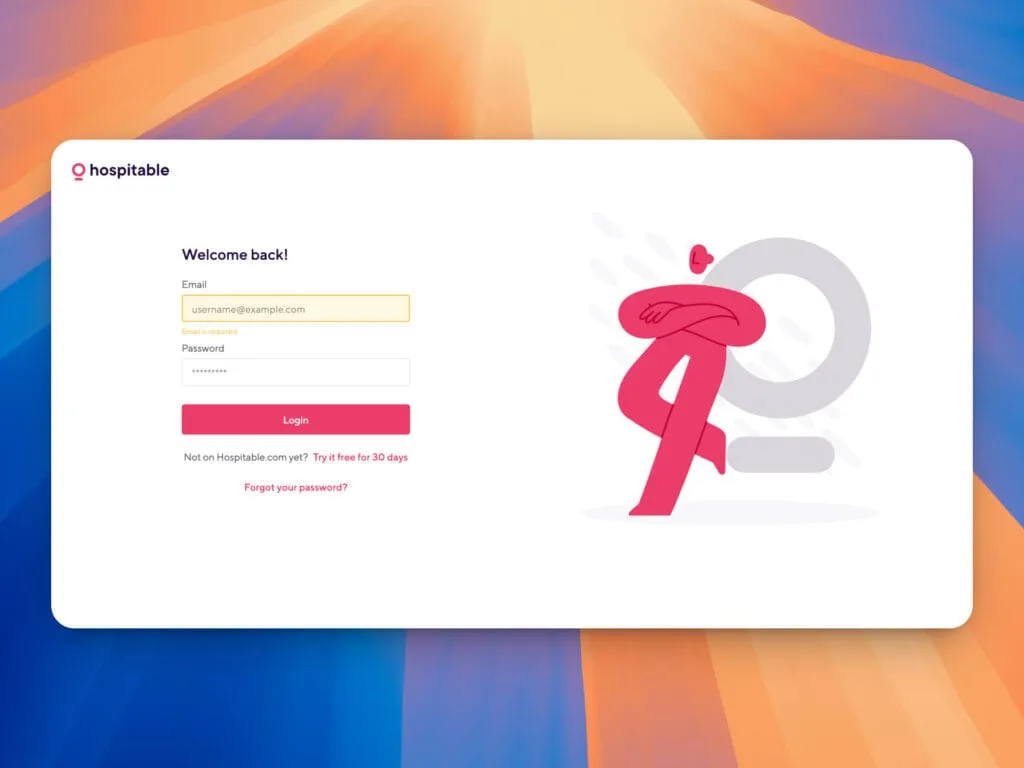
- Sign in to Hospitable and authorize Registro Parte Viajeros to access your account. You return to the list of available properties.
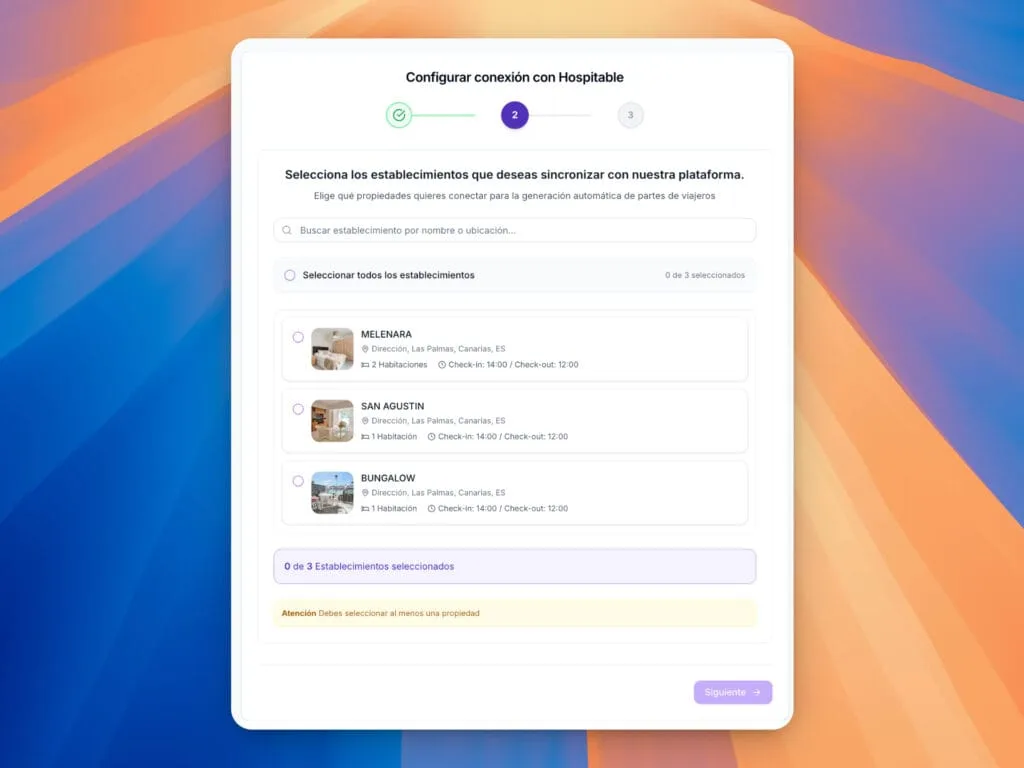
5. Select your properties
- Select the properties you want to connect and click Next.
6. Configure messages and notifications
Guest reminders
Choose when to send the message, for example three days and one day before arrival. Reminders continue until the guest completes the form.
Host notification
Enable it to receive a notification the day before arrival if registration is still incomplete. You can then contact the guest.
PDF password
Set the password you will use to open the PDFs containing guest data that you receive by email.
Message customization
Edit the text your guests receive with the registration link.
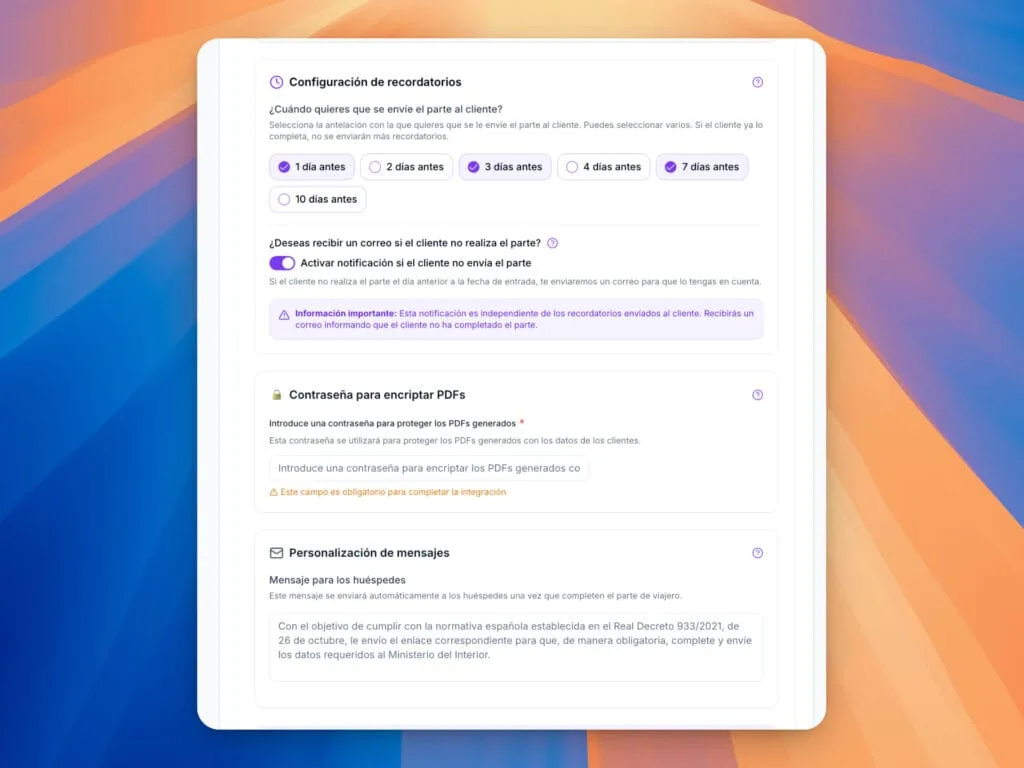
Click Continue to complete synchronization.
7. Enter your SES Hospedajes credentials
Synchronized properties appear in your dashboard. Select Properties in the side menu.
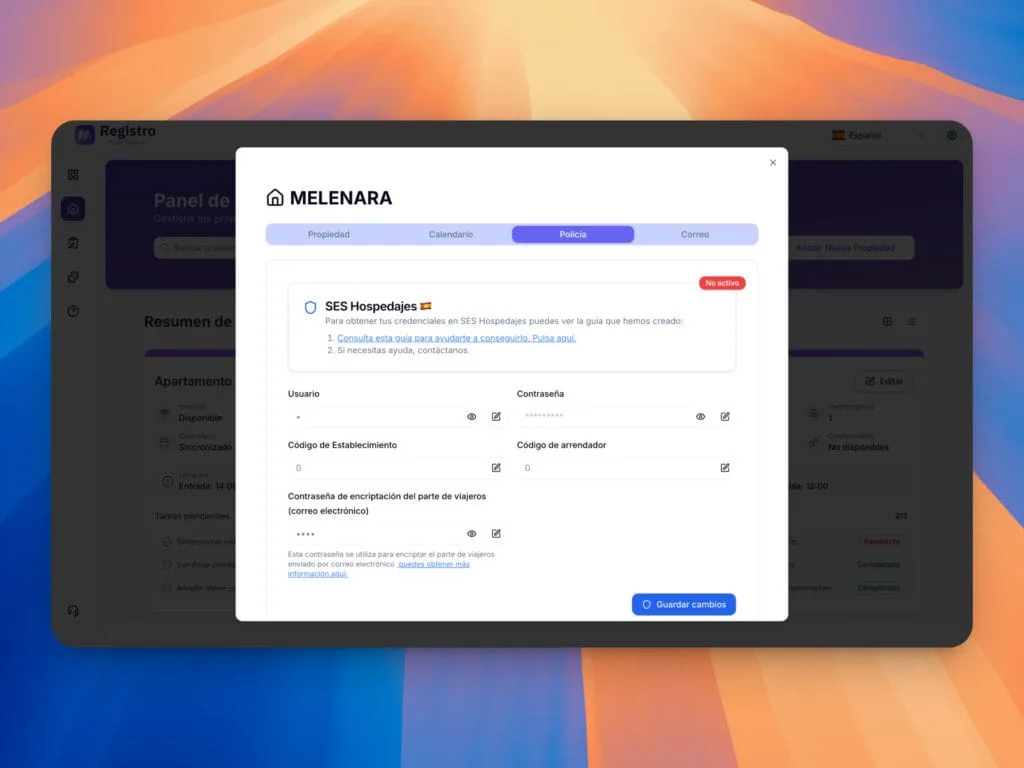
Enter your SES Hospedajes username, password, establishment code and lessor code to enable submission of guest reports.
Add more properties
Return to Integrations, open Hospitable and select the additional properties you want to connect.
Need help?
Use the dashboard chat so our team can help you with setup.