

KEY FEATURES

Seasonal rental contracts signed from your phone

Set up your contract once, collect each tenant's details and ID and get their signature without meetings. Use it just for contracts or combine it with submission to the authorities.

  • Contracts ready to sign
  • Tenant details and ID
  • Contracts only, if you prefer
Seasonal rental contracts signed from your phone

Instant Registration

Paperless · Zero Wait Time

Only need contracts? It works for that too

Not every long-term rental requires reporting to the authorities. Turn submission off and use Registro Parte Viajeros just to create contracts, collect your tenants' information and keep everything in PDF. If a rental does need it, switch it on in the settings.

What clients like you value most

01

Contracts ready to sign

Seasonal templates for work, study or renovation stays, with the tenant's details filled in automatically.

02

Tenant details and ID

Collect their identity, contact details and a scan of their ID or passport without copying anything by hand.

03

Contracts only, if you prefer

Turn off submission to the authorities and use the platform just to formalise rentals and store the information.

04

Contract in 4 languages

Spanish, English, French and German for your international tenants.

HOW IT WORKS

How it works, step by step

From the first message to the guest to the report sent to the authorities, with no manual work.

1
Step 1

Pick a template or write your own

Start from seasonal templates for work, study or renovation stays, or with deposit and pets, and adapt the clauses to your property.

  • Ready-to-use templates
  • Customisable clauses
  • A different contract for each property
The tenant fills in their details on their phone
2
Step 2

The tenant fills in their details on their phone

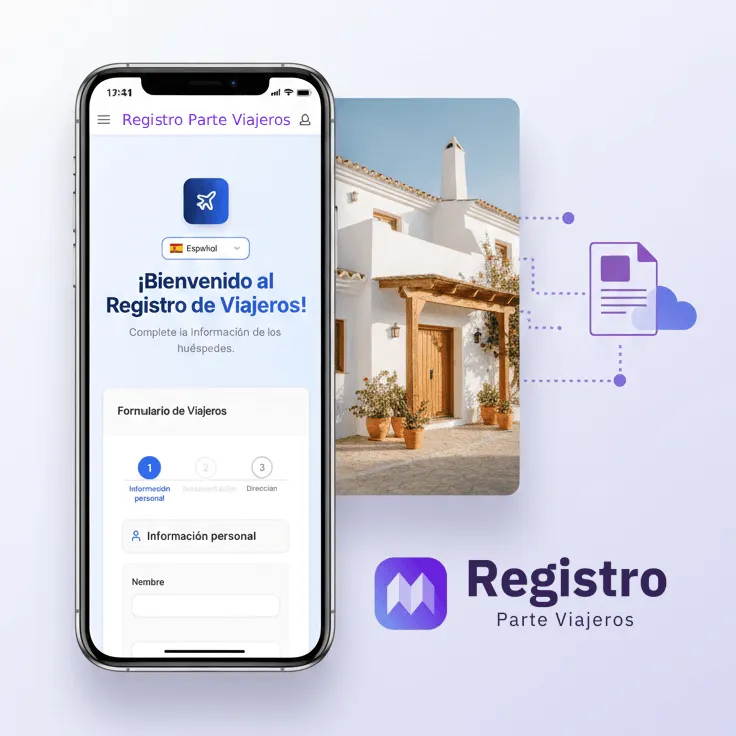
They get a link, scan their ID or passport and complete their contact details and reason for the stay. No photocopies or email attachments.

  • ID and passport scanner
  • Reason for stay: work, study, renovation…
  • No app to download
3
Step 3

They read the contract with their details and sign

The contract appears in their language with their name, document and dates already filled in. They accept it and sign with their finger on the screen.

  • Contract in the tenant's language
  • Explicit acceptance before signing
  • Your landlord signature included
You decide whether it goes to the authorities
4
Step 4

You decide whether it goes to the authorities

Turn on automatic submission when the rental requires it, or turn it off and use the platform just for contracts and data collection.

  • Submission can be switched on or off
  • SES Hospedajes, Mossos, Ertzaintza when on
  • Contracts only when off
PDF contract, stored with the tenant's details
5
Step 5

PDF contract, stored with the tenant's details

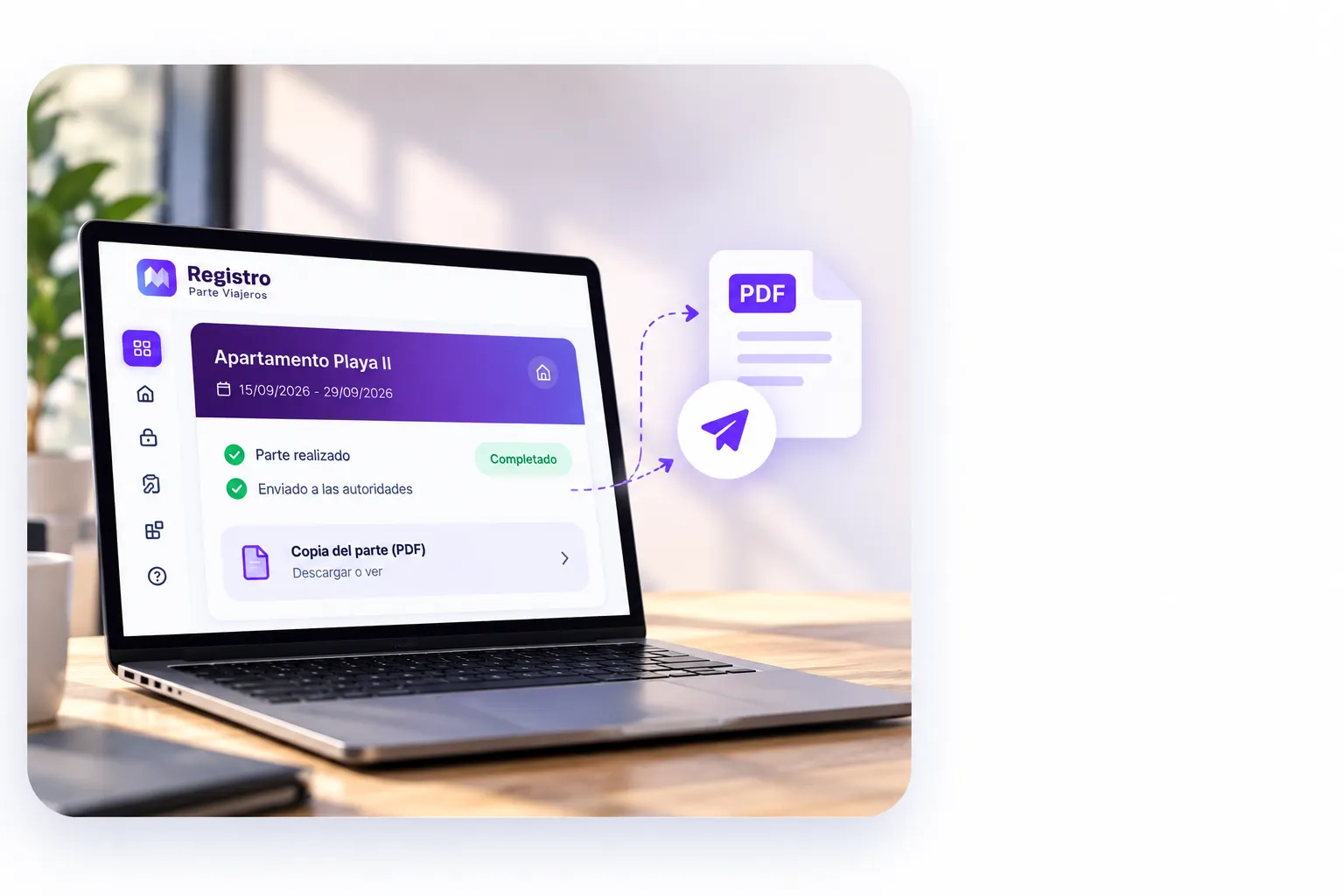
A PDF is generated with the tenant's signature and yours, linked to their rental. Version history keeps track of changes to the text.

  • PDF with both signatures
  • Tenant details next to their contract
  • Contract version history

Customer Reviews

What property owners and managers say on Google and Trustpilot after automating with us.

TrustpilotExcellent
4,8
See all
GoogleReviewsExcellent
5,0
See all
Tania

“Son un equipo súper resolutivo, llevo meses con ellos y me atienden genial cada vez que los llamo, la idea de poner al servicio lo del registro de la propiedad para corta duración, ha sido un acierto y a mi me ha salvado la vida y a un súper precio. Recomiendo sus servicios SIEMPRE!”

Livia Kubara

“Las veces que he necesitado resolver algo han sido muy rápidos. Te responden por whatsapp y si necesitas hablar, te llaman inmediatamente. Son super cercanos, con su toque canario que hace que te sientas arropada y con un servicio excelente. Son precisos en sus respuestas, tienen paciencia y te quieren ayudar con honestidad. Hoy me ayudó mucho Tomás, siendo el último día de tener que presentar el nuevo N2. Me aportó confianza, apoyo y guía. ¡¡¡Recomiendo mucho sus servicios!!! ¡No cambiéis equipo!”

José Tomás Santana Santana

“UN SERVICIO DE 10, DIEGO, LA PERSONA QUE ME ATENDIÓ UN ENCANTO, MUY RESOLUTIVO, DISPUESTO SIEMPRE A AYUDAR, MUY BARATO ME PARECE PARA LO QUE HACEN, OJALÁ TODAS LAS EMPRESAS FUERAN IGUALES. RECOMIENDO REGISTRO PARTE VIAJEROS A TODO EL QUE ME PREGUNTA POR LOS PARTES DE VIAJEROS Y QUE TODAVÍA LO HACEN A MANO. ESTOY ENCANTADO!!!!”

Chiara Cabrera

“Súper eficientes, funcionan muy bien. Probablemente la mejor app para automatizar ses hospedajes. Gracias villa Chiara”

Hergaman

“Atención de 10, pacientes y eficaces. Lo recomiendo a todos.”

Nicolas Lasa

“Los chicos son geniales!! Nos han resuelto todo. Los recomendamos sin dudar!”

1 / 11
FREQUENTLY ASKED QUESTIONS

Frequently Asked Questions

We answer your main questions regarding the regulations and official submission of traveler entry forms.

Contact Support
Can I use it just for contracts, without sending anything to the authorities?
Yes. Automatic submission to the authorities is an option you can turn off. The tenant then fills in their details and signs the contract, and you keep it in PDF without anything being reported.
Is it mandatory to register long-term tenants?
The obligation depends on the purpose of the accommodation, not only its duration or whether the lease is called seasonal. Royal Decree 933/2021 applies to lodging activities with a purpose other than providing a home. Residential leases fall outside its scope; check the purpose of each arrangement before enabling submission.
What types of contract can I create?
You can start from seasonal templates for work, study or renovation stays, holiday rental templates or ones with deposit, pets and penalties, or write your own from scratch.
Which languages is the contract shown in?
Spanish, English, French and German. Tenants see it in their language with their details already included.
How do tenants provide their ID?
They receive a link on their phone, scan their ID or passport and our reader extracts the data automatically.
Can I do it in person if the tenant is with me?
Yes. You can add the tenant in your dashboard, scan their document with your phone and have them sign the contract on your own screen.
Can I sign the contract too?
Yes. You can add your landlord signature and the final PDF will include both signatures.

Get in touch

Our support team is here to help you with any question.

7-day free trial

Ready to simplify your check-ins?

Try it free for 7 days. Complete guest registration in just 2 clicks without complications.