One access for every door with Akiles: entrance, apartment, storage room… The guest receives a PIN and an eKey that open the whole route, only during their stay. Read the general smart lock guide.
Benefits
- One code for every door in the group.
- PIN and eKey (a link to open with the phone), with nothing to install.
- Official, secure connection with Akiles: you never share your password.
- Access is removed on its own when the stay ends or the booking is cancelled.
Before you start
In your Akiles account, create one group per property with the doors the guest will open. This is essential: with no groups, the wizard finds nothing to link.
1. Connect the account
- Go to Integrations → Locks → Add lock and choose Akiles.
- Click Connect with Akiles. Akiles’ official page opens.
- Authorize access and you return to the platform.
2. Choose each property’s group
For each property, choose which Akiles group opens it. The PIN and link will work on every door in that group.
One property, one group. Choosing another group replaces the current one.
3. Schedule
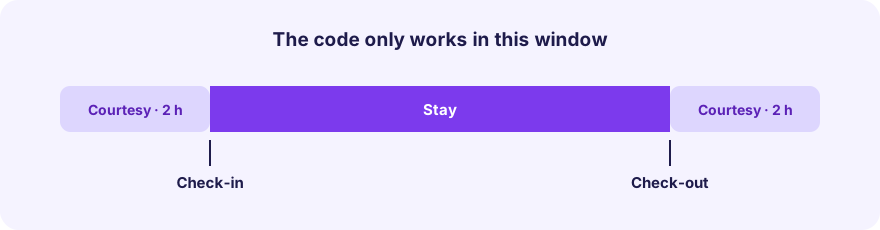
Set check-in time, check-out time and entry and exit courtesy (default 2 hours each, maximum 4). The PIN and link work only in that window.
4. Access guide
Write the arrival instructions with photos and video if you wish. See the guest access guide.
Fully automatic, no work on your side
- Every new booking gets its access ready for the stay dates.
- If dates change or the booking is cancelled, access is updated or removed on its own.
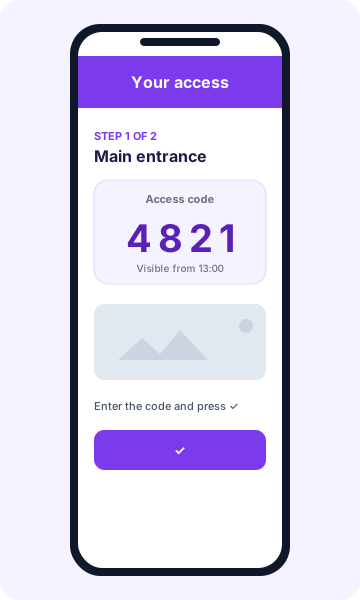
- Guests only see the code when it is ready and within their access window.
Common problems
- “No groups found”: create a group in Akiles with the property’s doors and try again.
- The PIN does not open a door: check that the door belongs to the linked group.
- Authorization expired: reconnect the account.
- Unlinking: the group stays in your Akiles account; it is only removed from the property.