How to Add Your Rental Registration Number on Booking: Step-by-Step Guide
By: Daniel Acosta, Legal professional · Master’s in data protection
Legal update · 1 October 2026
The Supreme Court annulled the state Single Rental Registry procedure established by Royal Decree 1312/2024. The judgment was issued on 19 May 2026 and published in the BOE on 8 June 2026. Obtaining the state NRA/NRUA number under that procedure is no longer required. Regional licences and registrations and guest registration obligations remain applicable. References in this article to the annulled procedure are historical information.
In this article, we will explain in a simple and visual way how to add the tourist registration number of your accommodation in Booking, to comply with regulations and improve your guests’ confidence.
If you manage tourist accommodation in Spain, it is essential that you include your registration number on platforms such as Booking. This procedure is mandatory, as otherwise your accommodation could be removed from the list of properties and will not be visible to potential customers.
Step 1: Access the Booking Host Panel
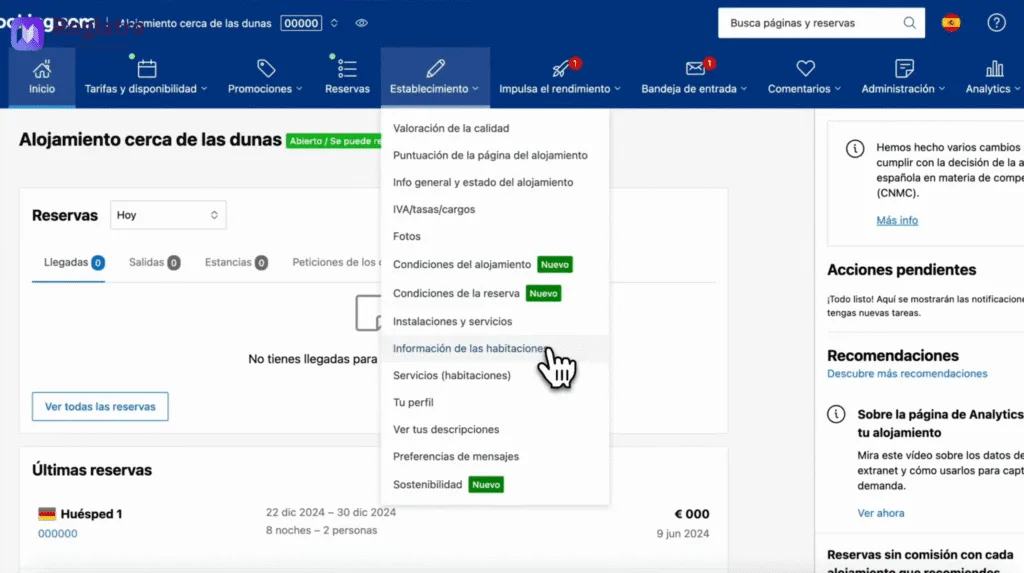
To get started, log in to your Booking account as a host. Click on your accommodation and select the tab labeled Establishment.
Within the “Establishment” section, go to Room information. Here you will find the basic details of your accommodation.
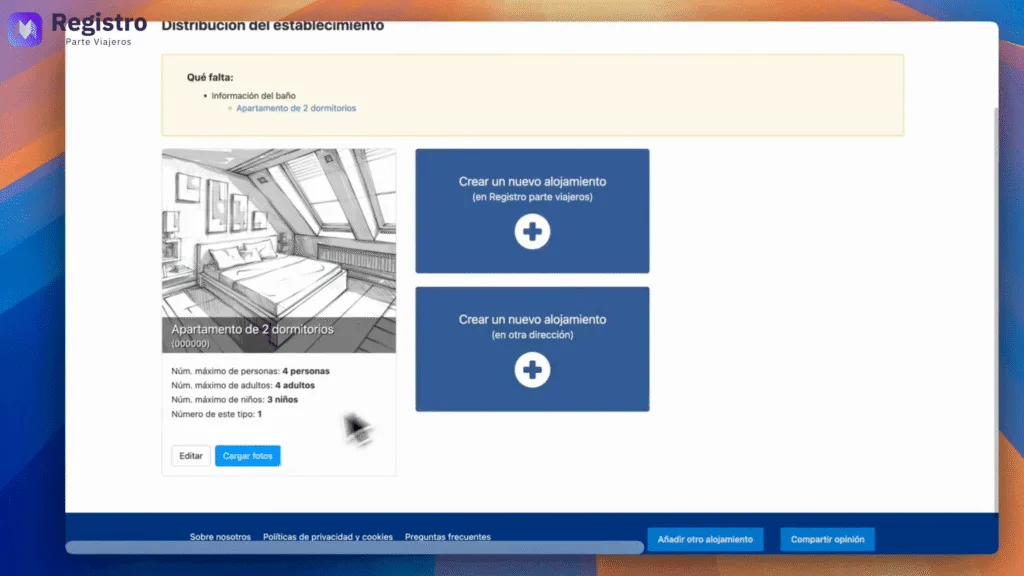
Step 2: Edit the Accommodation Details
Find and click on the Edit button. This will allow you to modify your property information.
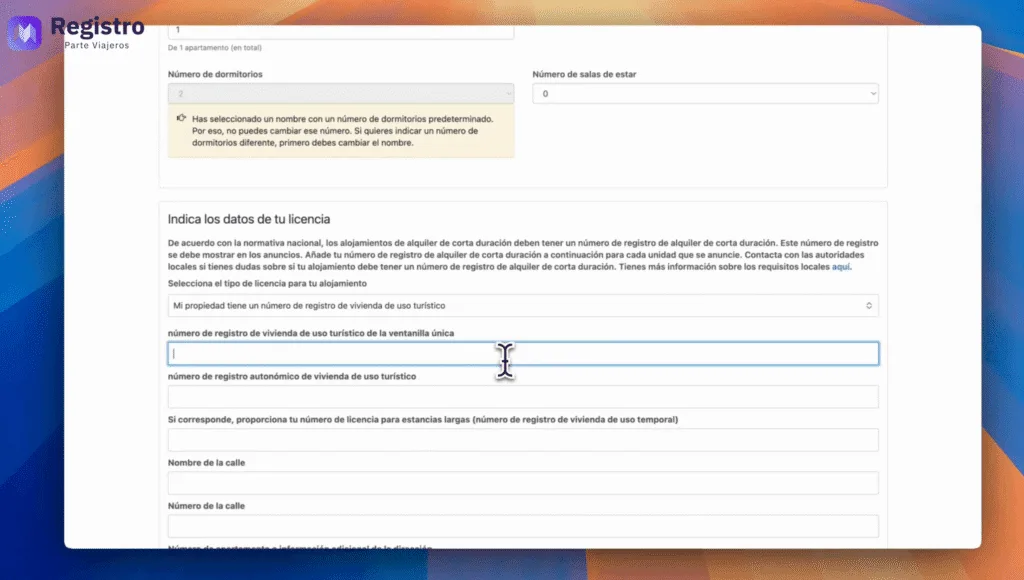
Step 3: Add the Tourist Registration Number
Now, locate the box that indicates Registration number for tourist accommodation from the one-stop shop. This field is key to complying with regulations.
Unique registration number | Alqulier registration number
Step 4: Obtain the Registration Number
You can obtain the registration number on the official website of registradores.org. If you don’t have it yet, you can watch our video.: https://www.youtube.com/watch?v=UD6YfbdWC-8
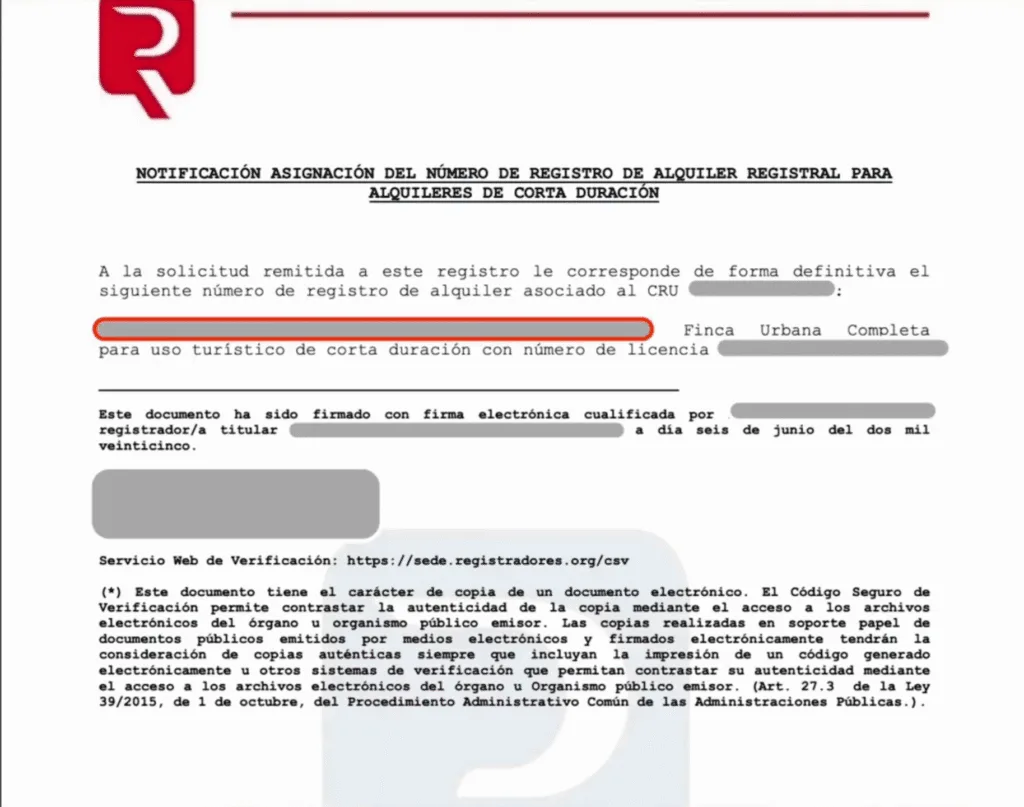
Once you receive the notification email, log in to the registradores.org website and accept the notification. You will then be able to download the file with the registration number.
Within that file, look for the line marked in red in the photo, which contains the registration number. Simply copy and paste that number into the corresponding field in Booking.
Step 6: Confirm and Finish
Go to the last section and click on Confirm. Congratulations! Your accommodation is now correctly configured on Booking.com.
Automate Travel Registration with RegistroParteViajeros.com
If you wish automate passenger reports and shipping to SES Hospedajes, visit our website RegistroParteViajeros.com. We would be delighted to assist you with our solutions.