

In this guide, we will explain how to link the platform. Hospitable with RegistroParteViajeros.
This integration has a number of advantages, such as:
- Automatic sending of traveler reports via Hospitable messaging
- Sending reminders to guests in case of non-completion
- Sending reminders in case the customer does not file the report.
- In the case of immediate reservations or reservations made less than one day in advance, the message will be sent as soon as the guest confirms their reservation.
In other words, by linking Hospitable, it is not necessary to manually send reports, not even in welcome messages, as that is precisely what the integration is for.
In case of cancellation, SES Hospedajes must be notified in order to cancel the reservation. If the reservation was made manually, i.e., through a portal that is not considered an OTA (Airbnb, Booking, VRBO, etc.), reservations are deleted as they are canceled on the platform.
To do this, you must have an active Hospitable account.
We will go to the integrations section. We will click right where the arrow points.
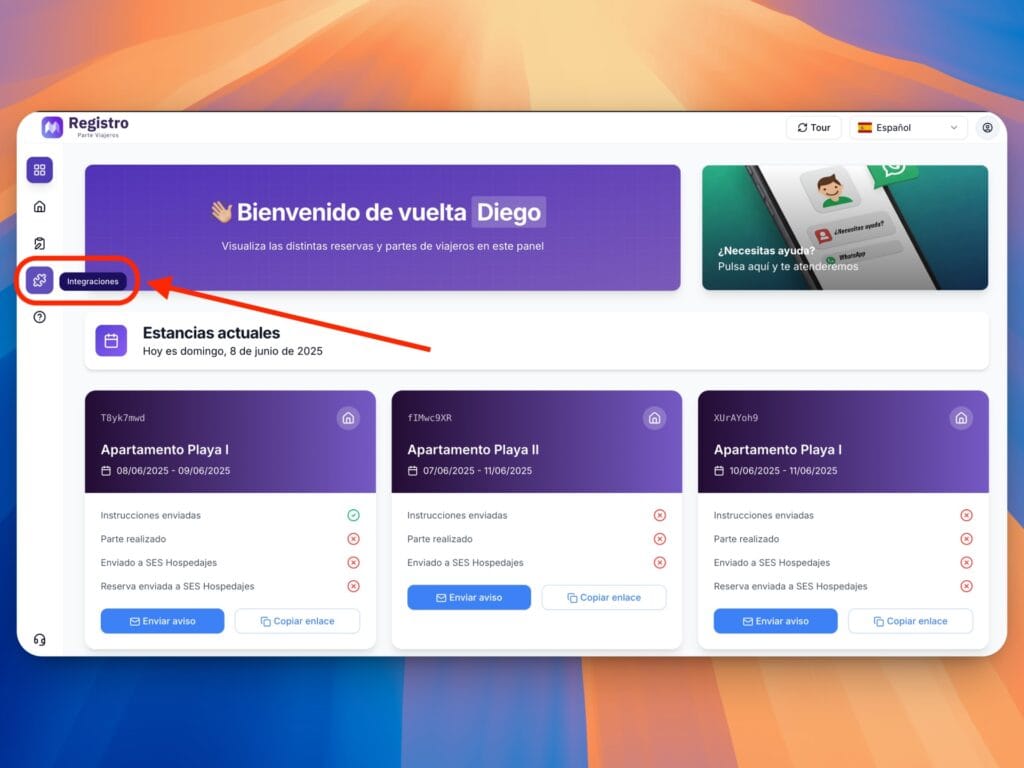
Once there, we’ll click on Hospitable:
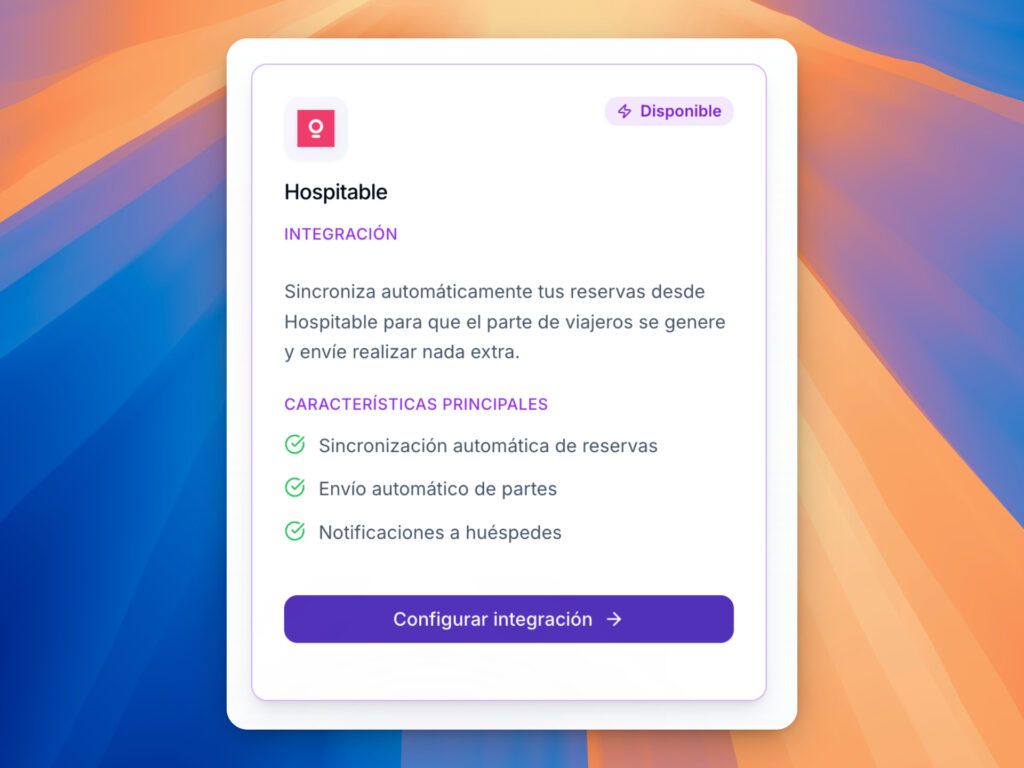
We will click on configure integration.
There, the system will ask us to log in to Hospitable.
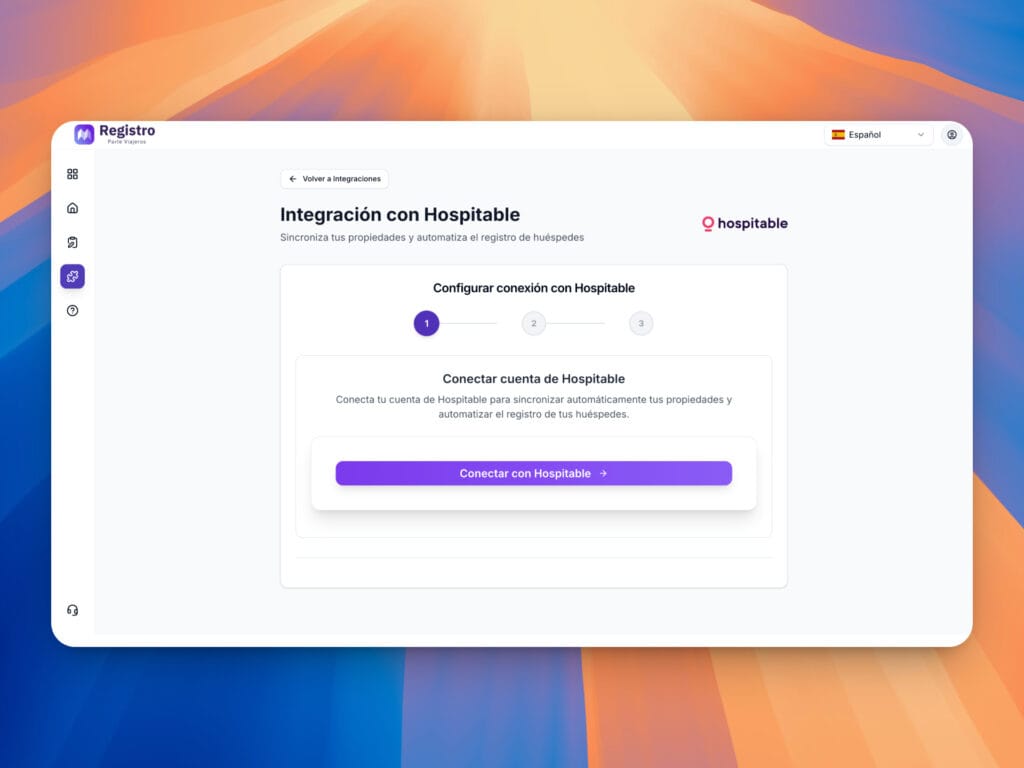
Click on Connect with Hospitable. Once there, you will be redirected to Hospitable, where you will need to log in.
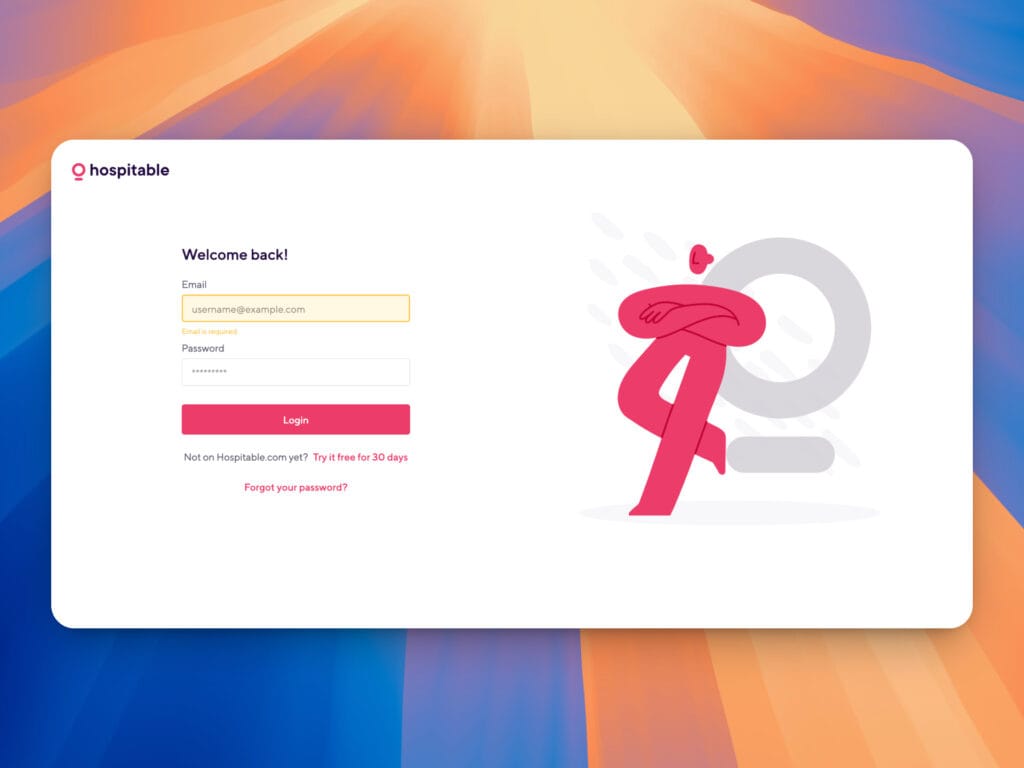
Once we have logged in, we must authorize the application, and we will then be redirected to a list of the properties available in the account:

We will select the properties we want to link and click Next.
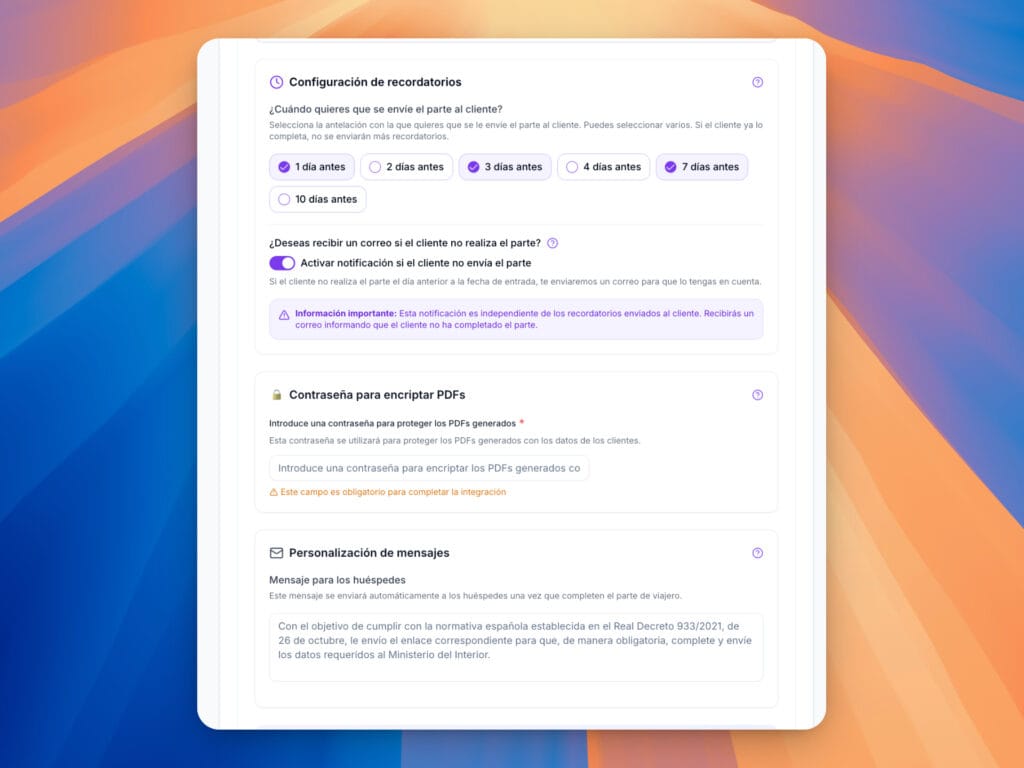
In the next section, we can configure the property and sending of notifications:
- Setting reminders:
- You can select when you want us to send the message to your guest, for example, 3 days before arrival. If you have checked the option for 1 day before in addition to 3 days before, we will continue to send the message to complete the report until it is finished.
- You can find more information about this at the following link:
- https://registroparteviajeros.com/docs/para-que-sirve-el-apartado-de-correo/
- You can select when you want us to send the message to your guest, for example, 3 days before arrival. If you have checked the option for 1 day before in addition to 3 days before, we will continue to send the message to complete the report until it is finished.
- Receive notification if the customer does not file the report:
- If the customer decides not to file the report for any reason, we will notify you the day before so that you can inform the customer to do so.
- Encrypt PDF password:
- This will be the password you will use to decrypt the passenger list that we will send to your email address with the guests’ details.
- You can find more information on this subject at this link:
- https://registroparteviajeros.com/docs/que-es-y-para-que-sirve-la-contrasena-de-encriptacion-del-parte-de-viajeros/
- This will be the password you will use to decrypt the passenger list that we will send to your email address with the guests’ details.
- Message customization:
- In this section, you can enter the text you would like us to send to your guests.
Finally, click Continue and the property will be synchronized.
Once the property or properties have been synchronized, they will appear in the property control panel.
In the menu, select Properties, where you can also select Integrations.
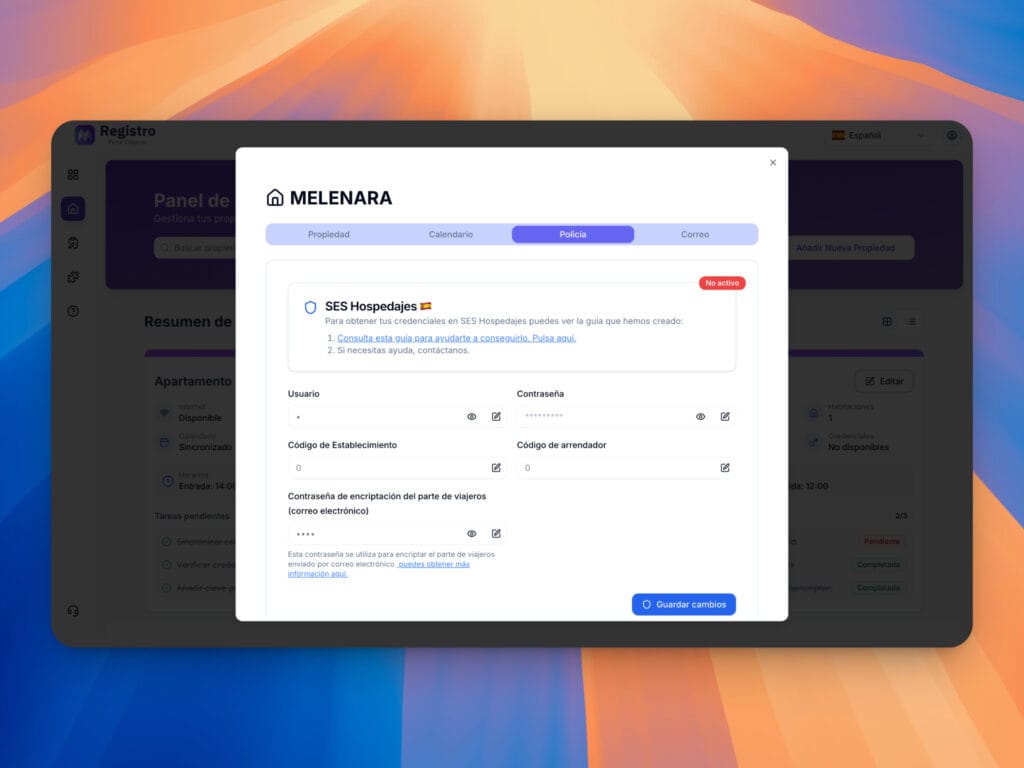
Once here, we simply need to fill in the username, password, establishment code, and lessor code to be able to send the reports to SES Hospedajes.
Once this part is complete, if at any time we wish to add more properties, we can do so from the hospitable panel, i.e., within integrations and by selecting the property again.


