

The Colegio de Registradores de la Propiedad has made available to users a web application for the registration obligation NRUA N2 Multi for Mac and for all those people for whom the N2 program does not work on operating systems other than Windows or who use devices incompatible with the N2 program. We explain how to use this application and how to solve the mandatory and recommended validation errors of the application.
For a Complete Guide on the presentation you can go HERE, and we remind you that you can contact us if you prefer us to make the presentation for you.
⁉ How to use the N2 Multi app.
The N2 Multi application allows you to complete the “Short-Term Lease Informative Model” from equipment and devices that are not compatible with Windows or that have some limitation in the N2 desktop application.
To access the N2 Multi application you must click this link, there is no need to download any program and it allows you to manually create the presentation forms, manage the lists of forms already created to send them or submit corrections, fill them in manually, validate the data and generate a ZIP file to submit it through the portal or generate a PDF file to submit it manually at the Property Registry.
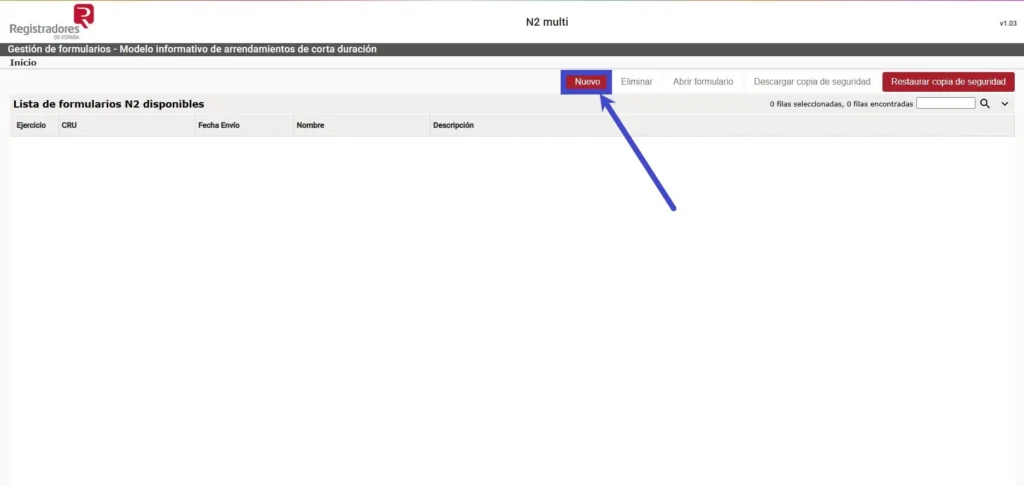
First, we must select the “New” option at the top:
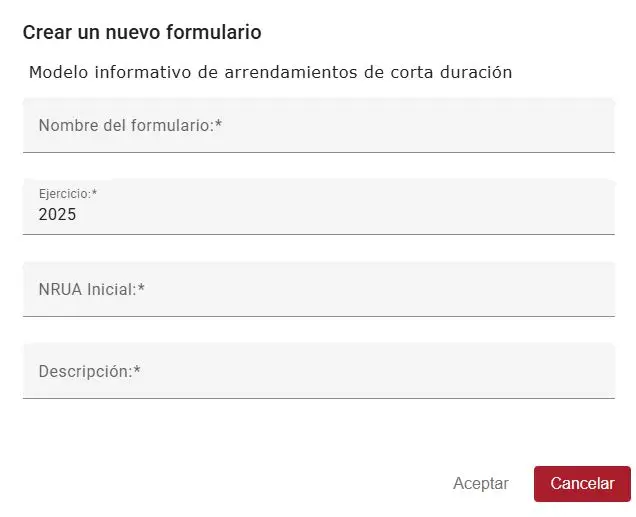
We will fill in the form data, indicating a name for the form, the year to which the Registro Único belongs, the initial NRUA, and a brief description.
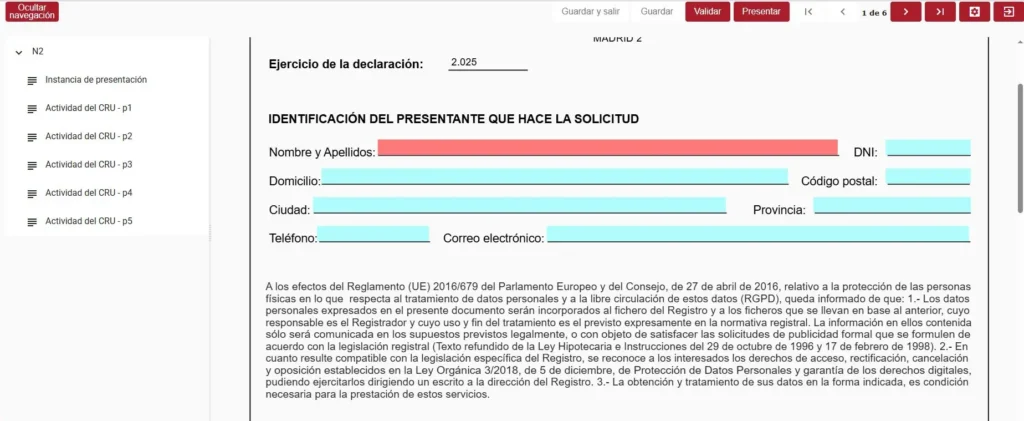
We will open the form created by pressing the button at the top right of the screen and we will start filling in the personal data of the applicant:
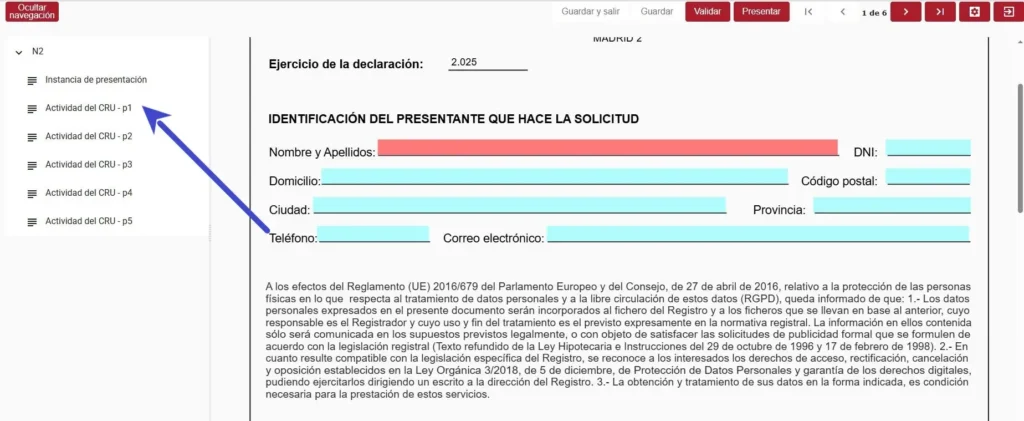
Once this data is filled in, we will click the toolbar on the left where it says “Actividad del CRU”
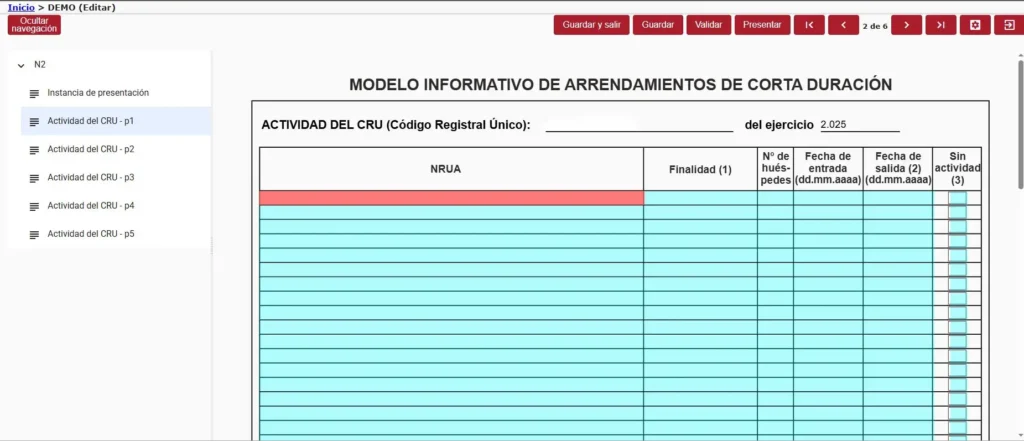
Once the form is opened, we will start filling in the data manually, since the N2 Multi Web application does not allow importing data from the Registro Parte Viajeros application.
You must fill in the NRUA of the property where you register the accommodation, where it says “purpose” you must mark with a code from 1 to 5 the purpose of the accommodation, which are: 1.-Vacation/tourism, 2.-Work, 3.-Studies, 4.-Medical reasons, 5.- Others.
In the Number of guests section, you must fill in the number of guests who stayed for each vacation rental and in the respective boxes the check-in and check-out dates. If there was a period during which the property was vacant, you must check the “no activity” box.
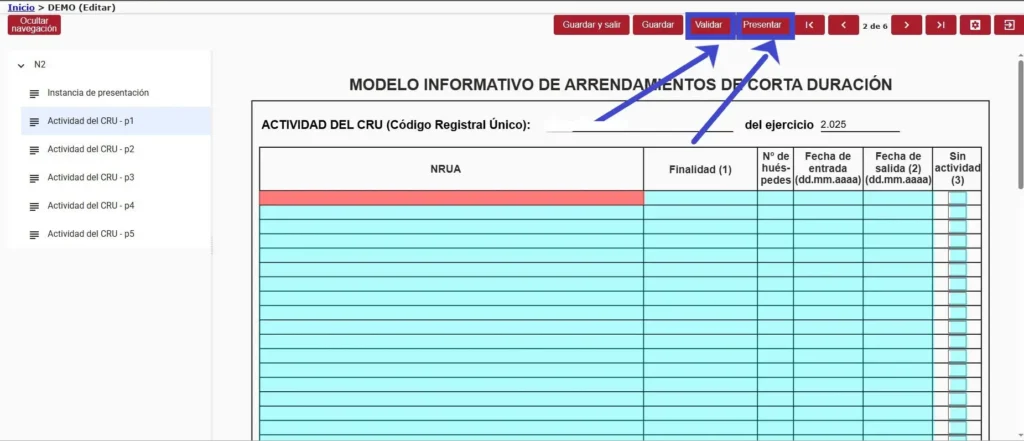
When you have filled in all the lease data, you must select the “validate” option to verify that they are formally correct for submission in the application. Afterwards, you will click on the “submit” option. Please note that with the N2 Multi web application, only re:
❌Errors in validation
During the validation process, two types of errors may appear at the bottom of the form: mandatory completion errors which will be those shown in the tab on the left, and recommended completion errors which will appear in the tab on the right:
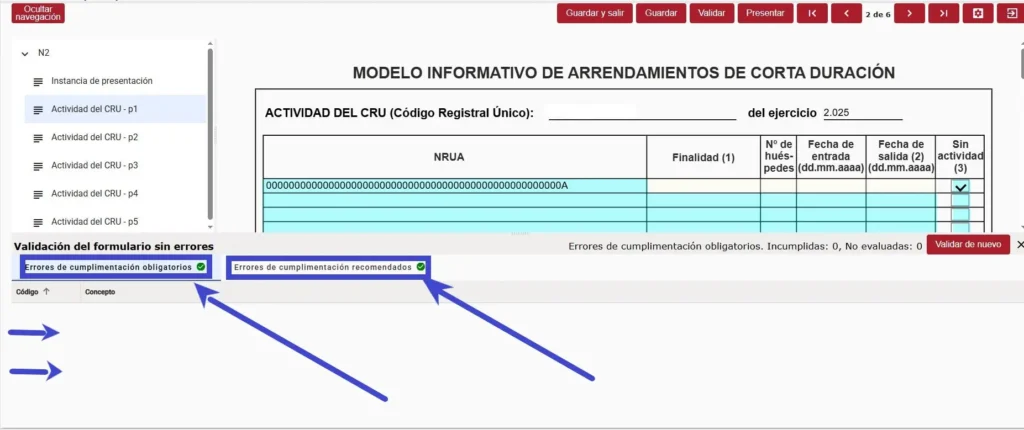
The mandatory completion errors are those that will not allow you to submit the form and will be highlighted in a list immediately below, indicated with a ❌ and the number of errors that have been made along with a brief explanation. When the errors have been corrected, a ✅ will appear upon validation. The same applies to recommended completion errors, with the difference that these will allow you to submit the form, but they could have consequences later in the process, so we recommend correcting them.
✅Submit the form
Once we correct the validation errors and submit the form, a window will open with two options, the first for the direct submission on the Registry’s Web Portal that will generate a ZIP file which we must submit at the Electronic Headquarters of the Property Registry and the second will generate a pdf document that we can print and submit in person:

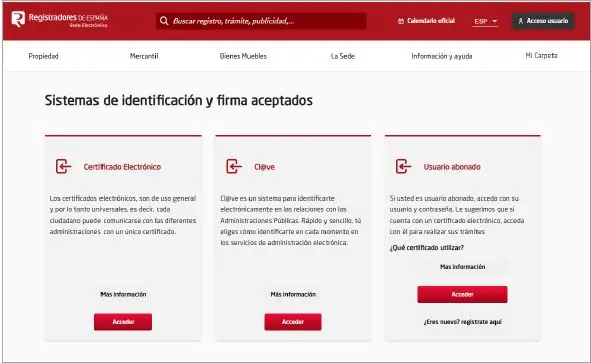
Once we have downloaded this ZIP file, we will go to the Electronic Headquarters of the Property Registry to carry out the telematic submission, if on the contrary we have downloaded the PDF file we must go to submit it in person. We will enter with a Digital certificate or Cl@ve and proceed to attach the ZIP file that we downloaded previously.
Conclusion
The Web Application for submitting the NRUA N2 Multi for Mac and other operating systems provisionally solves the operating problem experienced by users with devices incompatible with the program developed by the Property Registry and is an alternative with fewer features but fully operational. We remind you that for any questions you can contact Registro Parte Viajeros via WhatsApp or email.


