

As we already know, the new obligations for the NRUA Registry of February of leases come into effect during February 2026, this registry is included in the Orden VAU/1560/2025, of December 22. This obligation includes the registration of all accommodation data for 2025 before the deadline, which will be March 2, 2026.
At the bottom of the page you will have the tool to use it
This obligation affects only accommodations made through an online accommodation booking platform (OTA), such as Airbnb, Booking.com, VRBO or Holidu.
Failure to comply with this obligation will entail the consequence that we will not be able to advertise our accommodations or make reservations through these platforms, a circumstance that would de facto prevent the normal operation of our vacation home.
From Registro Parte Viajeros, we provide you free of charge our application to automatically convert your Airbnb and Booking CSVs to the N2 program format.
✅Fields to be Filled in for each Accommodation (NRUA)
–Purpose of the Accommodation: indicating between 1 and 5 according to the type of lease, in order: vacation/tourist, work, studies, medical reasons, and other reasons.
–Number of guests: Effective number of guests staying at the accommodation.
-Entry date: in dd/mm/yyyy format at the guest’s access to the accommodation.
–Departure date: same format dd/mm/yyyy, on the departure day, if it is not delivered it will be considered that the accommodation remains active.
– Activity box: This box should only be checked if the accommodation was inactive during the past year.
🔀How to convert your Airbnb or Booking CSV data to the N2 program
First, we must log into our platform accounts; from there, we will access all reservations, filter to select only those corresponding to 2025, and select the option to download our CSV data. Once downloaded, we will open the NRUA Traveler Registration application, where your CSV data will be converted.
We will enter the NRUA application for Traveler Registration and fill in our NRUA Number in the form, we will select from the dropdown what type of housing we want to register. Finally, we will drag or select the CSV file from the folder where we saved it and click the Generate CSV for N2 button.
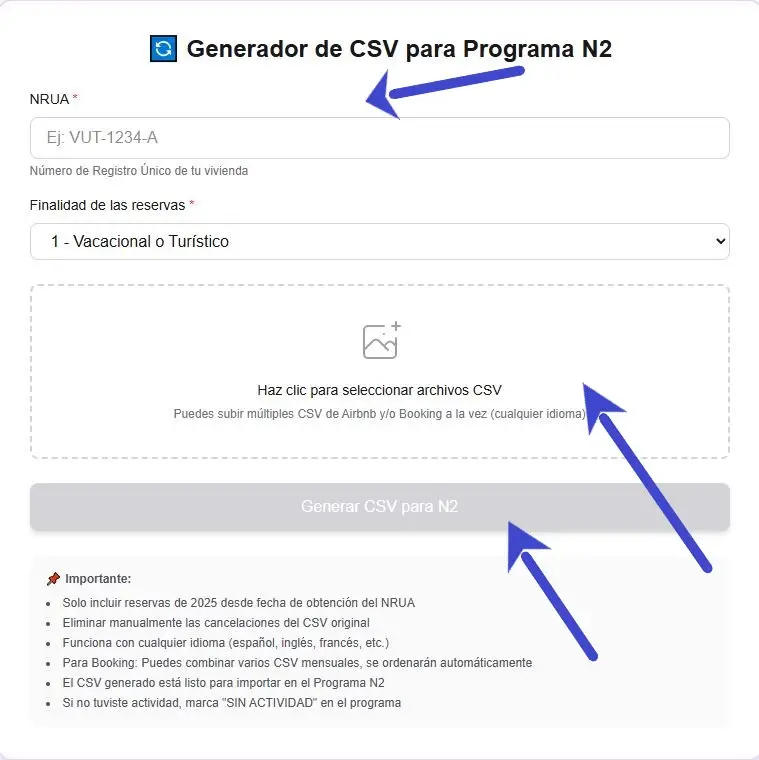
And we would already have the data ready to import into the N2 program.
▶ Register through the N2 Program
If we wanted to carry out the registration automatically through the Passenger Registration services, we would follow the following guide.
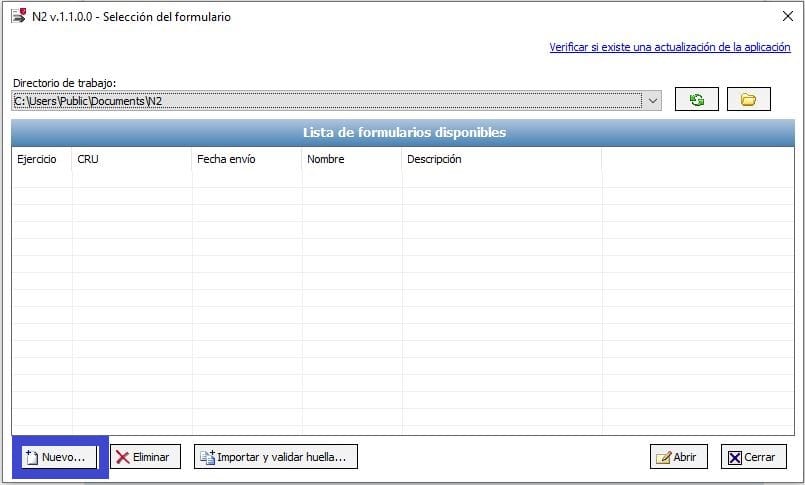
Once installed we will open the N2 program and click on the “New” option to start filling out the Register:
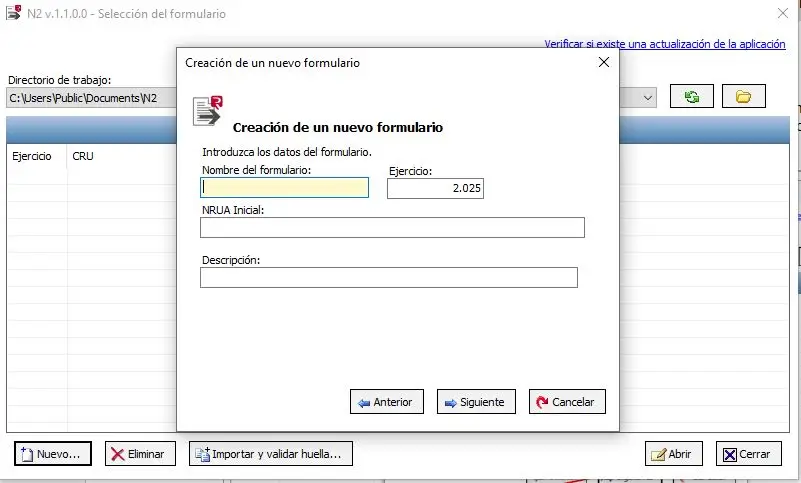
And an option will pop up for us to set the basic form data, filling in the name we are going to give it, the Unique Registration Number of the first property on which we will carry out the annual registration, and a brief description:
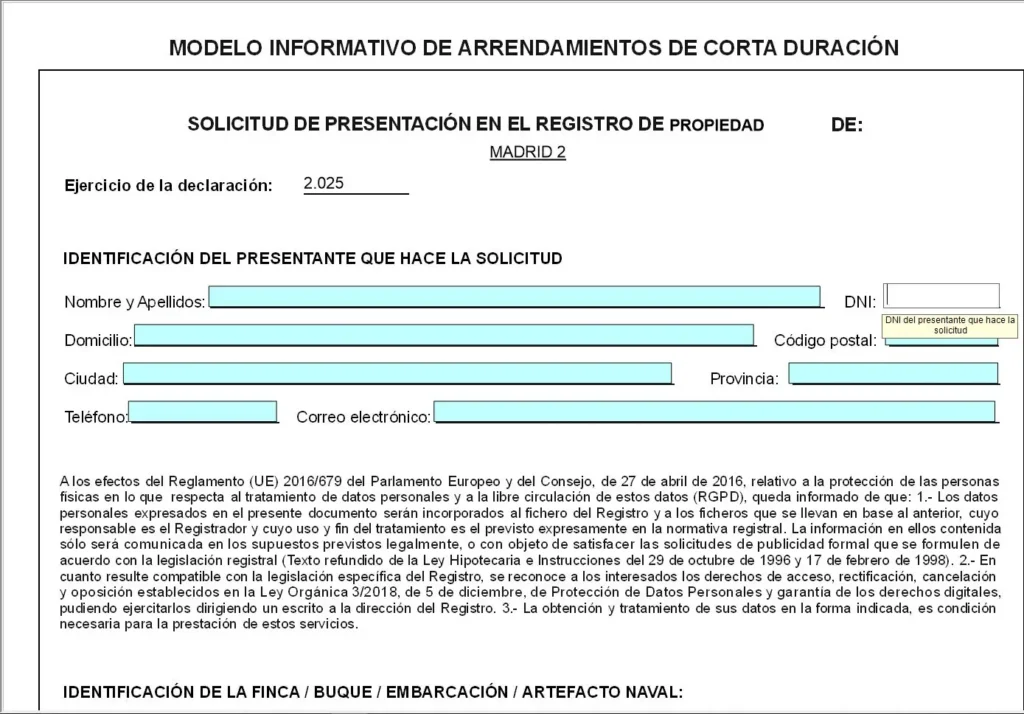
A form similar to a PDF will open in which if we choose the manual option we must fill in our personal data for the submission:
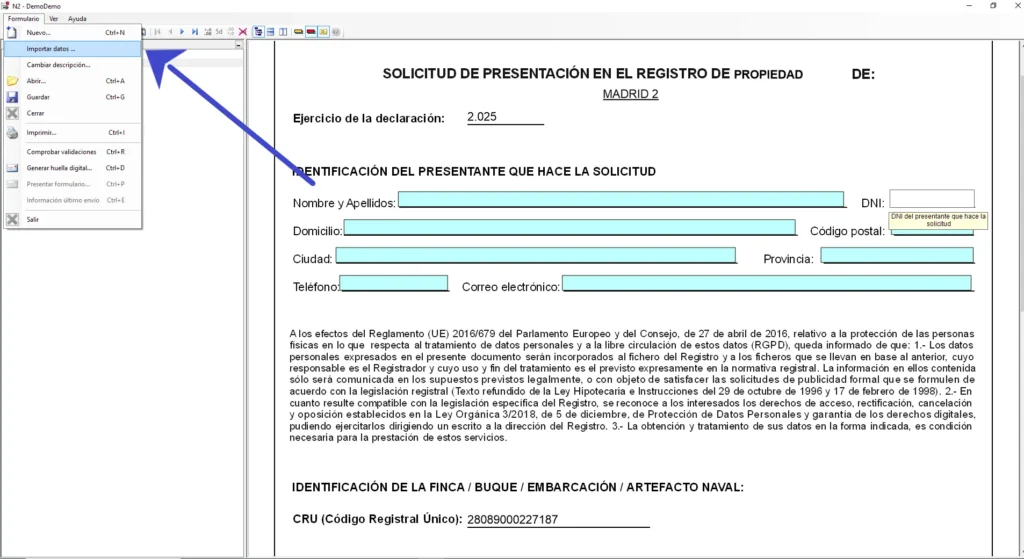
We will send the converted data through the NRUA Traveler Registration application, selecting the option «Importar Datos». Selecting them from the folder where we have downloaded them.
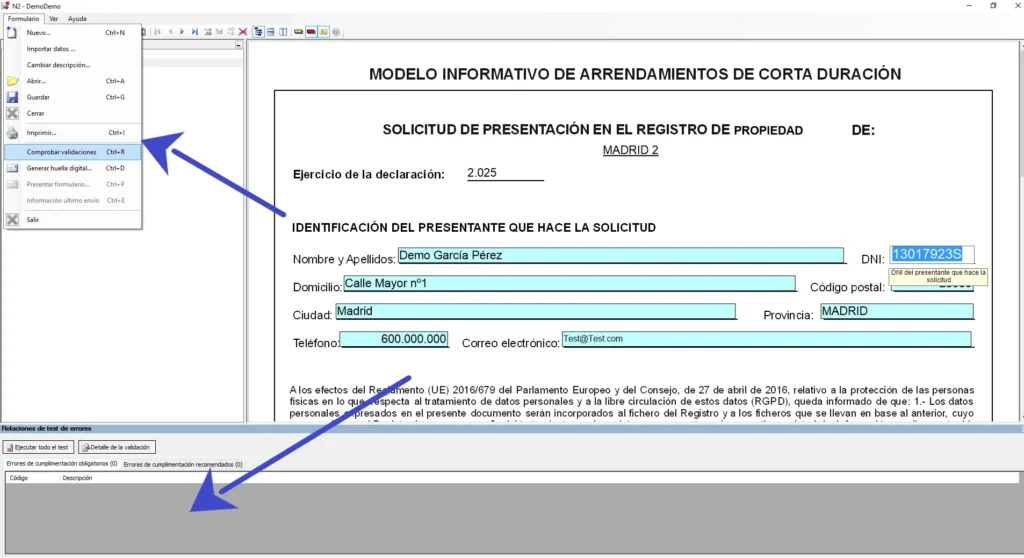
Once all the data has been filled in, we will have to validate that we have done it correctly and generate the digital fingerprint by clicking on the dropdown menu in the upper left corner of the screen. If there are errors in the validation, they will appear at the bottom of the program and we must fix them before being able to generate the digital fingerprint and submit the form:
The submission of the form may be in person or online, and within this in a direct manner or by entering the electronic headquarters of the College of Property Registrars, as an example we will take the telematic submission in a direct manner:
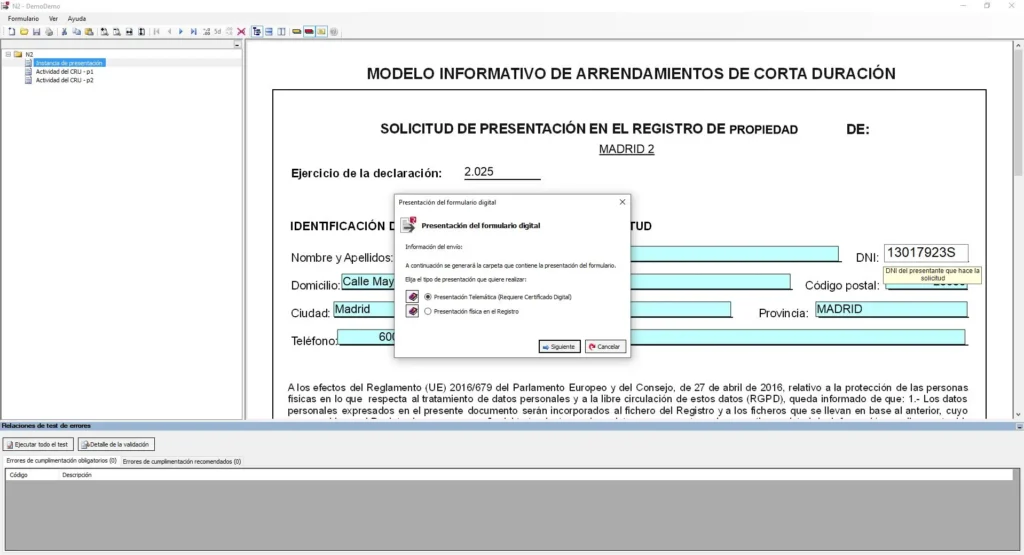
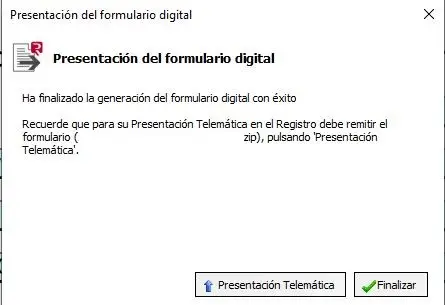
It will prompt us to choose where we want to save the files to then submit them, and it will be saved in the chosen location as a .zip file, which will be what we finally submit and a pdf file containing a copy of the submission instance. And we will sign using a digital certificate.
Remember that this tool is free and greatly simplifies the February NRUA Registration, but you always have the option to use our application to keep guest records for SES.HOSPEDAJES and export them directly saving you time.
Here we attach the tool:


