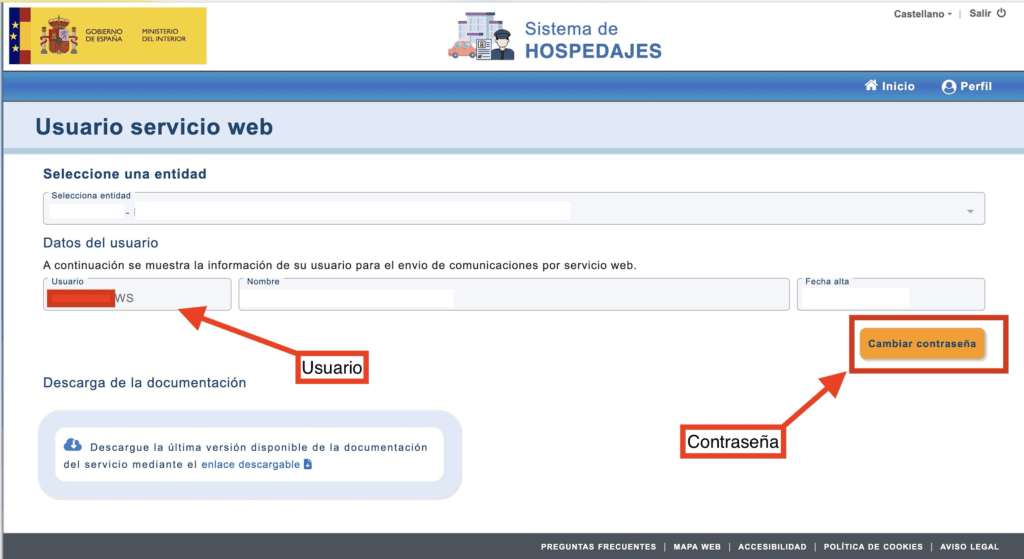
To be able to automate SES HOSPEDAJES services, the WS user is needed, this Web Service user is obtained when creating the SES HOSPEDAJES account, along with the password. In this guide, we explain how to obtain the SES HOSPEDAJES WS user or recover it in case it has been lost.
Get the WS user of SES HOSTINGS
Credentials ending in WS are those that allow you to automate traveler registration with Registro Parte Viajeros and other OTAs. One sign that you do not yet have credentials for the web service is that when entering the portal for the Registration of entities and establishments, only these 3 options appear:
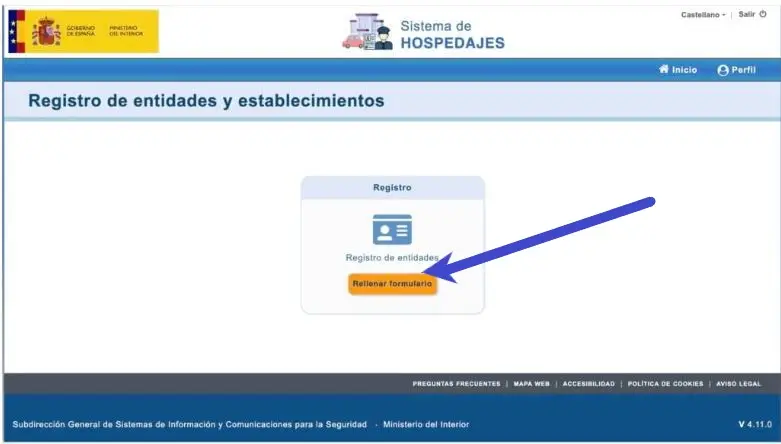
In this case, you should click on the option register entity and fill in the data related to the accommodation manager, including the name or company name, the NIF/NIE or CIF, the address, or the contact details…
First, we will select whether we are acting on our own behalf or as a representative of another person:
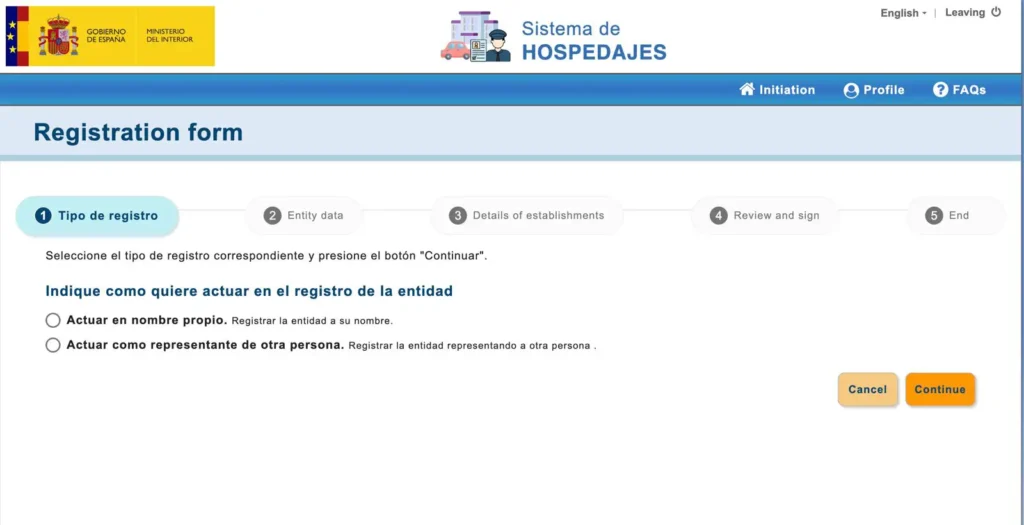
Secondly, we will fill in the data required by the SES ACCOMMODATIONS form
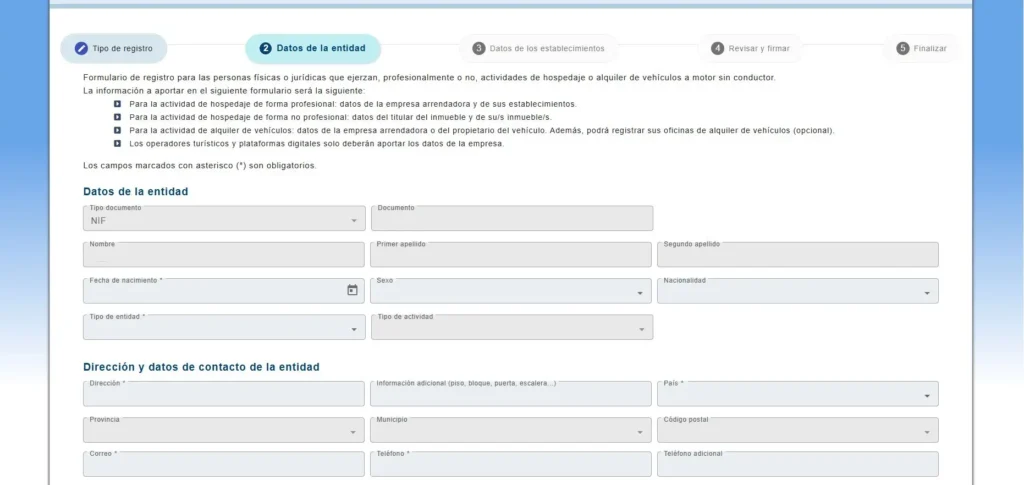
It is important that in the section “Tipo de entidad” we select “Hospedaje”, since the other options refer to large entities or management platforms, such as Booking.com or Airbnb. As individuals or companies that manage tourist accommodations, our activity is legally classified as “de hospedaje”.
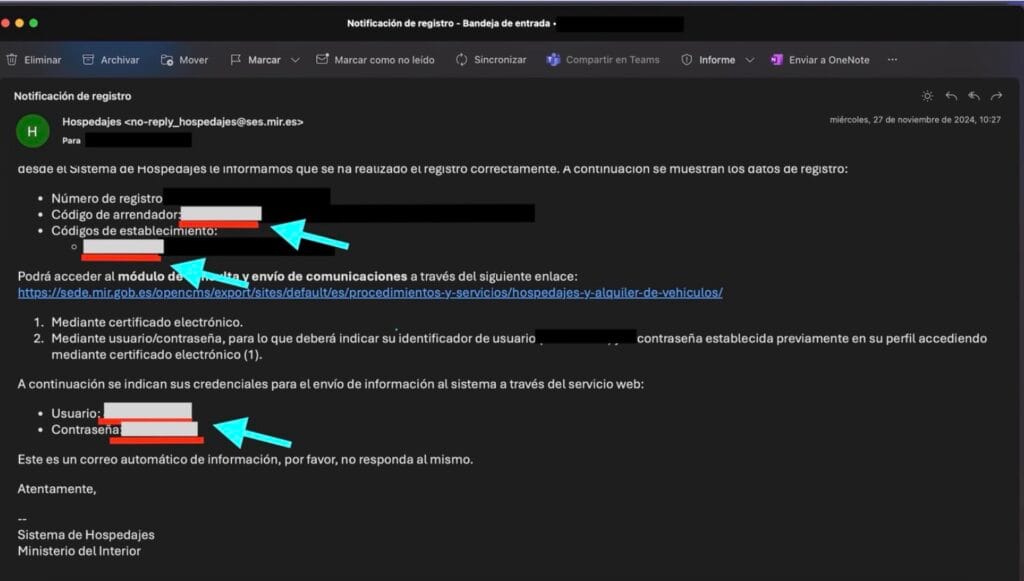
After filling in this information, we will receive an email from the Ministry of the Interior containing the username and password, as well as the lessor and establishment codes and the registration number:
With this data, we can log back into the SES HOSPEDAJES platform and select the option “view and modify my data”
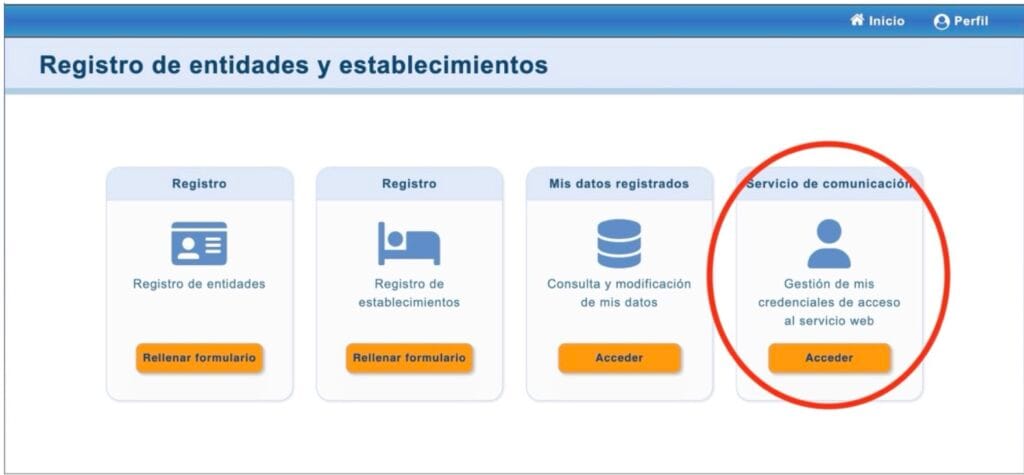
There we will be able to see the credentials ending in WS that constitute the user to be entered in the Traveler Registration application and ensure the automation of communications. We will also have the option to change the password.