

How to obtain the landlord and establishment code for SES HOSPEDAJES can be difficult if you don’t remember how you completed the process. From Registro Parte viajeros, we explain how to obtain the landlord and establishment code for SES HOSPEDAJES, whether for the first time or by consulting them within the platform.
Register at SES HOSPEDAJES
The landlord and establishment codes are the data you need to start operating on the SES HOSPEDAJES platform. The landlord and establishment codes will be sent to you via email from: [email protected] You will receive this email once you register with SES Hospedajes, and it will look similar to the following:
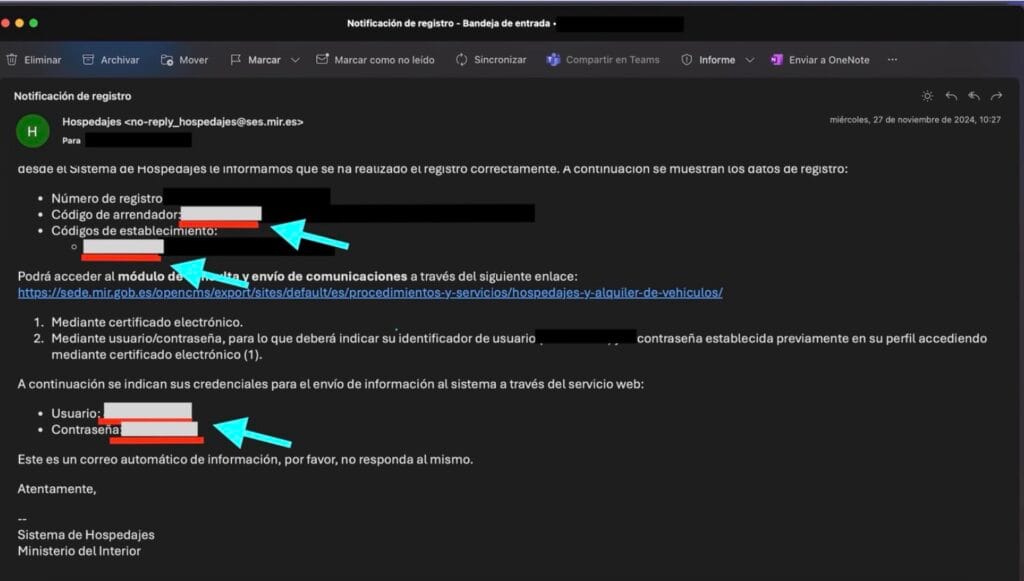
If you do not find this email, you must enter the SES HOSPEDAJES platform and select the option “Consulta y modificación de mis datos”
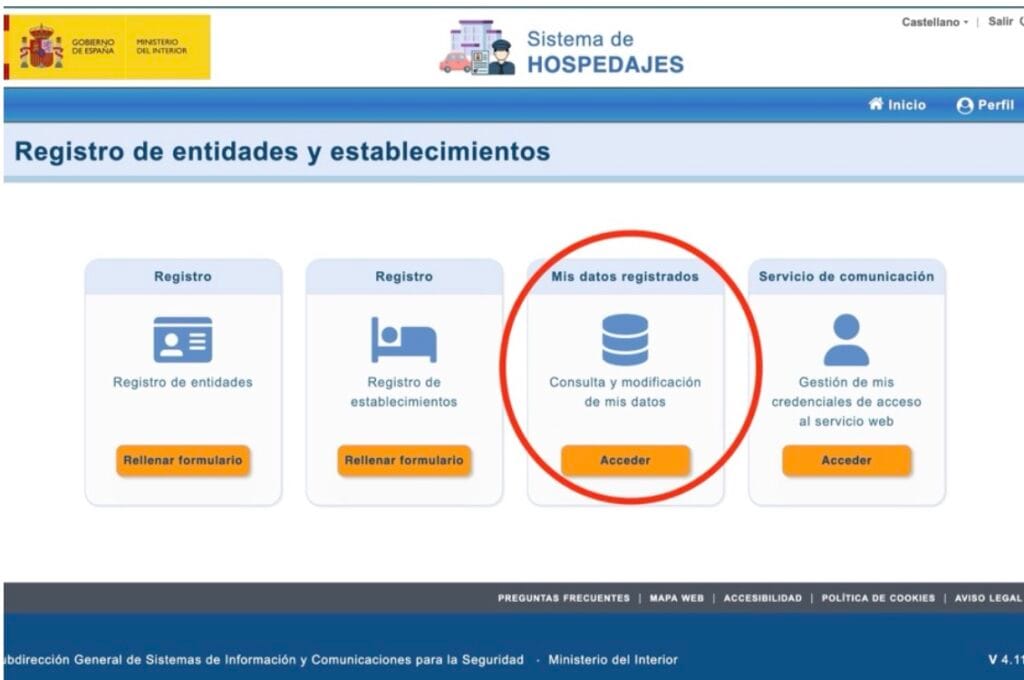
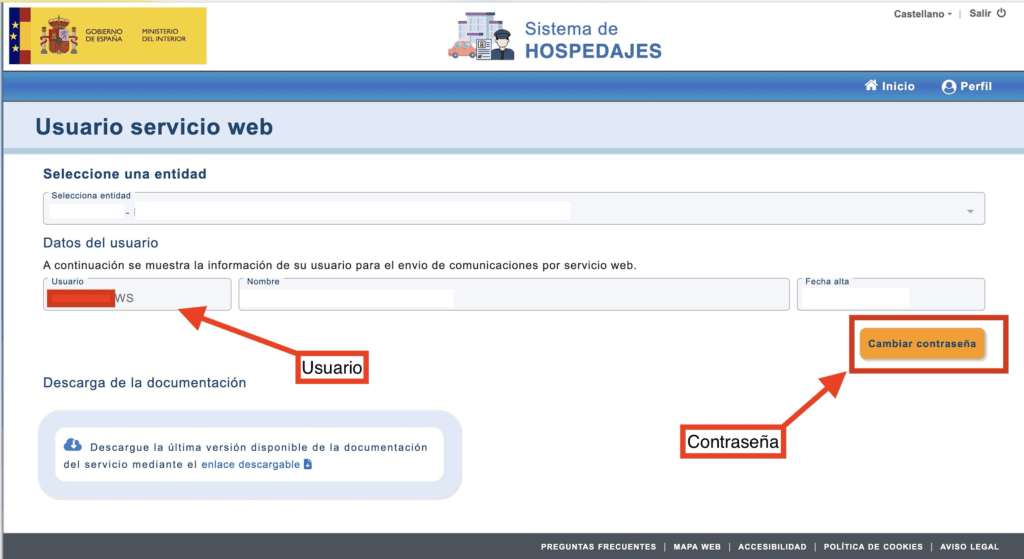
Once there, we will be able to consult the landlord code of SES HOSPEDAJES which will be found in “My Registered Data” and will consist of several zeros followed by a number. To select the landlord code we will select the entity in the dropdown and the code will appear just to its right:
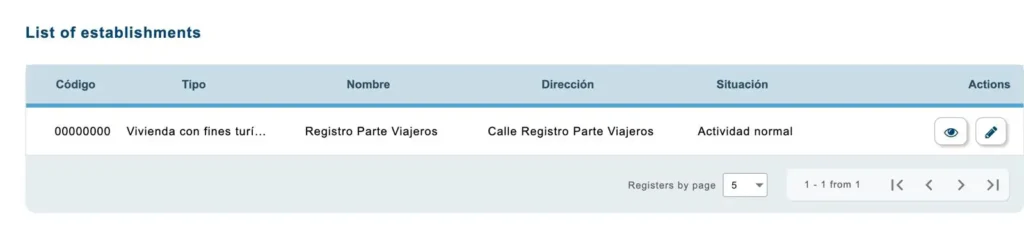
We can also consult the codes of each establishment in the “List of Establishments” on the left side of the screenshot, showing a list of all the establishment codes associated with this user:
To automate the management of SES HOSPEDAJES, use our Travelers Part Registration platform, for only €3 per month per property, simplify the management of your accommodation and minimize errors in sending information, try it free for 7 days.


