

From Registro Parte Viajeros, we present you the guide on how to automate traveler registration with Airbnb. At Registro Parte Viajeros, we make your life easier; nowadays, most tourist establishments manage their reservations through PMS, tourist reservation platforms that allow you to attract clients and advertise your accommodation worldwide.
The first thing we must do is log into our Registro Parte Viajeros account and enter the application in the configuration section. Once in this configuration panel, we will fill in the details of our property.
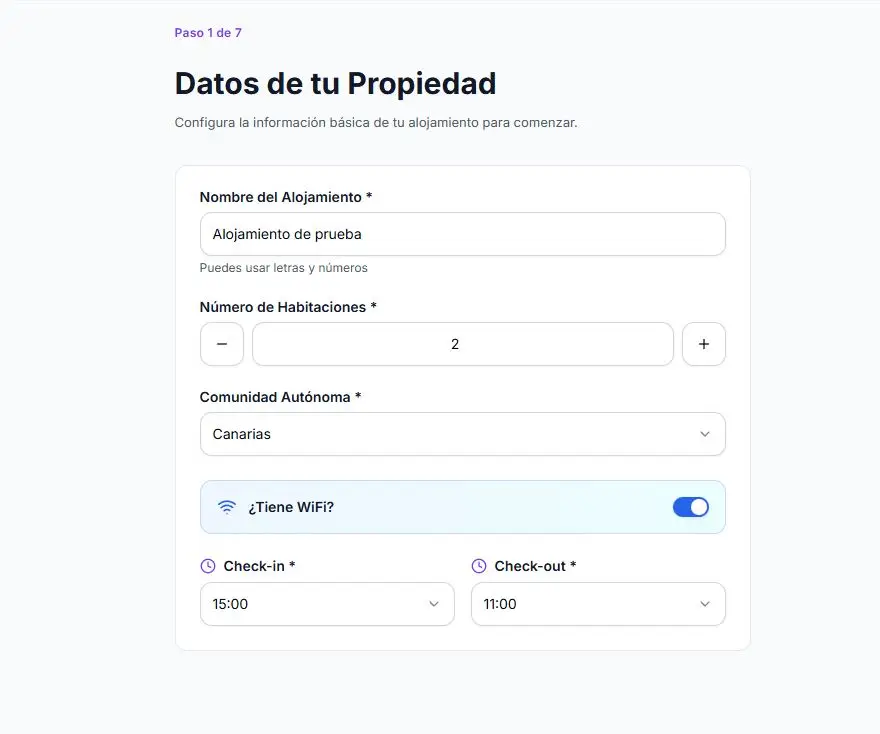
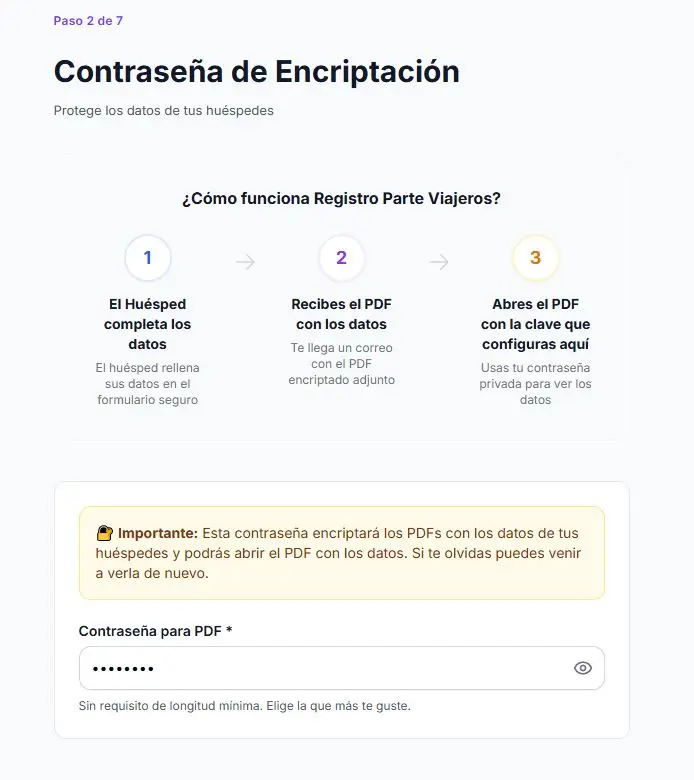
We will click continue and choose our password to encrypt the PDF. This encryption password is added to ensure the security of your data.
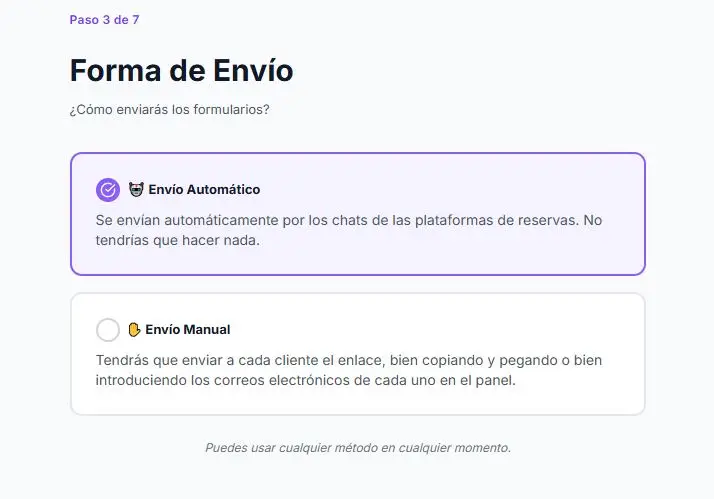
We will continue choosing the shipping method, for greater convenience we advise you to make automatic shipments to take advantage of all the functionalities of Registro Parte Viajeros, although you can change this option at any time.
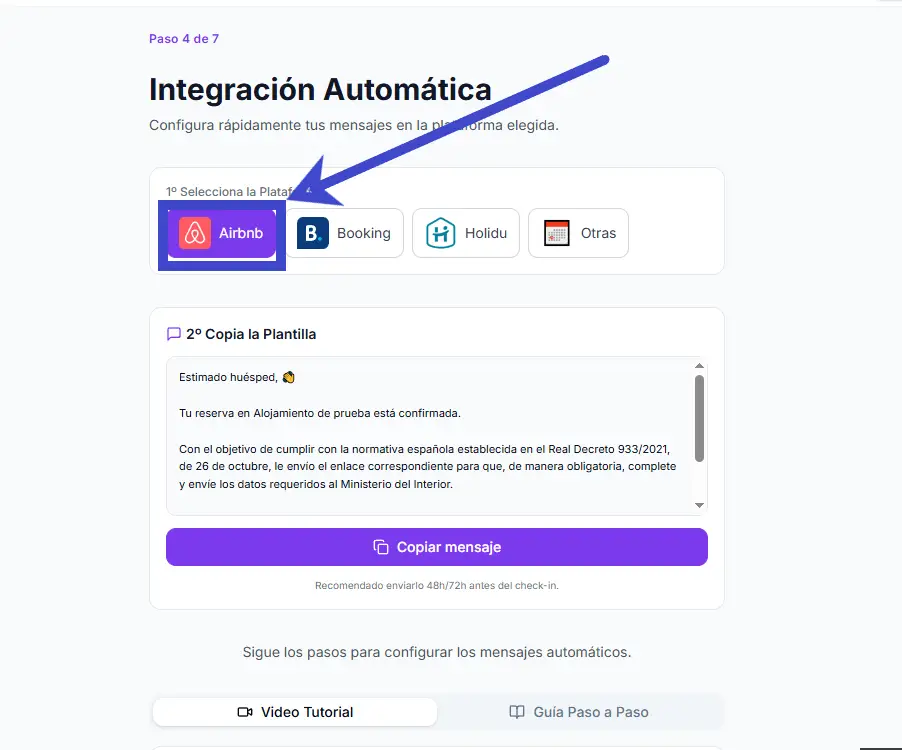
In the Automatic Integration section we will select Airbnb and copy the message that appears in the template by pressing the “Copy message” button:
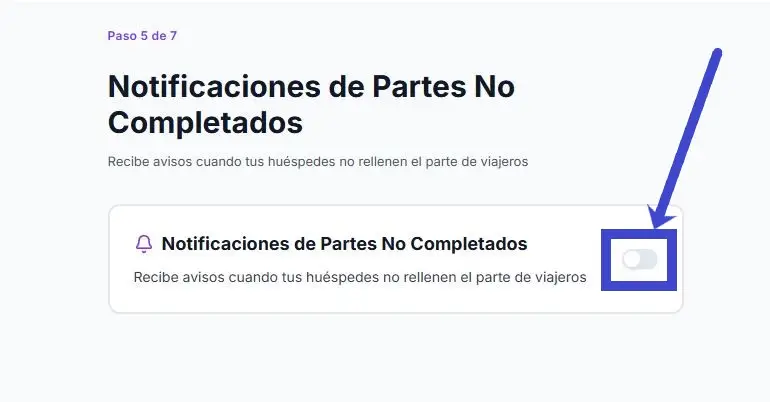
If we still do not have the Registro Parte viajeros account configured and it is our first integration, we will select whether we want Registro Parte Viajeros to send us a notice when our guests do not complete the registration form.
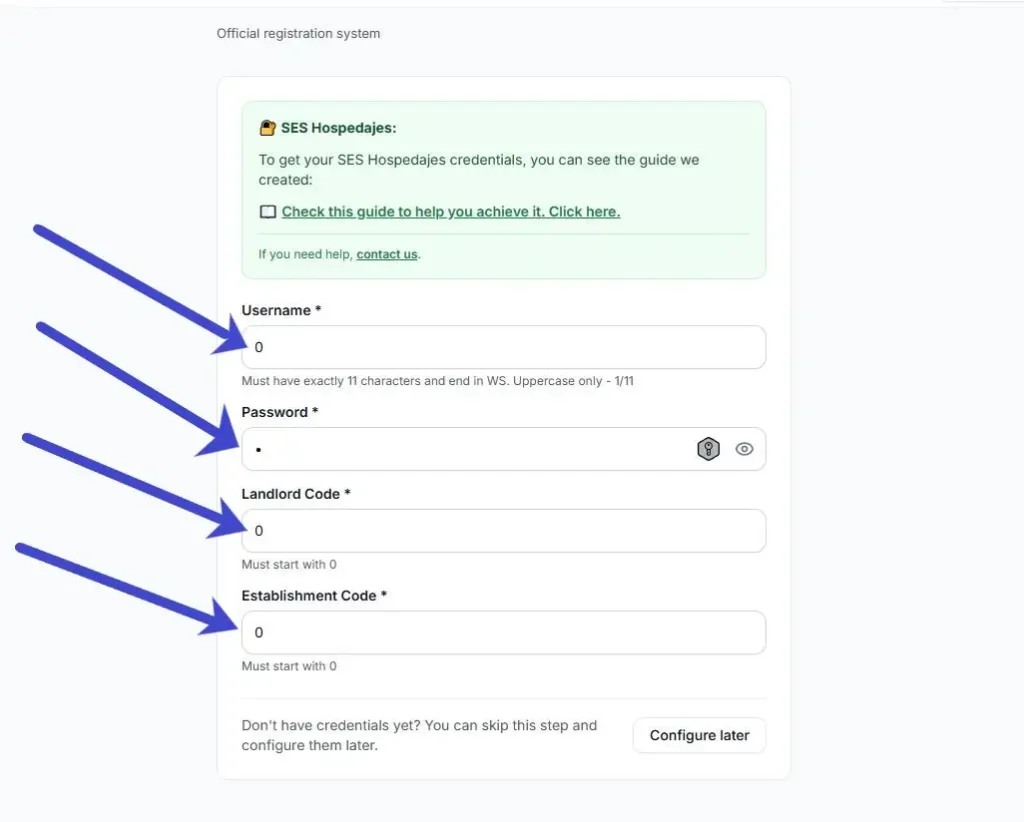
Finally, we will fill in our details to make the direct connection with the authorities, entering the data exactly as indicated in our guide to send the Registration notices to SES HOSPEDAJES:
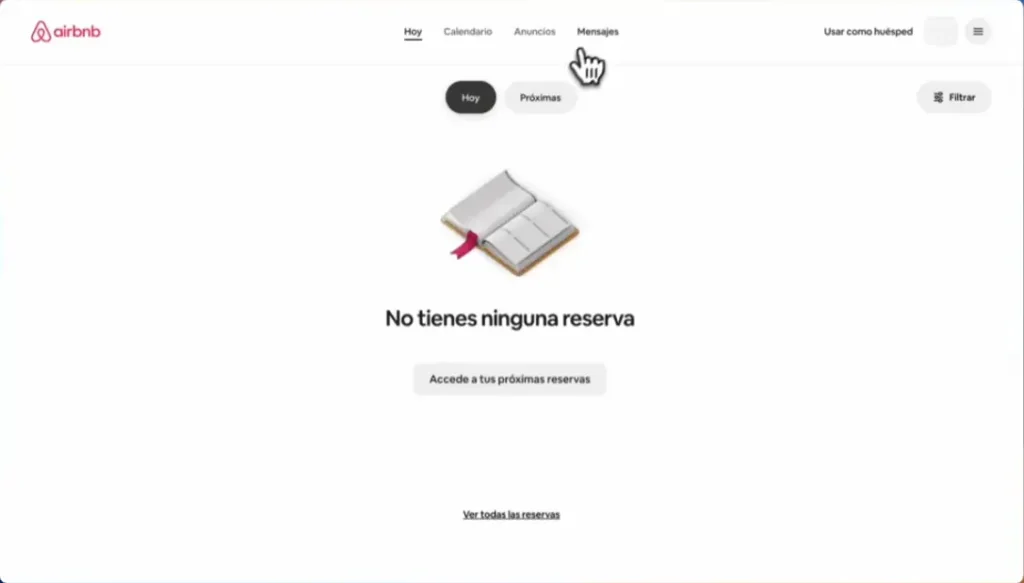
Next, we will enter the Airbnb host portal, we will log into our account by entering our password, accessing the “main menu” of the platform we will be able to see the reservation panel, the calendar, and the messages, we will select the “Messages” menu at the top center of the screen:
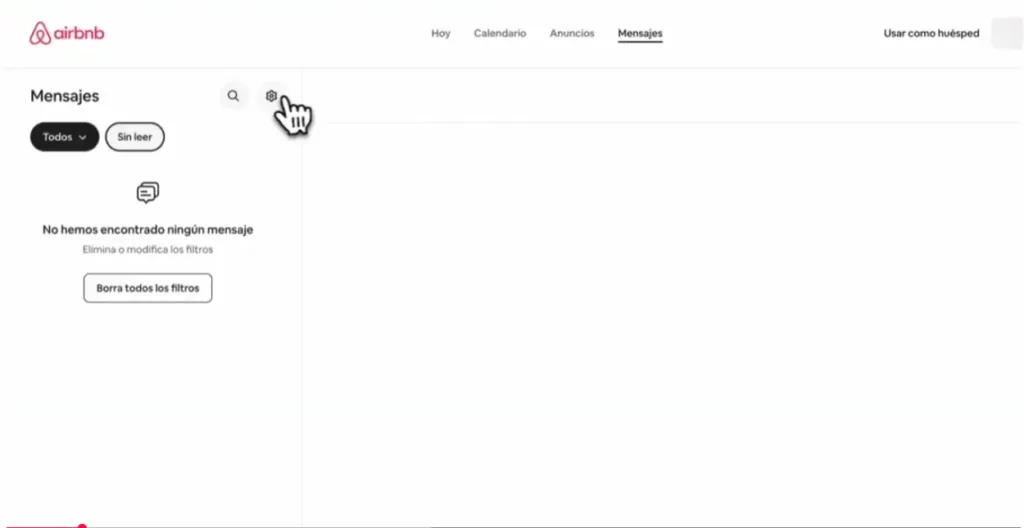
Next, in the menu that will open on the left we will click the options button next to the search option as shown in the image:
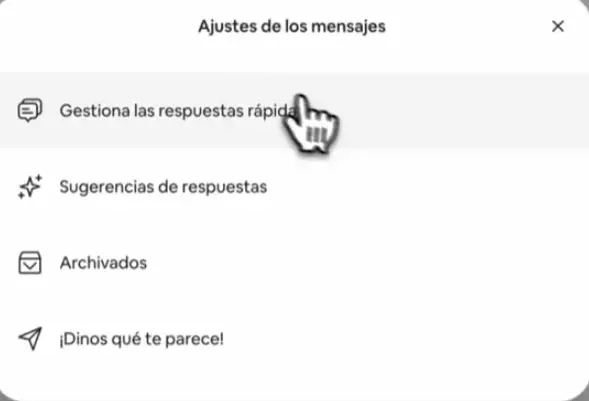
A new menu will open and there we will select in the center of the screen the option “Manage quick replies”:
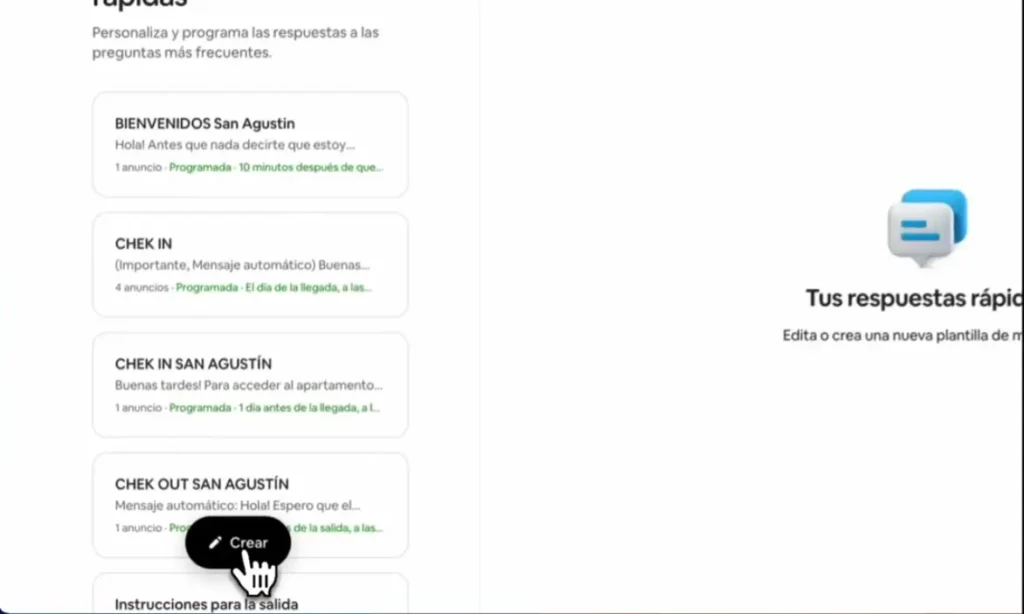
In the menu that will appear on the left side of the screen, it will indicate all the personalized messages we have configured, we will select the “create” option at the bottom of the menu
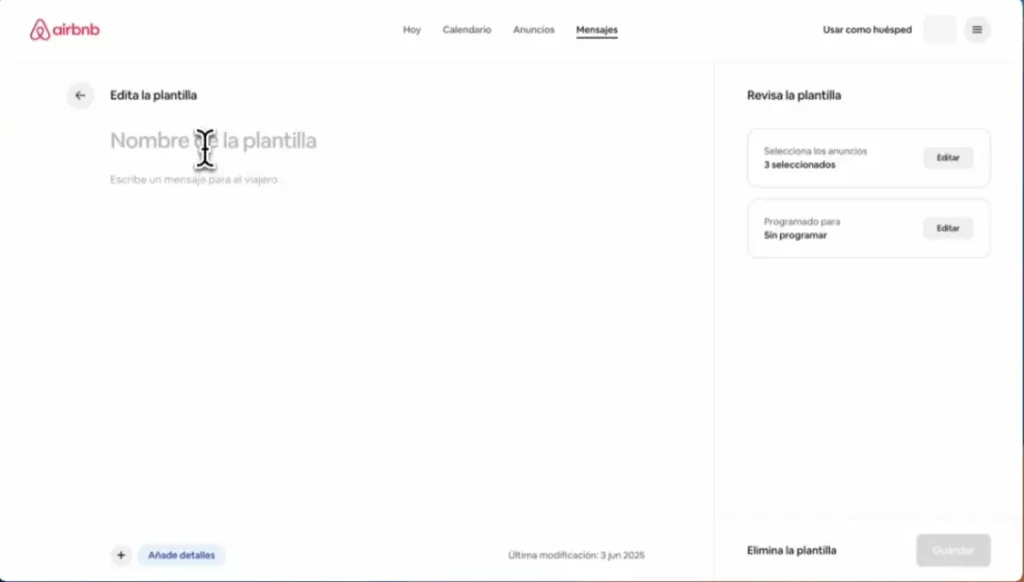
We will give the template a new name and paste the message we copied earlier from Registro Parte Viajeros: which contains the link to send the Travel Report
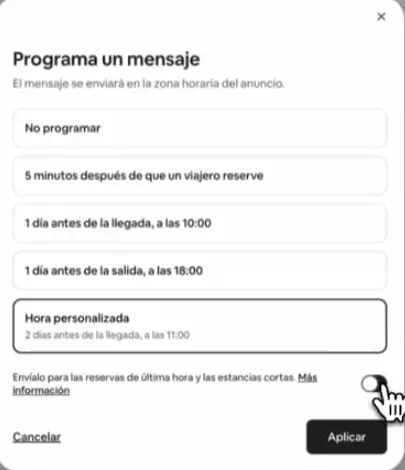
On the right side, we will select the option “Scheduled for” and select the option “Custom time”, and within this option we will select how long before arrival we want to schedule the message to ensure the Traveller Report is filled out, we will save the scheduled message and reopen it to activate the option “Send it for last-minute bookings and short stays:
Finally, we will select the option “Select the ads” in the menu on the right and select the ads to which we want to apply the new message:
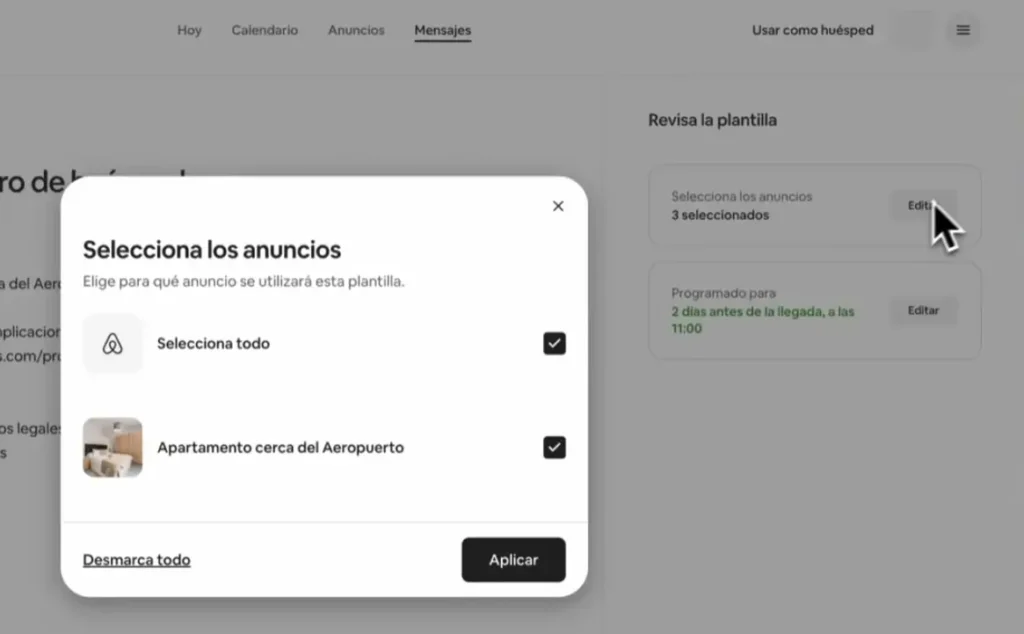
Finally, we will press the save button in the lower right corner of the screen and the Traveler Registration with Airbnb will be set up. Remember that it is important for your guests to fill out the traveler form for SES HOSPEDAJES since the responsibility will always lie with the host and may lead to penalties.
Remember that you can try Registro Parte Viajeros for free to send travelers’ reports automatically. The cost of the application after the free trial will be only €3 per month per property, so you can enjoy more free time by automating the management of legal obligations.


