

What is synchronization used for?
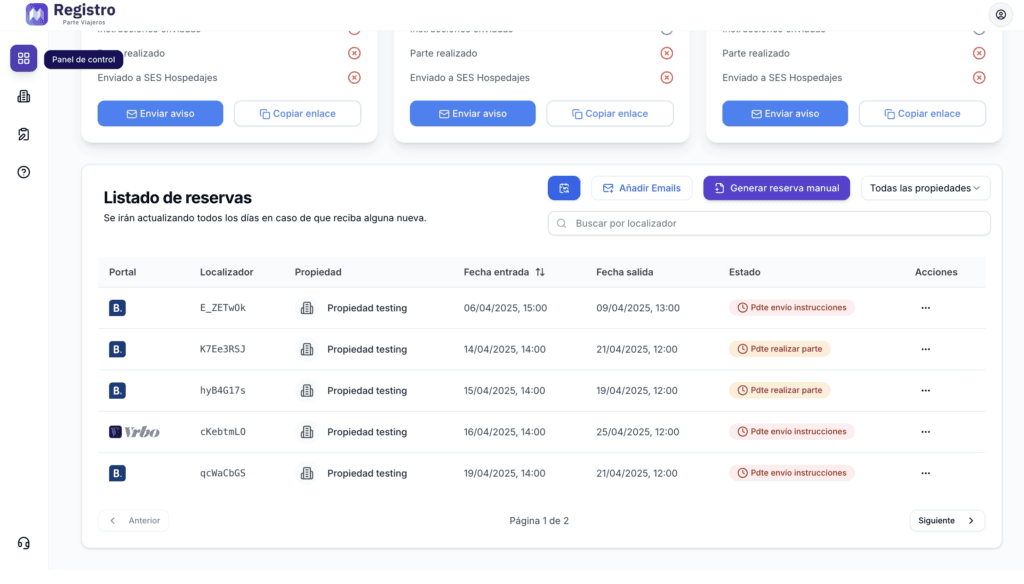
Within the control panel, you will be able to see your various reservations. They will be created automatically.
Step 1: Schedule and prices
In order to transfer all reservations from the Booking.com calendar, we must log in to the Booking.com extranet.
You can access it via this link: https://admin.booking.com/?lang=es
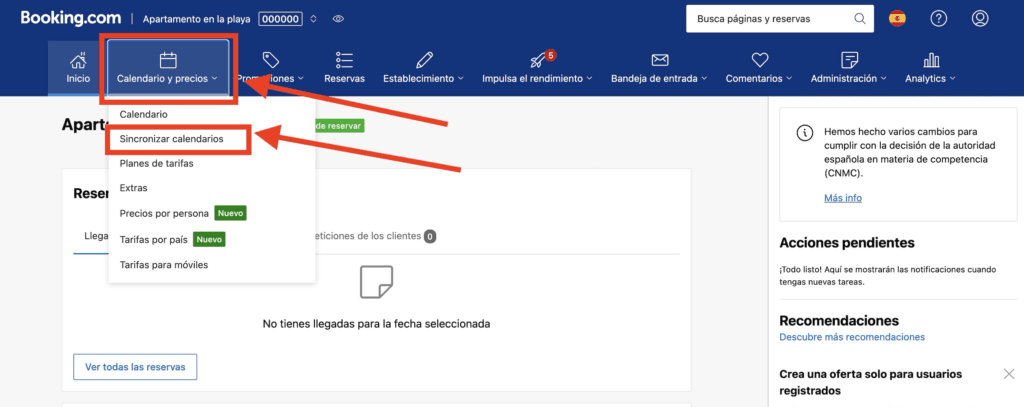
Once inside, you must select your property and then click on “Calendar and prices.”
A drop-down menu will appear. Click on “Synchronize calendars.”
Step 2: Add calendar
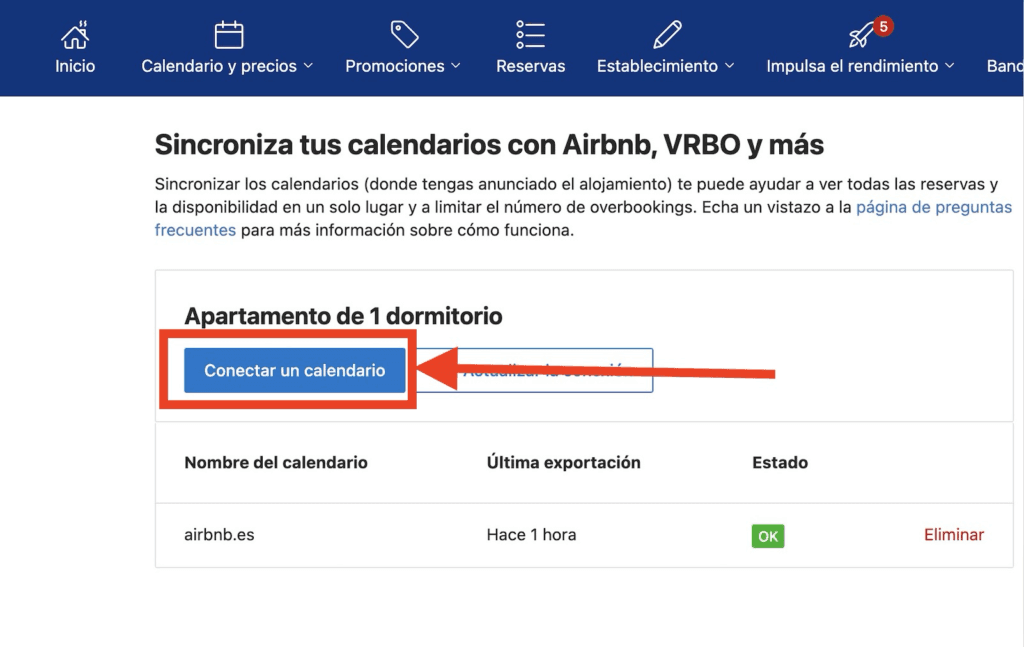
Once you are in the calendar synchronization section, click on the “Connect a calendar” button.
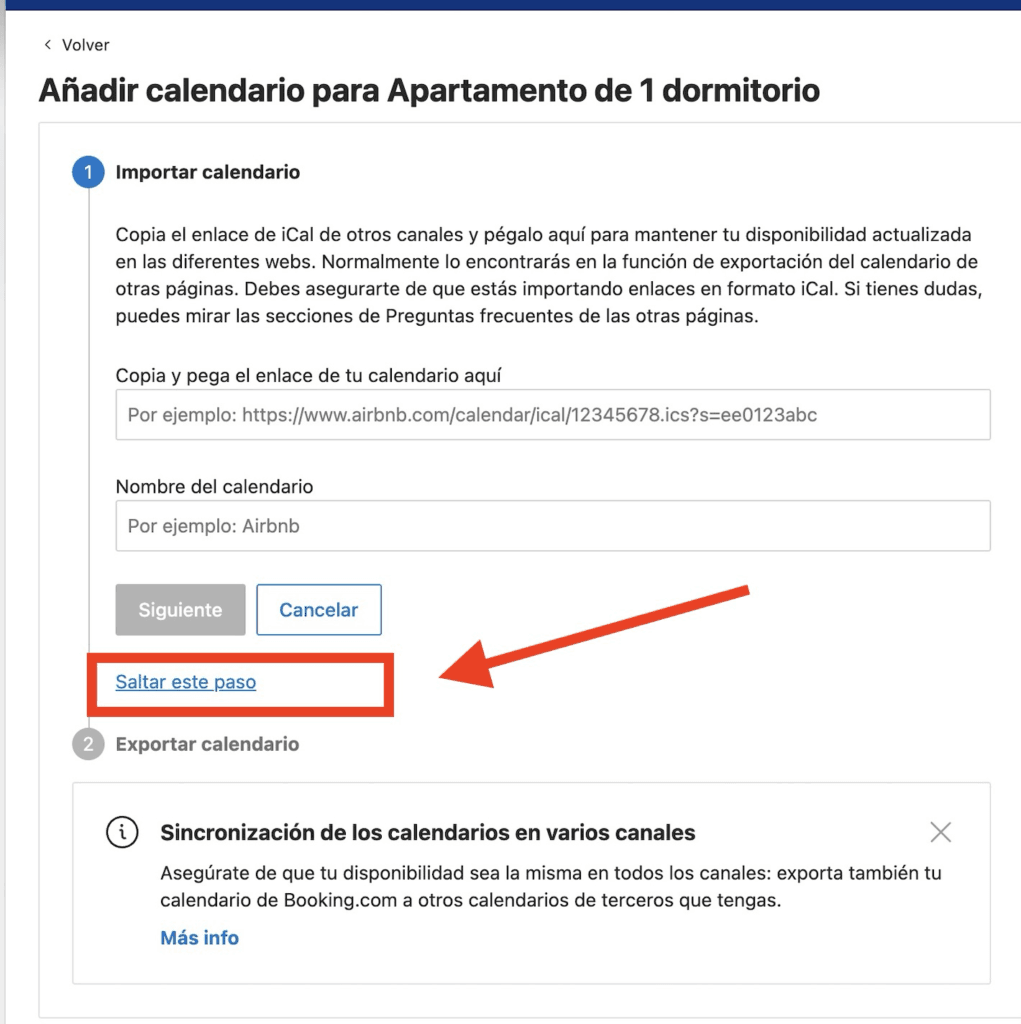
You must click on “Skip this step” for the first option.
The system will then ask you for the name of the calendar connection.
To do this, enter a name, for example registroparteviajeros.com
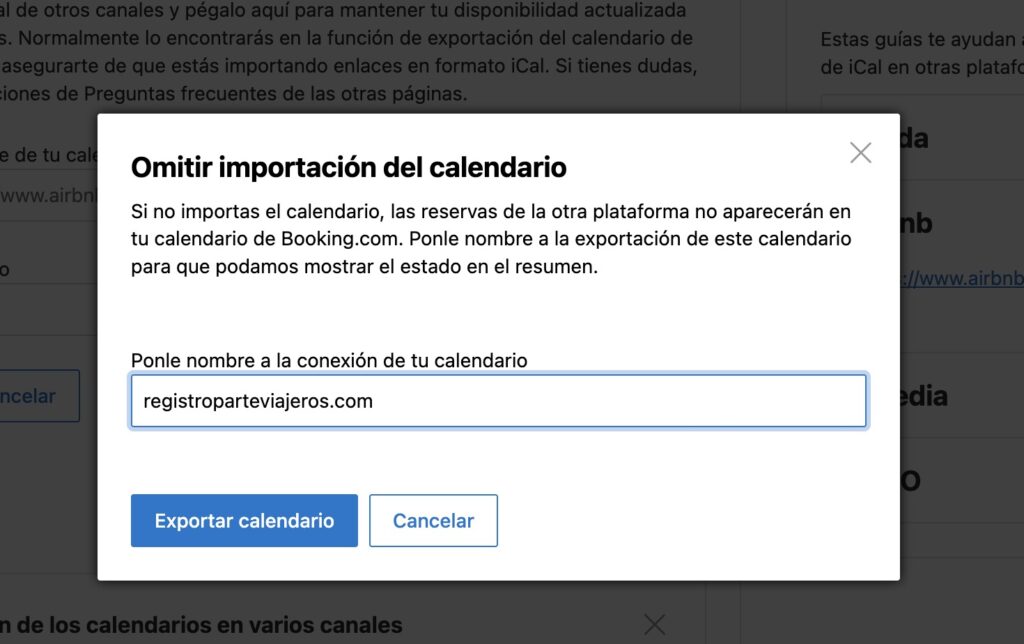
Click on export calendar and copy the link that appears.
Next, go to the platform at registroparteviajeros.com
Step 3: Enter calendar in registroparteviajeros.com
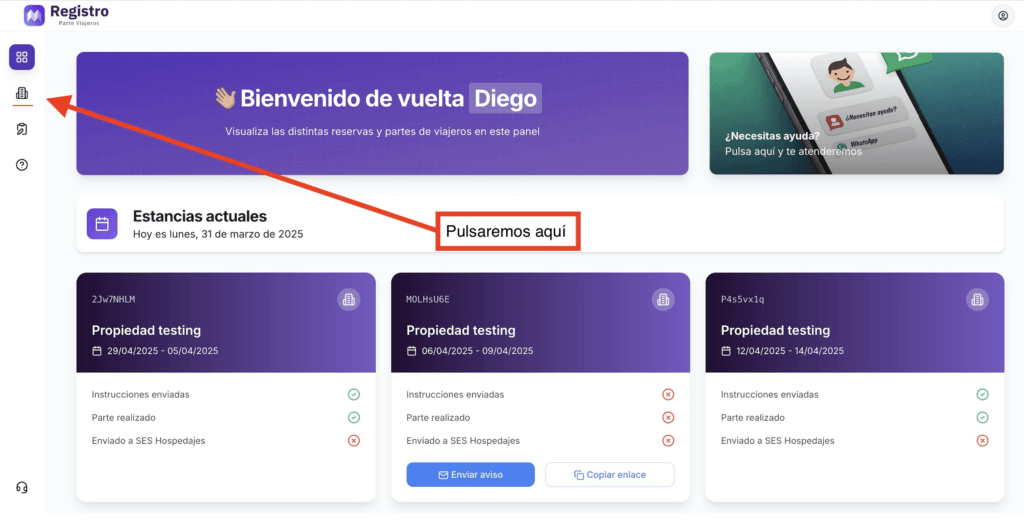
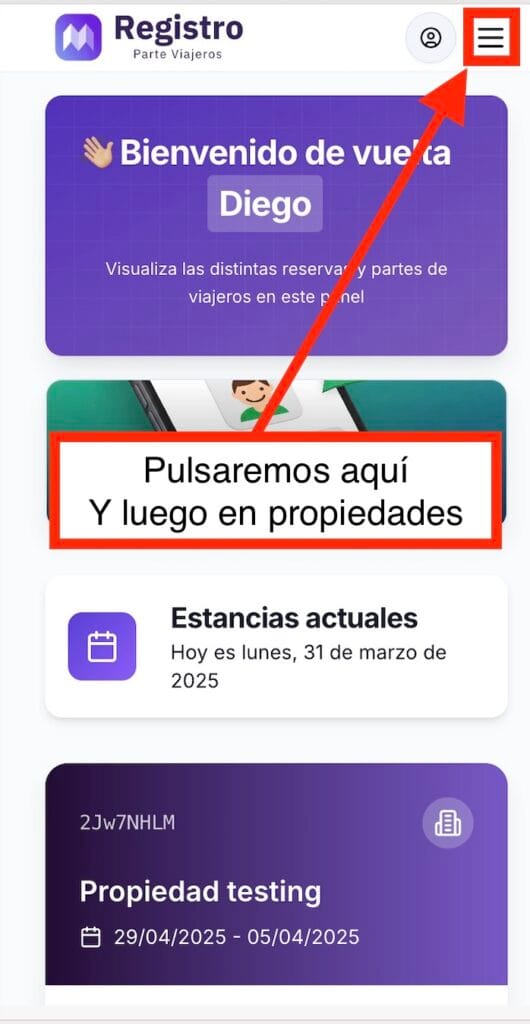
If we are on a mobile device:
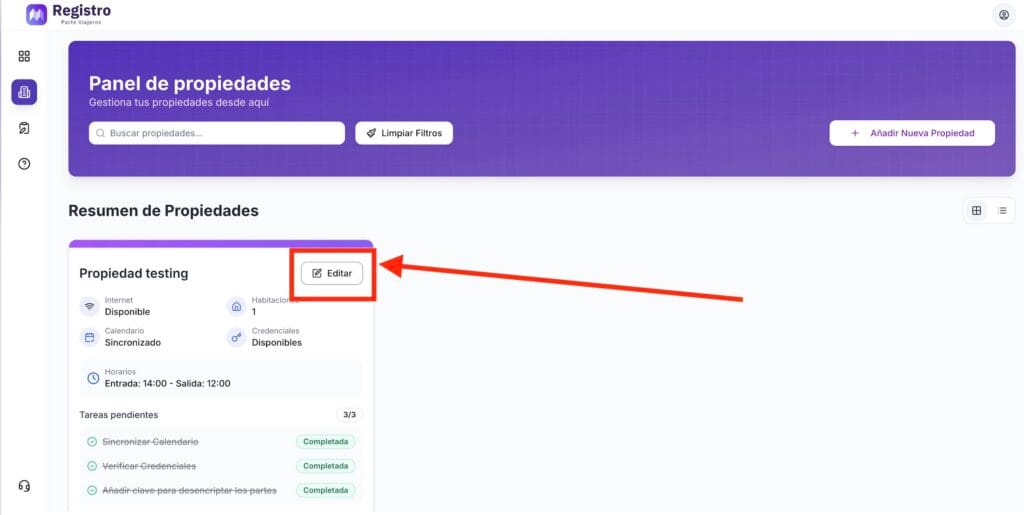
Then click on edit property.
If we are on a mobile device:
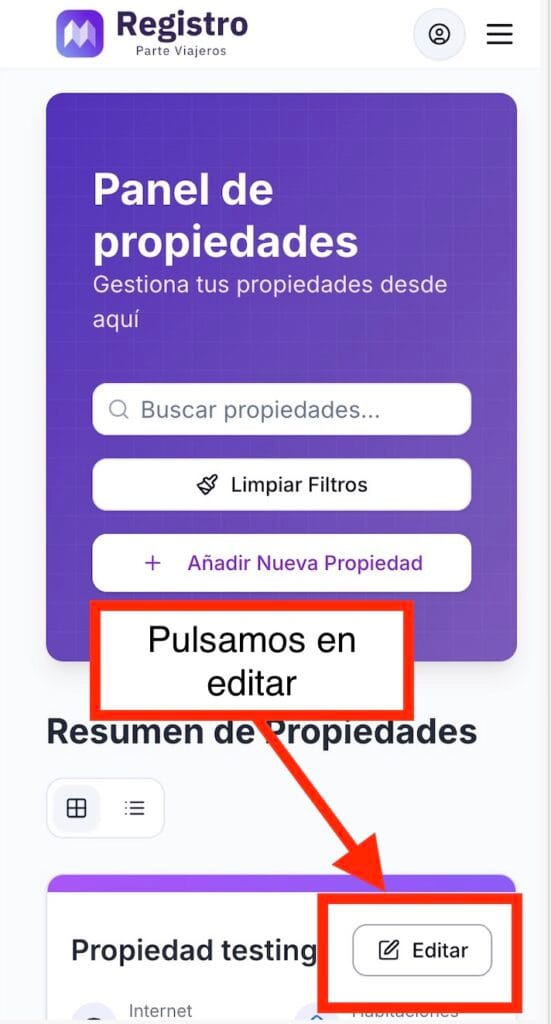
A drop-down menu will appear. Click on calendar:
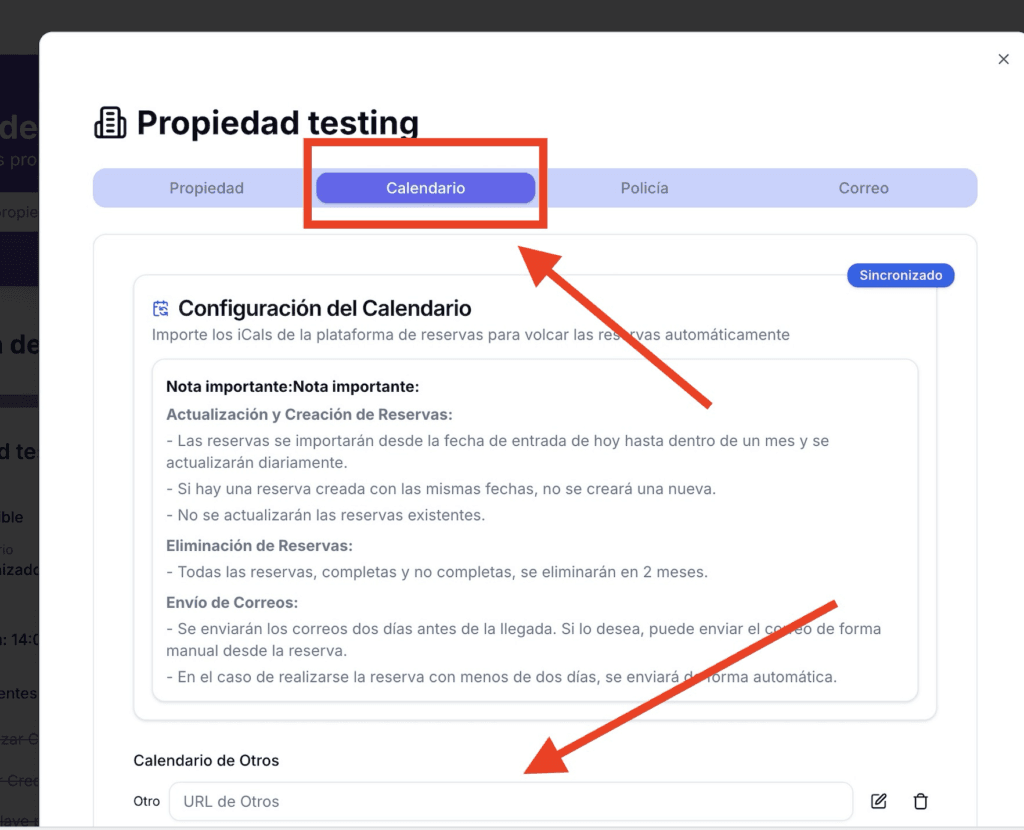
In the section labeled “Other Calendars,” paste the calendar link and click Save Changes.
🎉 Congratulations! Your calendar is now set up and reservations will be automatically transferred.
If you want to synchronize your Airbnb calendar, you can follow this link:


