The application of Registro Parte Viajeros allows you to automatically send links to guests. It also allows you to configure how often you can send them.
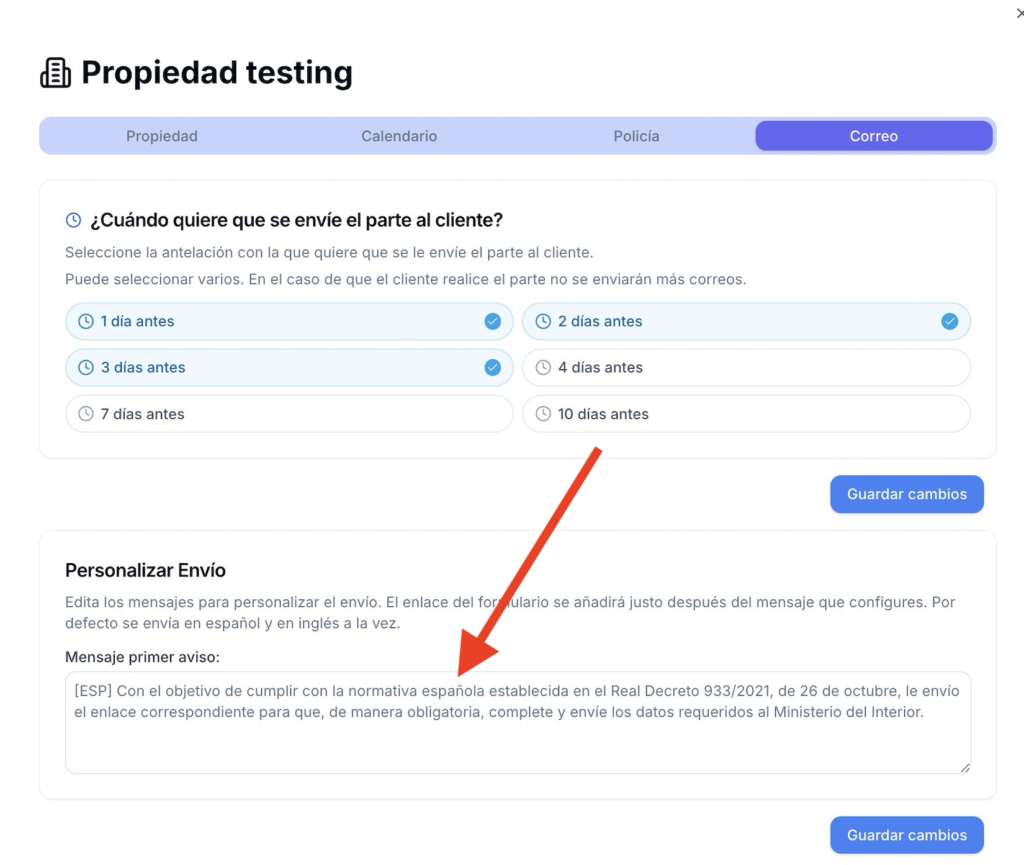
In other words, imagine that your guest arrives on the 15th. With this option, you can set it to send them the check-in link on the 12th. If they don’t check in, it will be sent again on the 13th and then on the 14th. This would be possible if you have checked the options for 3, 2, and 1 day before arrival.
This way, you can set how far in advance you want the report to be sent to you. If, on the other hand, you decide not to send it the day before, you can simply uncheck that option, and, continuing with the previous example, the last day would be the 13th.
Remember that you must have the customer’s email configured beforehand.
Customer Email Configuration
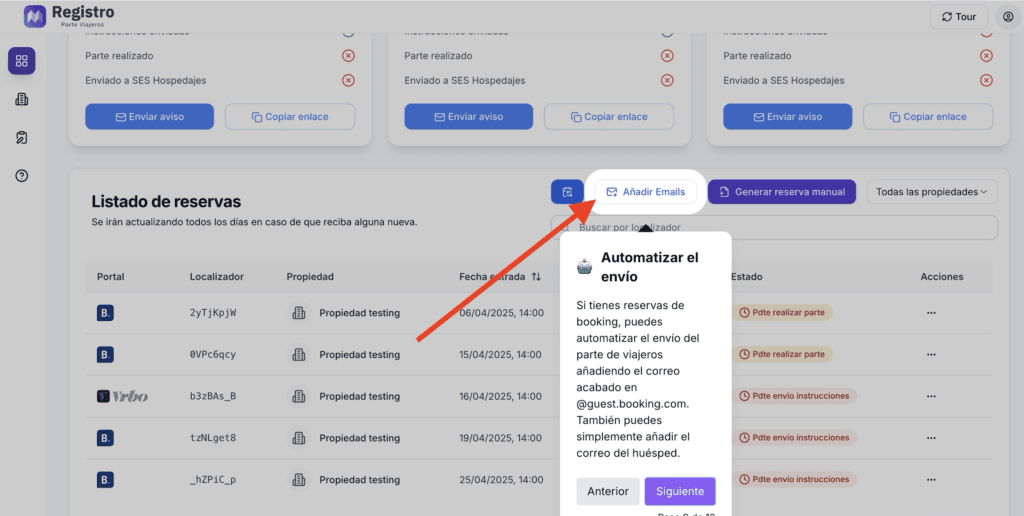
To configure the customer’s email, click on the control panel section and then on add emails.
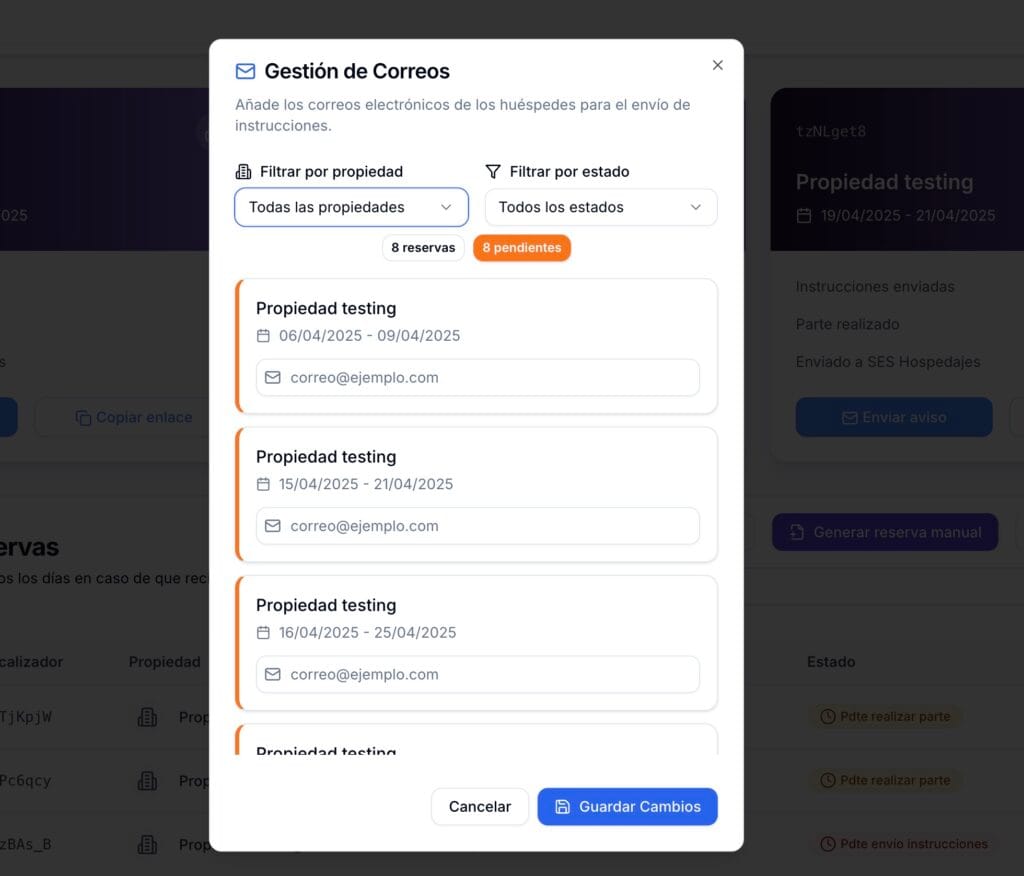
A drop-down menu will appear on that panel where you can save emails to manage them with this option.
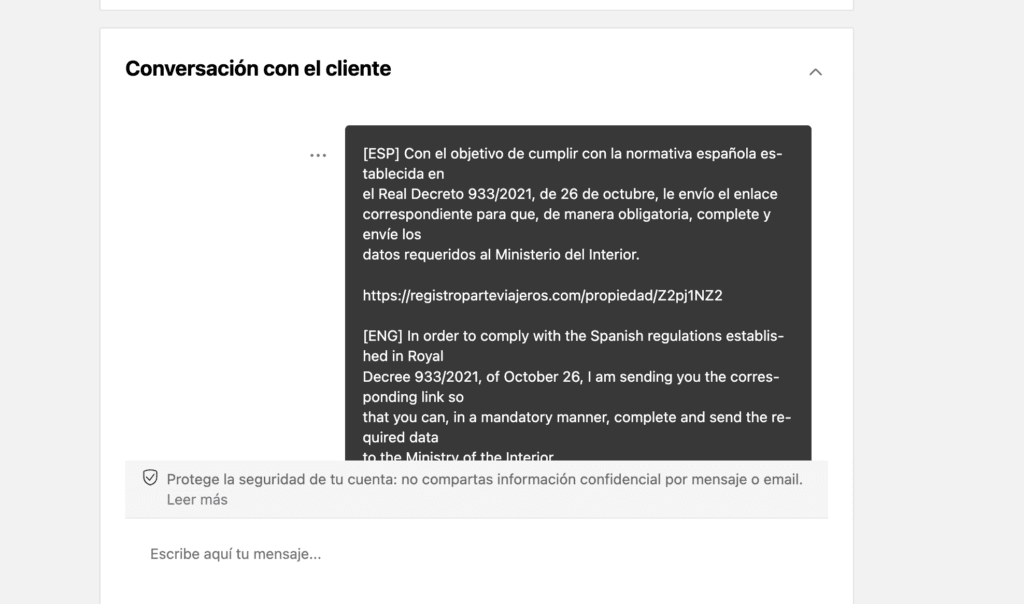
Emails ending in @guest.booking.com will appear in the booking.com inbox. This means that it is as if you were sending a message through the booking.com inbox.
Simply add the guest’s email address and click on save changes. The automatic sending options will be activated automatically, i.e., those mentioned at the beginning of the documentation.
Shipping customization
The application also allows you to customize the message.
In the same place, you can customize the message that will be sent to your guest’s inbox.
This will allow you to personalize the shipment to your customer.
🎉 Congratulations! You have now set up automatic shipping.
Para ofrecer las mejores experiencias, utilizamos tecnologías como las cookies para almacenar y/o acceder a la información del dispositivo. El consentimiento de estas tecnologías nos permitirá procesar datos como el comportamiento de navegación o las identificaciones únicas en este sitio. No consentir o retirar el consentimiento, puede afectar negativamente a ciertas características y funciones.
Funcional
Always active
El almacenamiento o acceso técnico es estrictamente necesario para el propósito legítimo de permitir el uso de un servicio específico explícitamente solicitado por el abonado o usuario, o con el único propósito de llevar a cabo la transmisión de una comunicación a través de una red de comunicaciones electrónicas.
Preferencias
El almacenamiento o acceso técnico es necesario para la finalidad legítima de almacenar preferencias no solicitadas por el abonado o usuario.
Estadísticas
El almacenamiento o acceso técnico que es utilizado exclusivamente con fines estadísticos.El almacenamiento o acceso técnico que se utiliza exclusivamente con fines estadísticos anónimos. Sin un requerimiento, el cumplimiento voluntario por parte de tu proveedor de servicios de Internet, o los registros adicionales de un tercero, la información almacenada o recuperada sólo para este propósito no se puede utilizar para identificarte.
Marketing
El almacenamiento o acceso técnico es necesario para crear perfiles de usuario para enviar publicidad, o para rastrear al usuario en una web o en varias web con fines de marketing similares.