

The encryption password is an essential security mechanism in our system, designed to protect the information contained in passenger reports sent by email. Thanks to this password, the content of the report is encrypted, ensuring that only the authorized recipient can decrypt it and access the data securely.
The encryption password serves several fundamental purposes:
• Data protection: Before being sent by email, the report is encrypted using this password, which prevents unauthorized access.
• Secure access: Only users who know the password can decrypt the message and view the complete information in the report.
• Confidentiality: Encryption ensures that sensitive traveler information remains protected throughout the entire sending and receiving process.
How do you set it up and use it?
Step 1: Access the settings section
Go to the properties section, which you can access via this link:
https://registroparteviajeros.com/propiedades
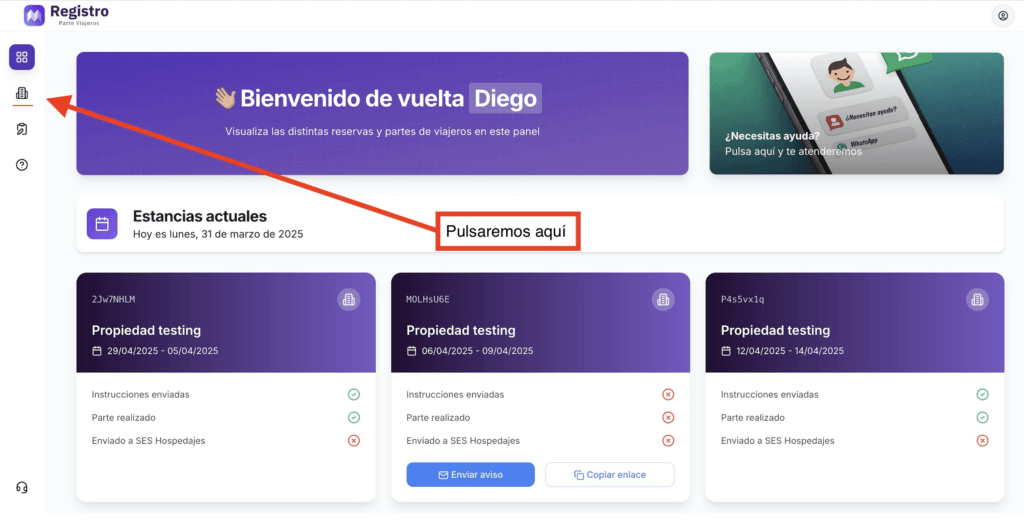
If you are on a mobile device, click here:
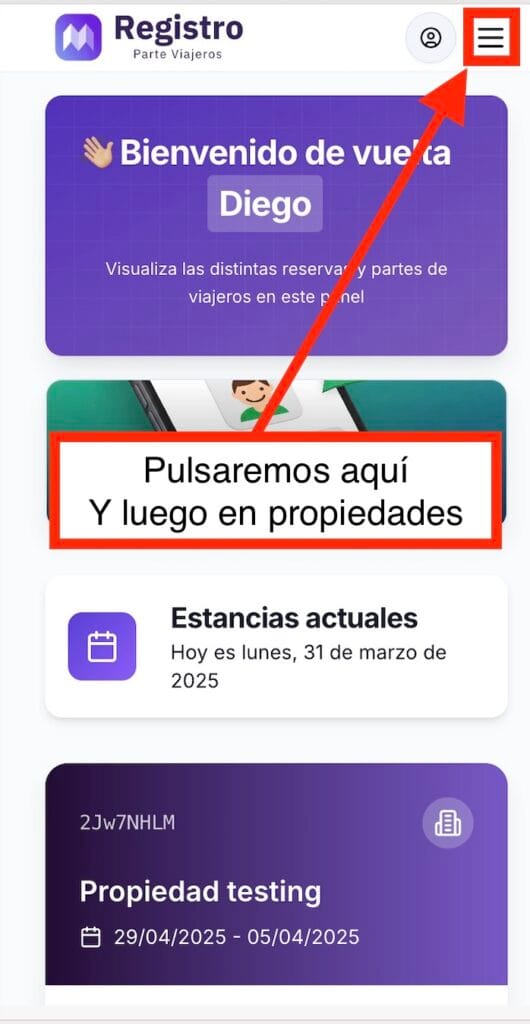
Next, click on edit:
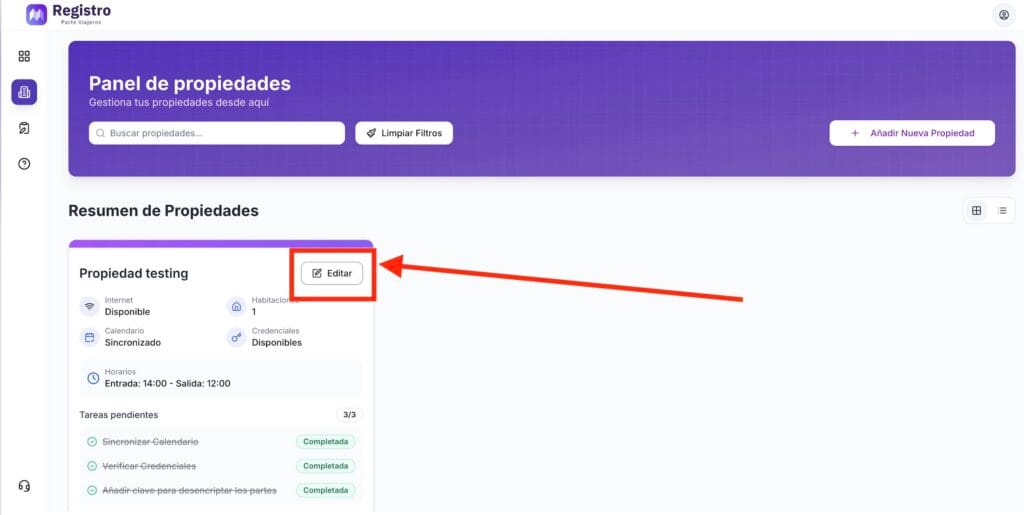
If we are on a mobile device:
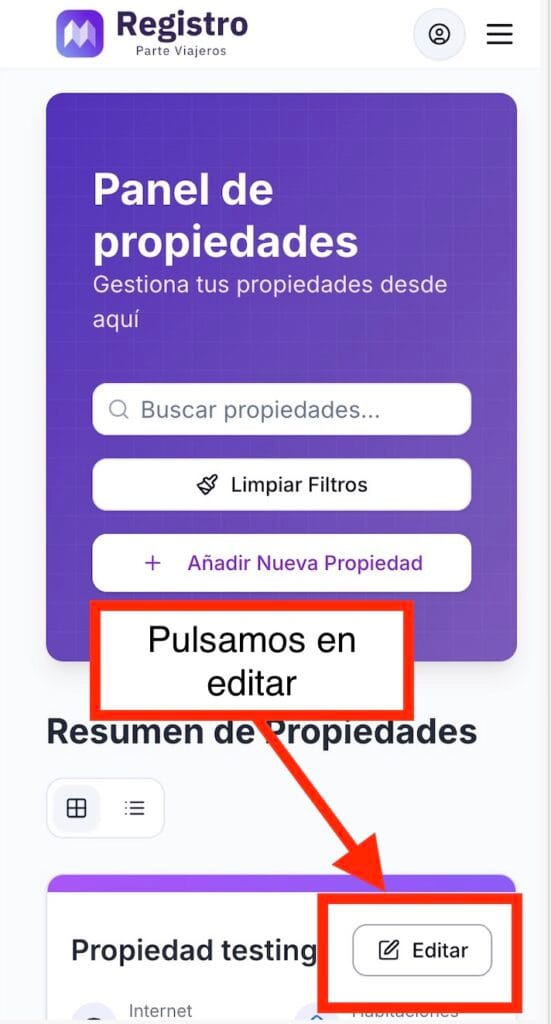
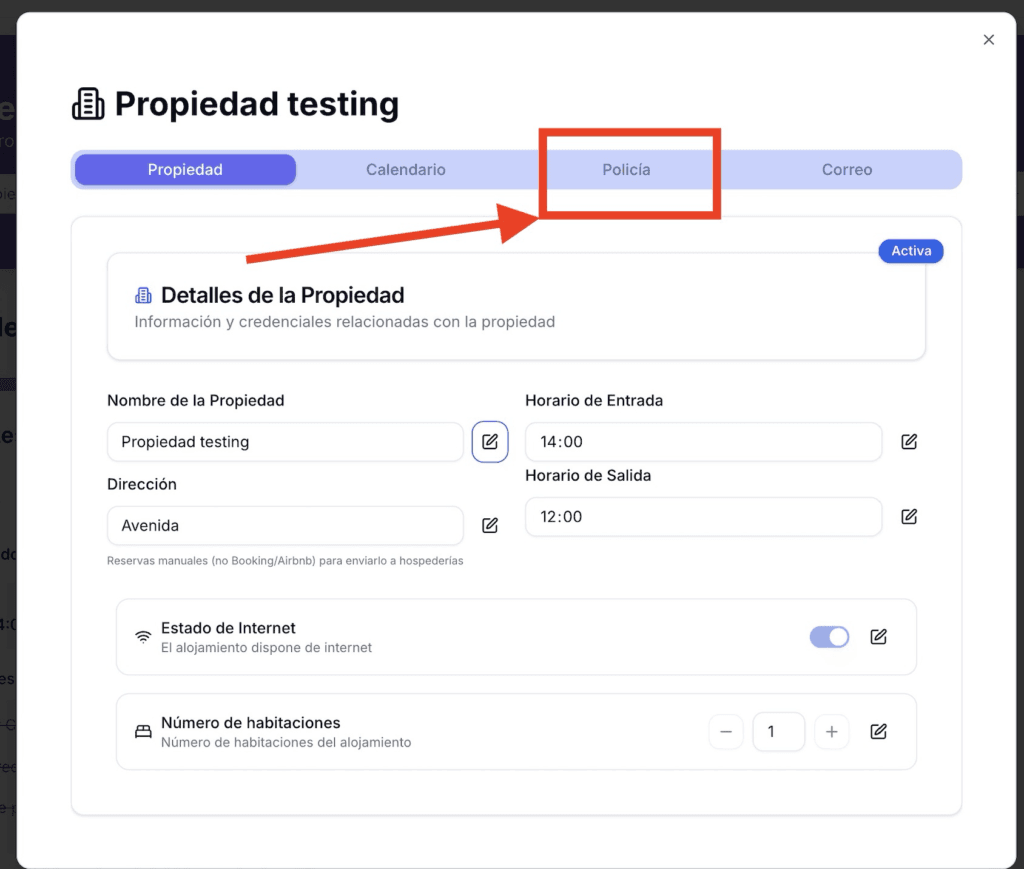
Step 2: Click on Police
At this point, a menu will appear showing us different options.
We must click on the one that says “Police.”
Step 3: Add encryption password
To change the password, click on the pencil icon and then add the password you want to use to encrypt the reports.
‼️ Please note that if you change your password, reports that have already been sent will continue to use the old password. However, new reports will use the password you enter at this point.
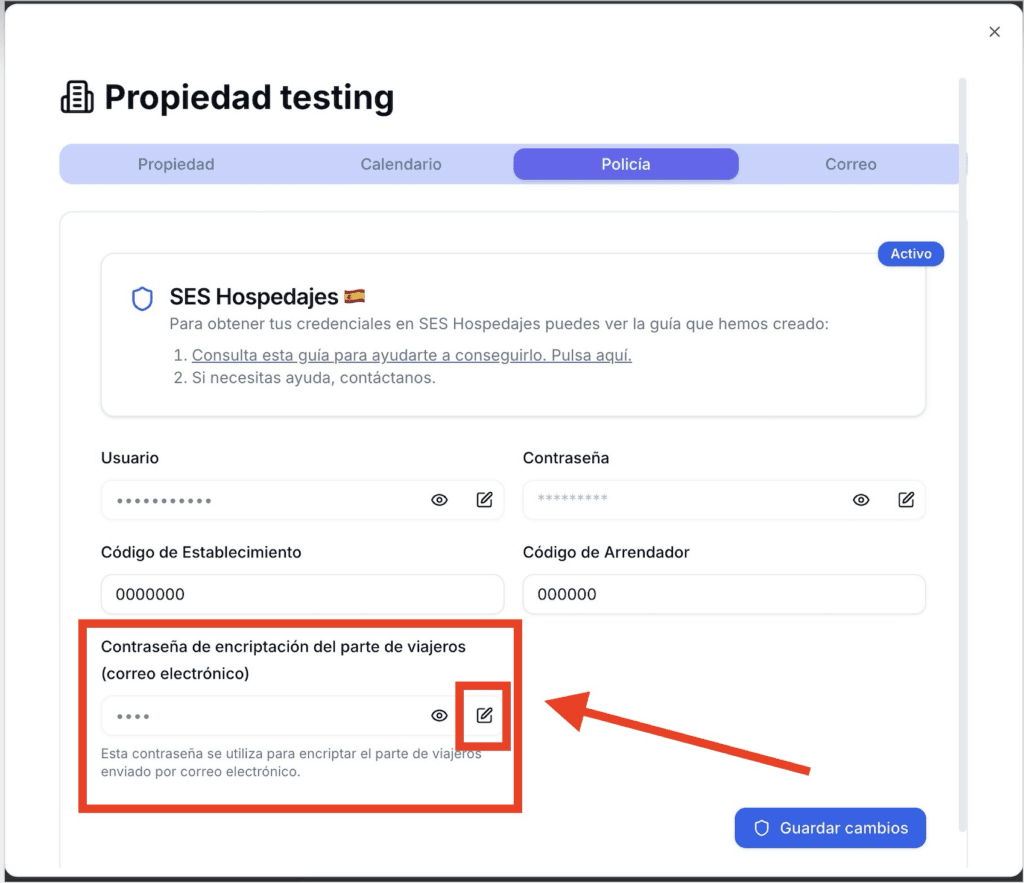
Once you have added the password, click Save changes.
How does the email decryption process work?
In your email, you will receive a PDF document as an attachment.
The passenger list will be sent from the following address:
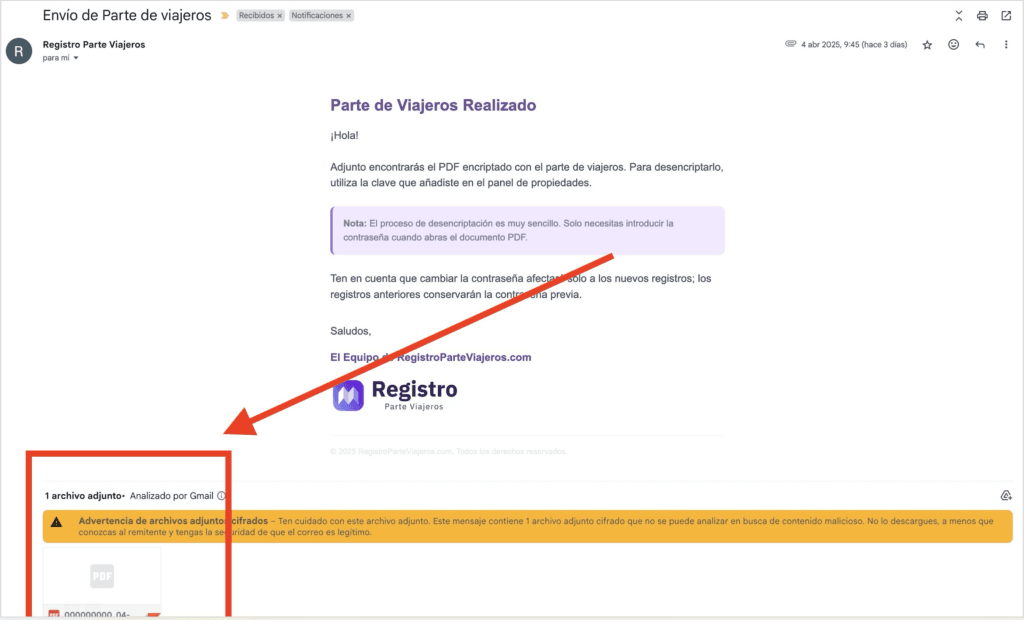
As you can see, a PDF document appears. Once you open it, you will need to enter the password you entered in the previous section.
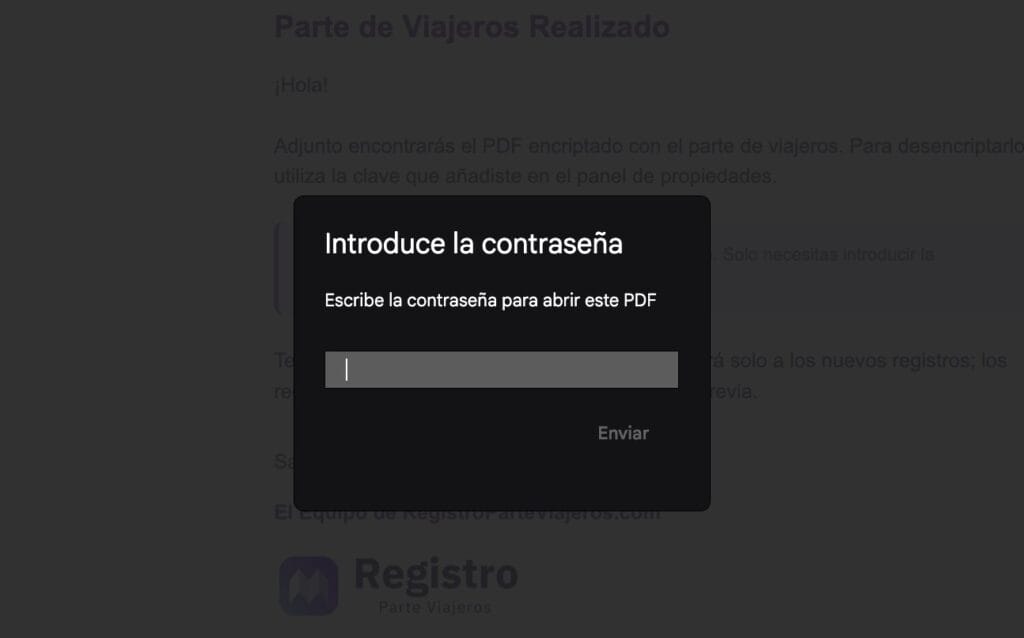
We will enter the password and we will have the guests’ details.
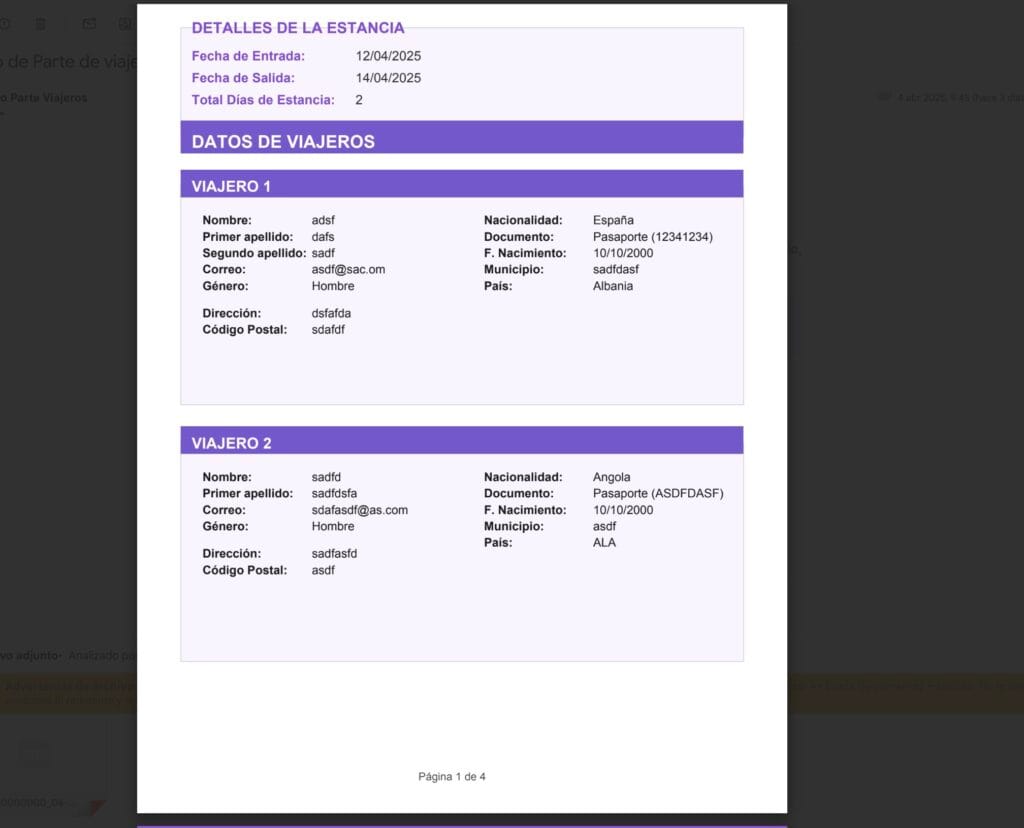
Remember that you must keep travel documents for 3 years.
🎉 Congratulations! You can now receive travel reports in your email.


