
In this detailed guide, we explain step by step how to use the registrodeviajeros.com application and make the most of the unique link functionality for traveler registration. Our goal is simplify the process and ensure legal compliance in the most efficient way possible.
This is done by sending guests a link to fill out the questionnaire required by SES Hospedajes. Once completed, we will send you an email with the guest’s or guests’ details and then, in accordance with regulations, we will send the check-in details to the authorities.
What shipping options are available?
- Reservation link
- Automatic generation: A unique link is created for each reservation.
- Shipping methods:
- Email: The email is sent automatically.
- Copy and paste: You can copy the link and send it manually via the platform’s chat, WhatsApp, or another method of your choice.
- Single Link (Recommended option)
- Functionality: This link is used for all reservations for the same property.
- Advantages: You can include it directly in the welcome message. eliminating the need to manually send the link every time you receive a new reservation.
What is the unique link and how does it work?
The unique link is a fundamental tool of the application. It is a personalized link that we automatically generate for each property. This link contains the digital check-in form that the traveler must complete before arrival.
The unique link will only work for properties that are rented through platforms such as Booking.com, Airbnb, Vrbo…, that is, those known as OTAs.
To configure it, go to the Integrations tab. Here is the direct link:
https://app.registroparteviajeros.com/integraciones
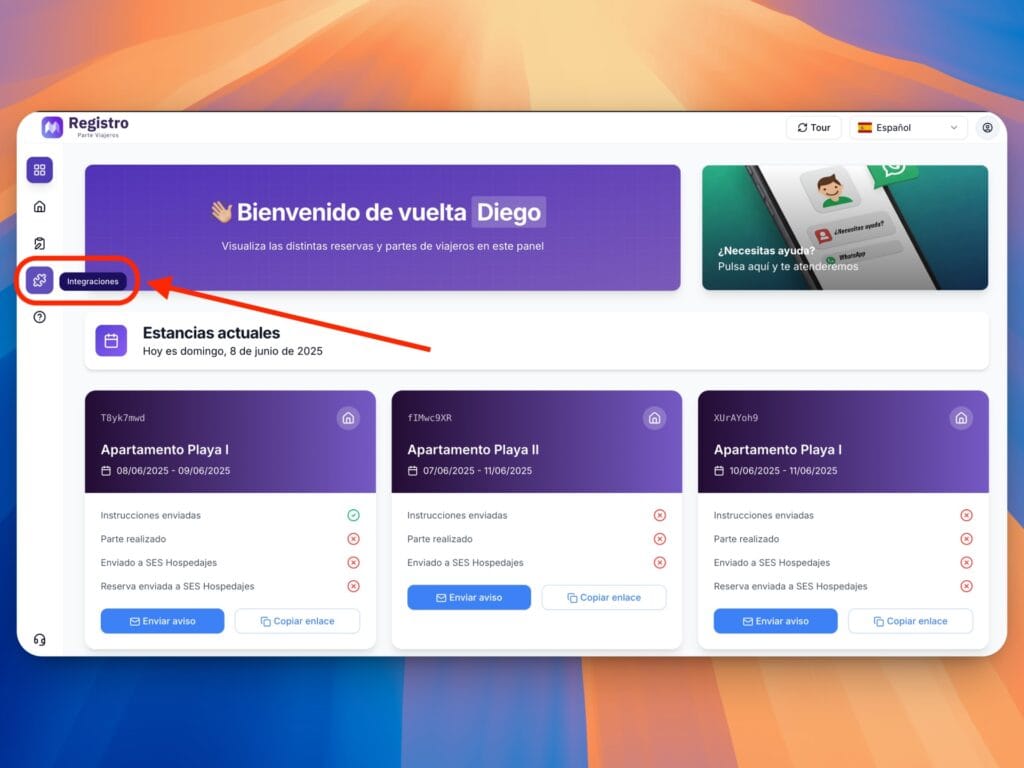
Next, click on the unique link:
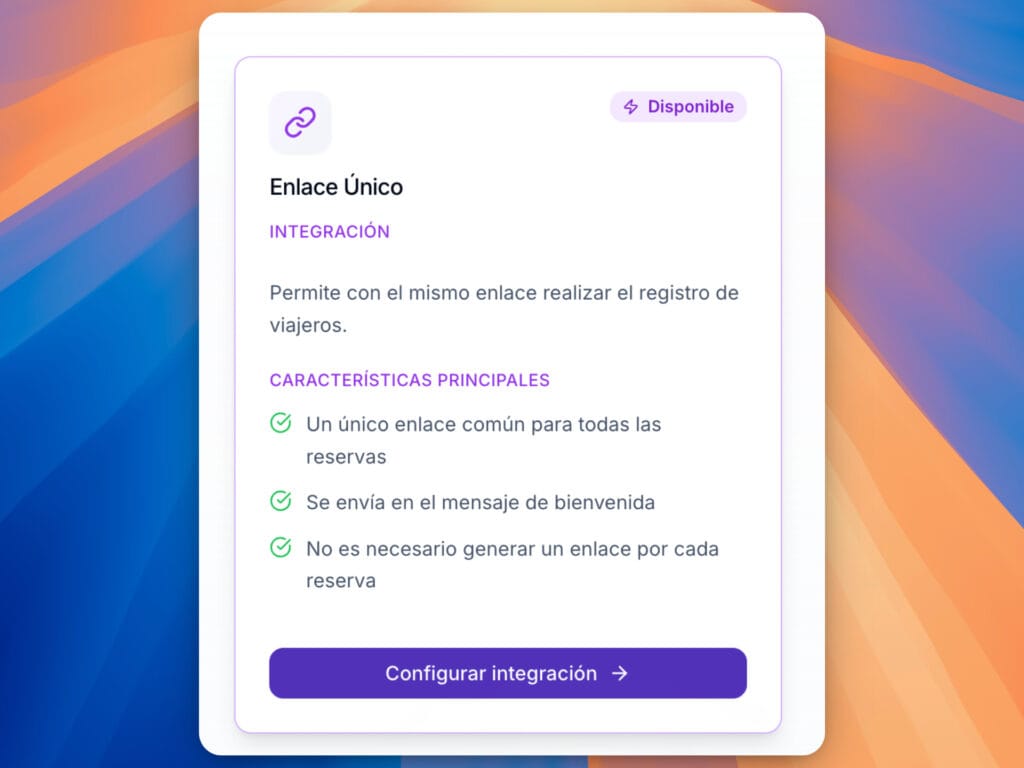
We will click on configure integration.
Within this panel, we can generate a link for each property we have, so we can add it to the automated welcome messages of the platform used, whether it be Booking.com, Airbnb, or any other platform.
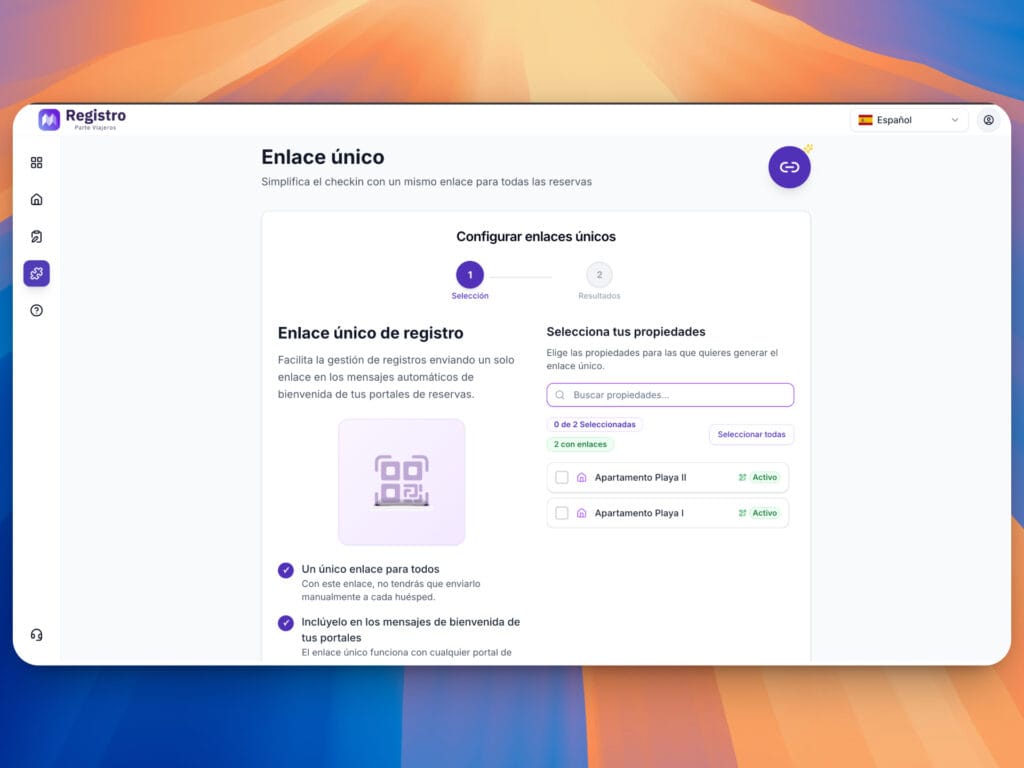
Within this section, we will select the property with which we want to generate the unique link.
We will also have the option of downloading a QR code, which can be useful in cases where you want to accompany the guest to welcome them to the property in person. By scanning the QR code, they can then complete the guest registration form.
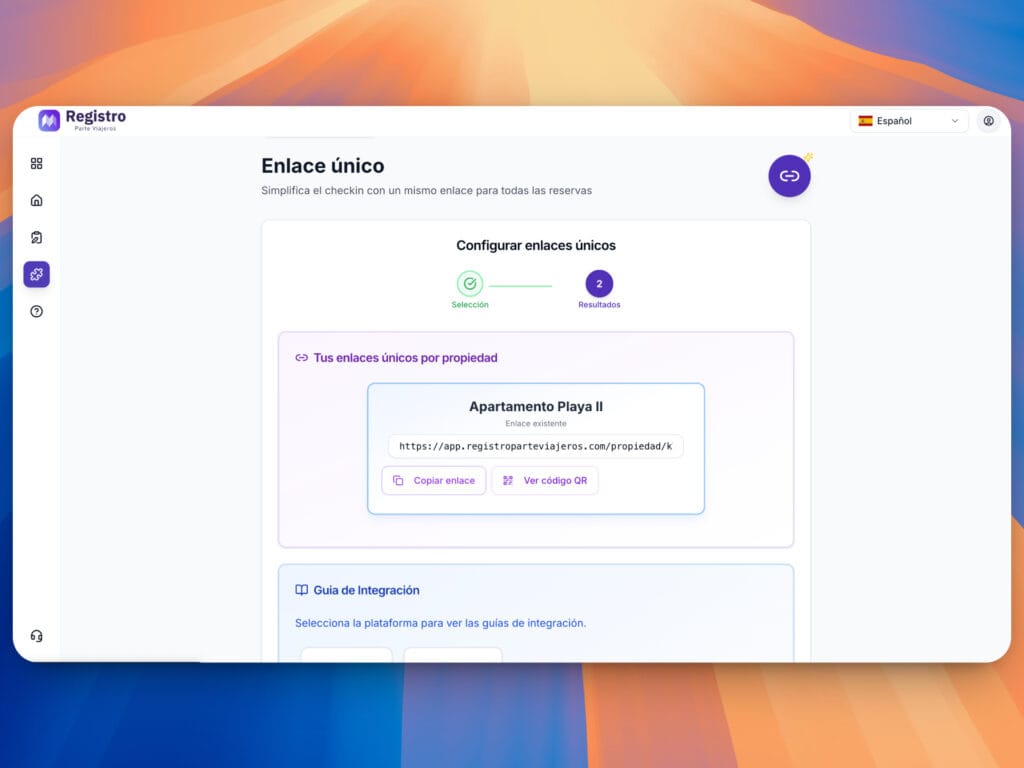
In this panel, we will have two options: the first option allows us to copy the link and use it in the welcome messages on our platform. Alternatively, we can download the QR code, either the code alone or the PDF with instructions in Spanish, German, English, French, and Italian.
How do I set up the welcome message?
In this tutorial, we will show you how to set up your welcome message on Airbnb and Booking.com.
Message on Airbnb
The following video explains how to set up the welcome link.
Message on Booking.com
The following video explains how to set up the welcome link.
Once configured, the client will receive a link to register travelers when it has been scheduled. From this point on, we will send you an email with the details once the guest has completed the registration.


