

What is synchronization used for?
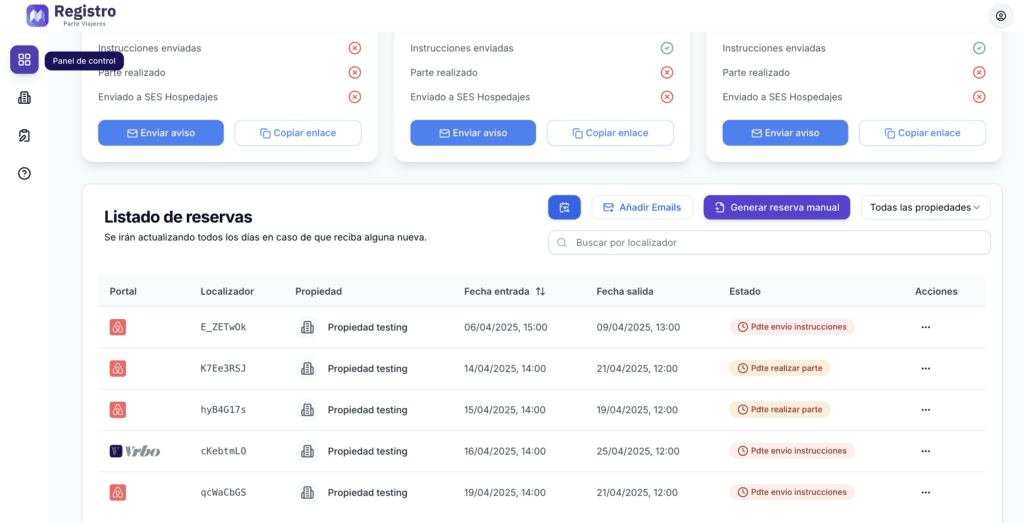
Within the control panel, you will be able to see your various reservations. They will be created automatically.
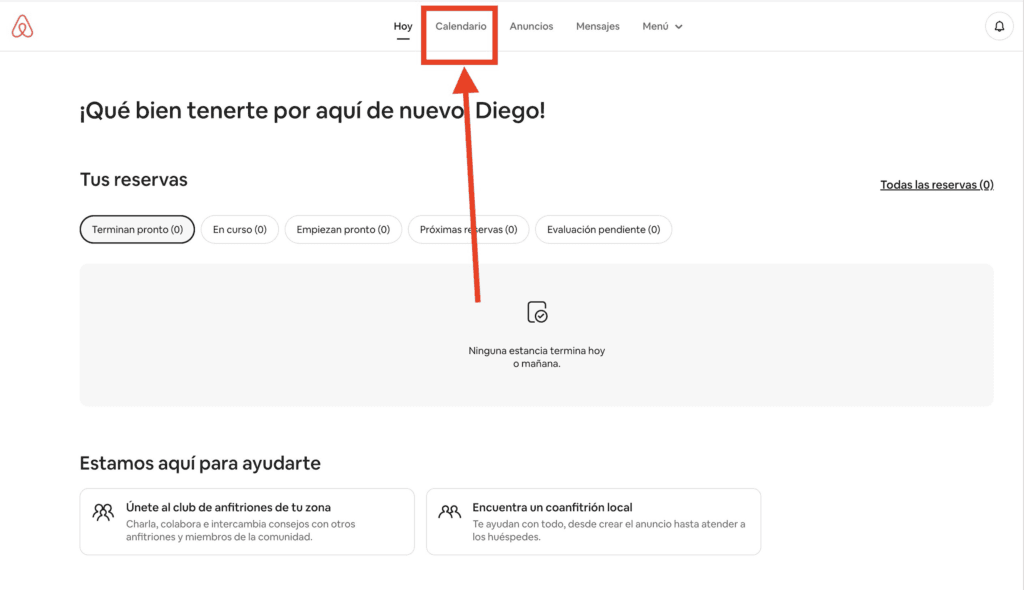
Step 1: Calendar
First, we will go to the Airbnb host dashboard and click on calendar.
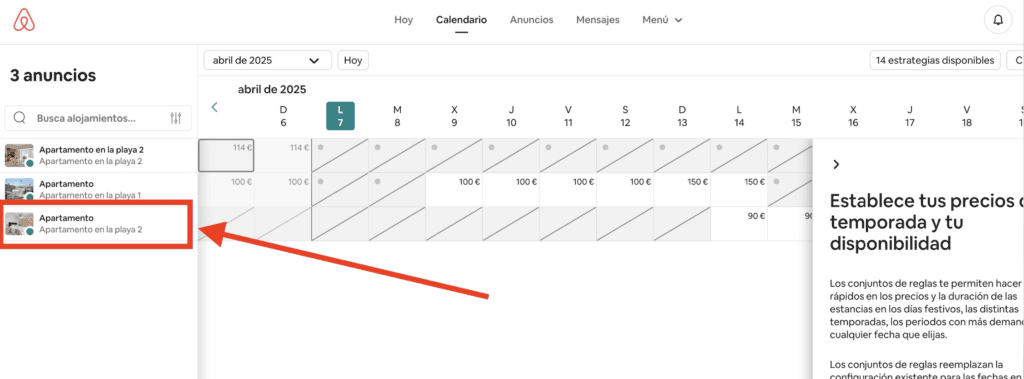
We will select the property to synchronize. If we have several, something like the following will appear:
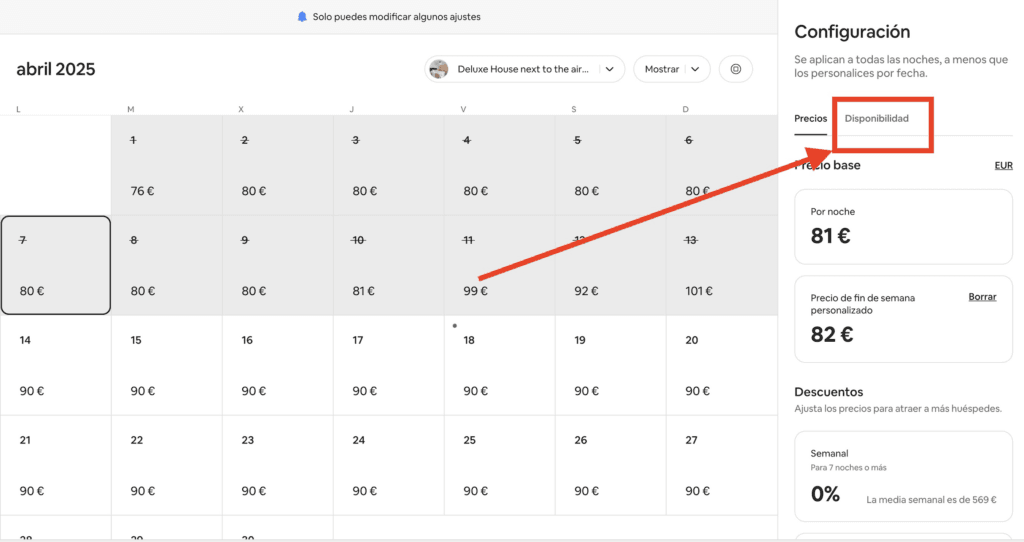
If we are on the computer, a section on Availability will appear.
If you are using a mobile device, you will need to tap on the gear icon:
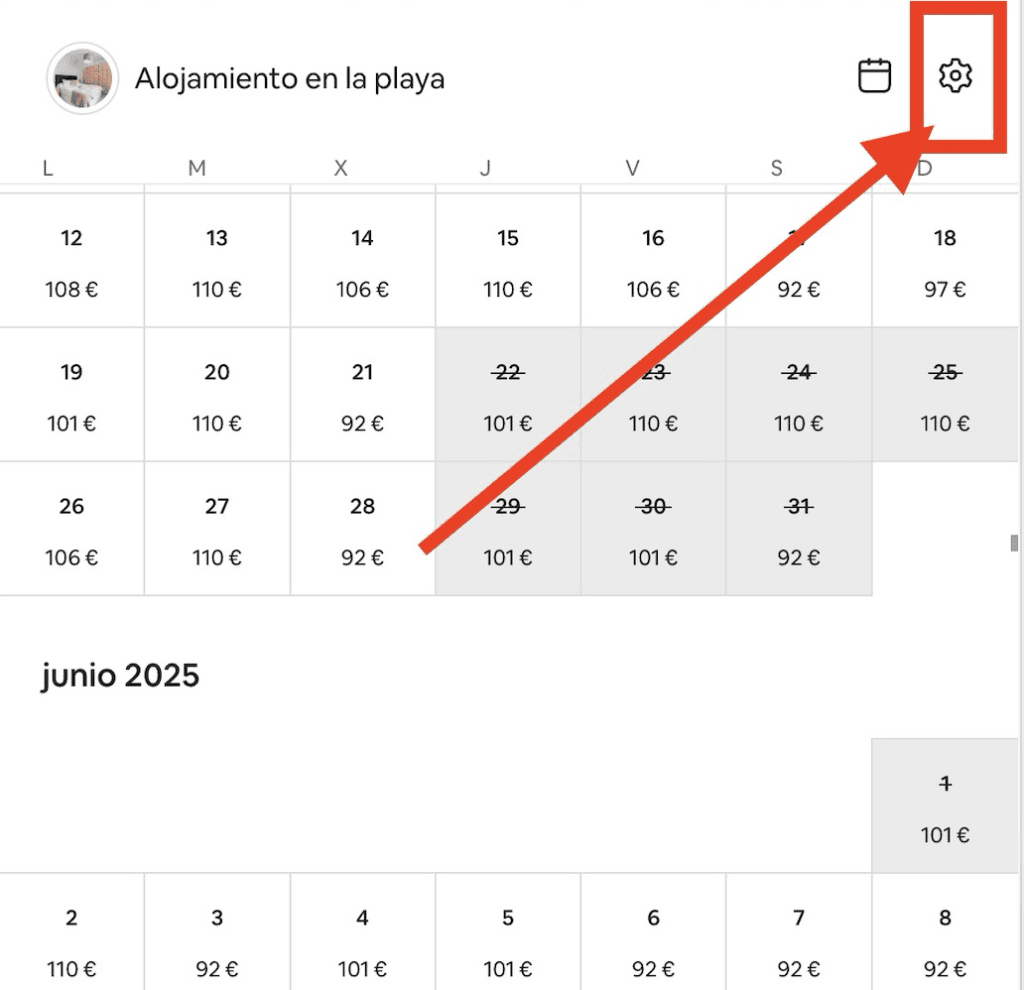
And then in availability.
Next, we must click on Connect to an external website:
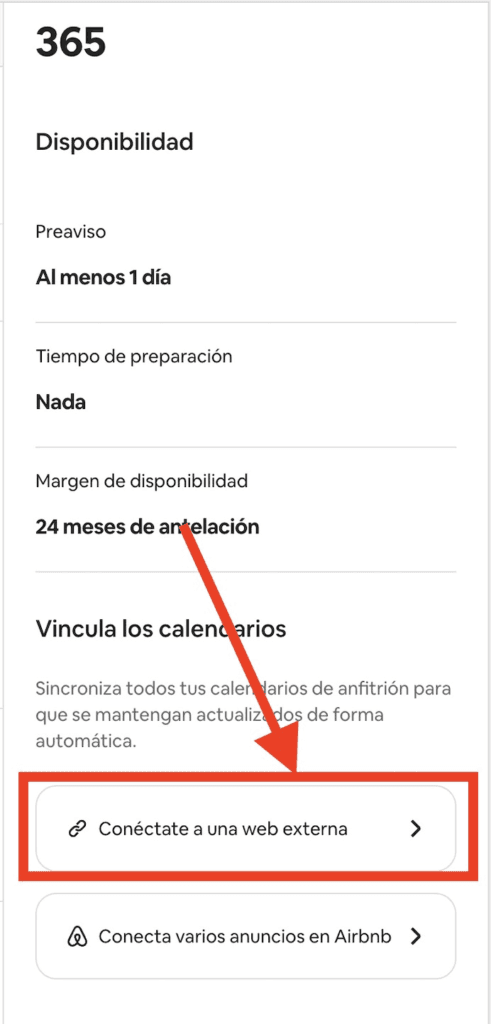
We will copy the link
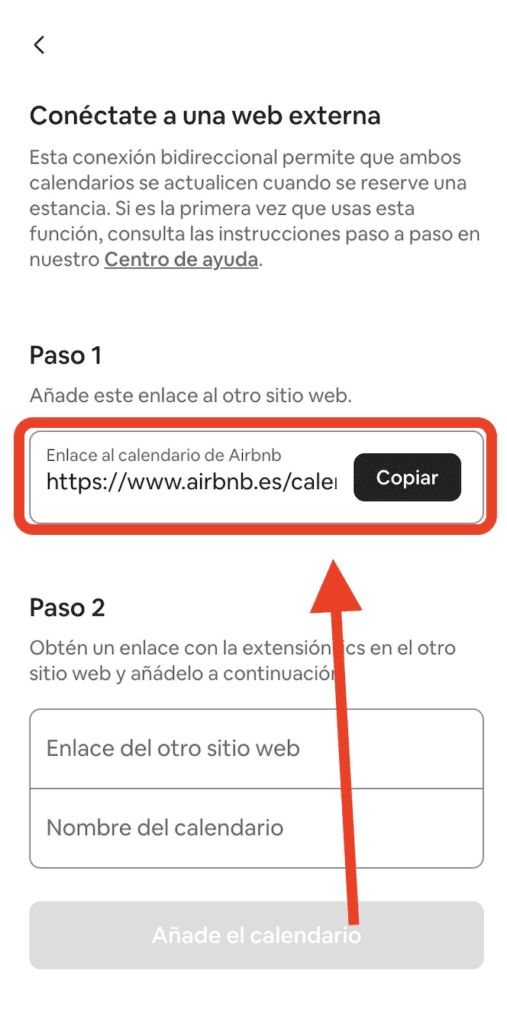
Step 2: Upload to RegistroParteViajeros.com
We will access the properties section.
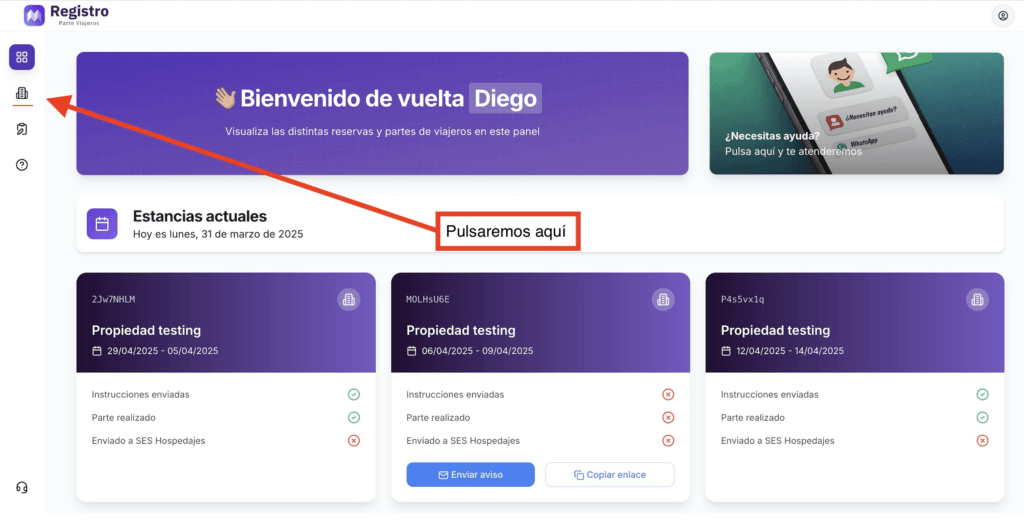
If you are viewing this on a mobile device:
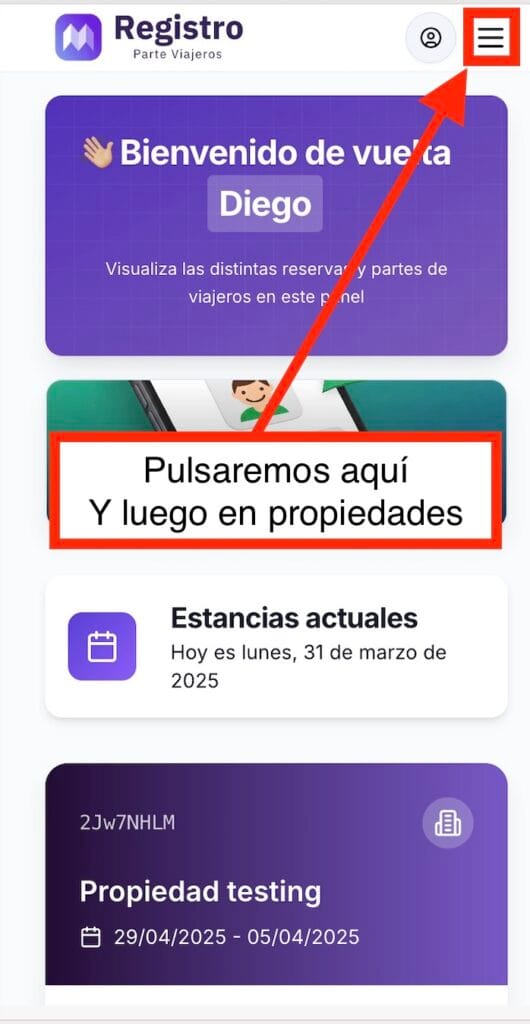
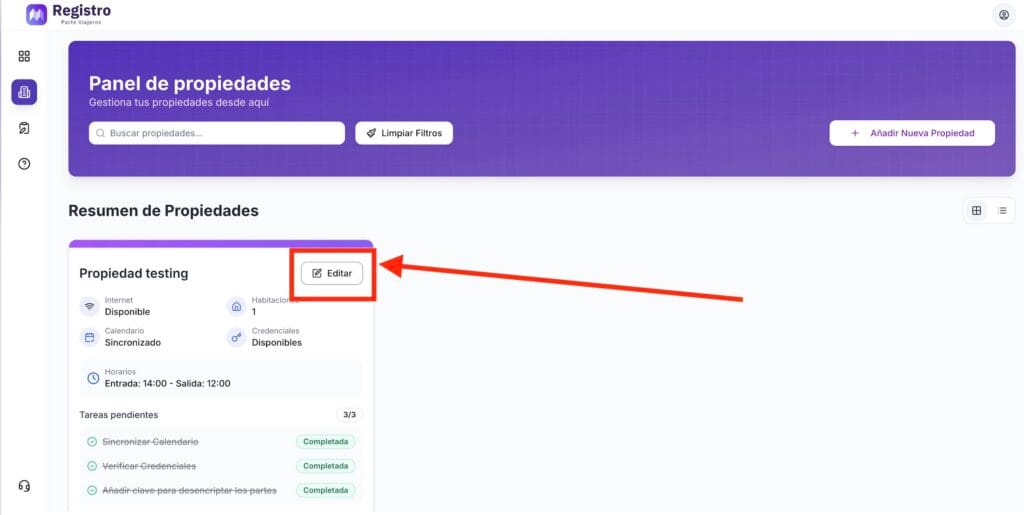
Next, click on edit:
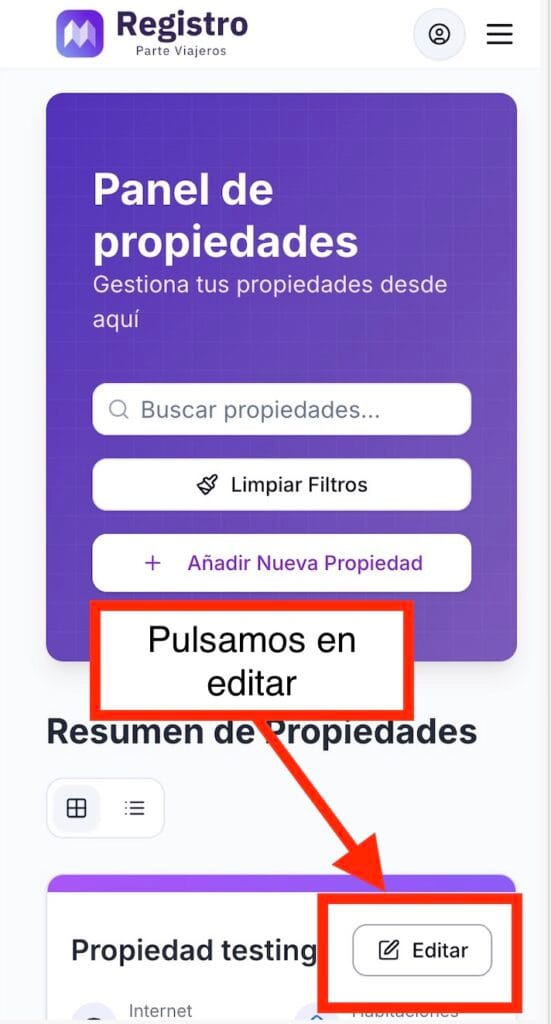
If we are on a mobile device:
Finally, we will access the calendar section:
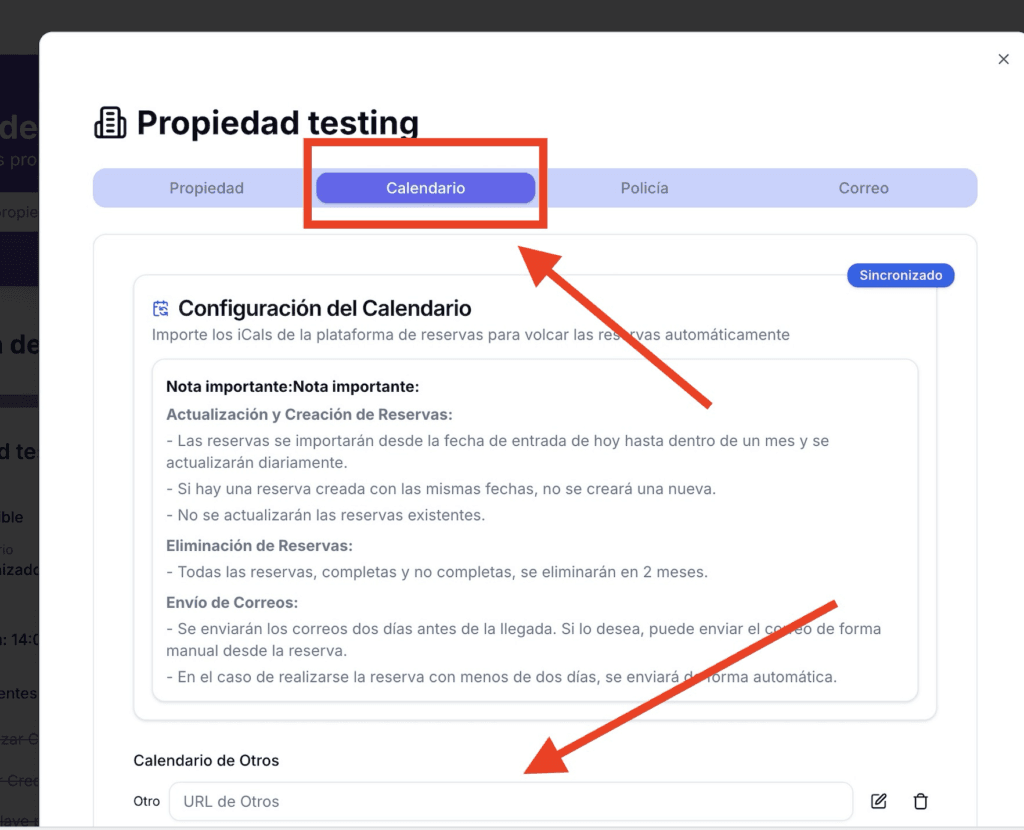
And where it says Others (if it does not appear, click the Connect New Platform button), you can paste the link. Click Save Changes.
🎉 Congratulations! You have now set up your Airbnb calendar, and reservations will begin to sync automatically.
If you want to synchronize your Booking.com calendar, you can follow this link:


