

If you own a vacation rental in Spain, you will know that the Real Decreto 933/2021 has changed the rules of the game. This makes us consider how to automate guest registration for my vacation rental in Spain. It is no longer enough to collect the DNI and write it down in a notebook. With the requirement to communicate up to 21 data points per reservation (including payment methods and kinship relationships) in less than 24 hours, manual management is simply a trap of time and errors.
The good news is that technology has advanced so that you don’t have to be an expert in bureaucracy. Here we explain how to automate this process from start to finish.
Why automate with Registro Parte Viajeros?
Automation is not just a luxury; it is a survival strategy for three key reasons:
- Zero Errors in SES.HOSPEDAJES: The Ministry of the Interior’s system is strict. One digit error can invalidate the submission. The automatic reading software eliminates the human factor.
- Time Saving: Going from 15 minutes per Check-in to less than 30 seconds.
- Guest Experience: Nobody likes waiting at the door while the host copies data. Online Check-in allows the traveler to do the work from their mobile before arriving.
Fully Automate with Traveler Part Registration
1. Online Check-in (Self-Service)
Instead of welcoming the guest with paper and pen, send them an automatic link after booking. The guest fills in their details, uploads a photo of their document, and signs digitally from their own device.
First of all, to automate check-in with Registro Parte Viajeros you must create your account, once the account is created remember that you have 7 free days to try the application and that we only charge 3€ per month and property, once the account is created we will start by filling in the data of your property, starting with the name of the accommodation, the number of rooms or places, if it has WiFi and at what time the Check-In and Check-Out is carried out:
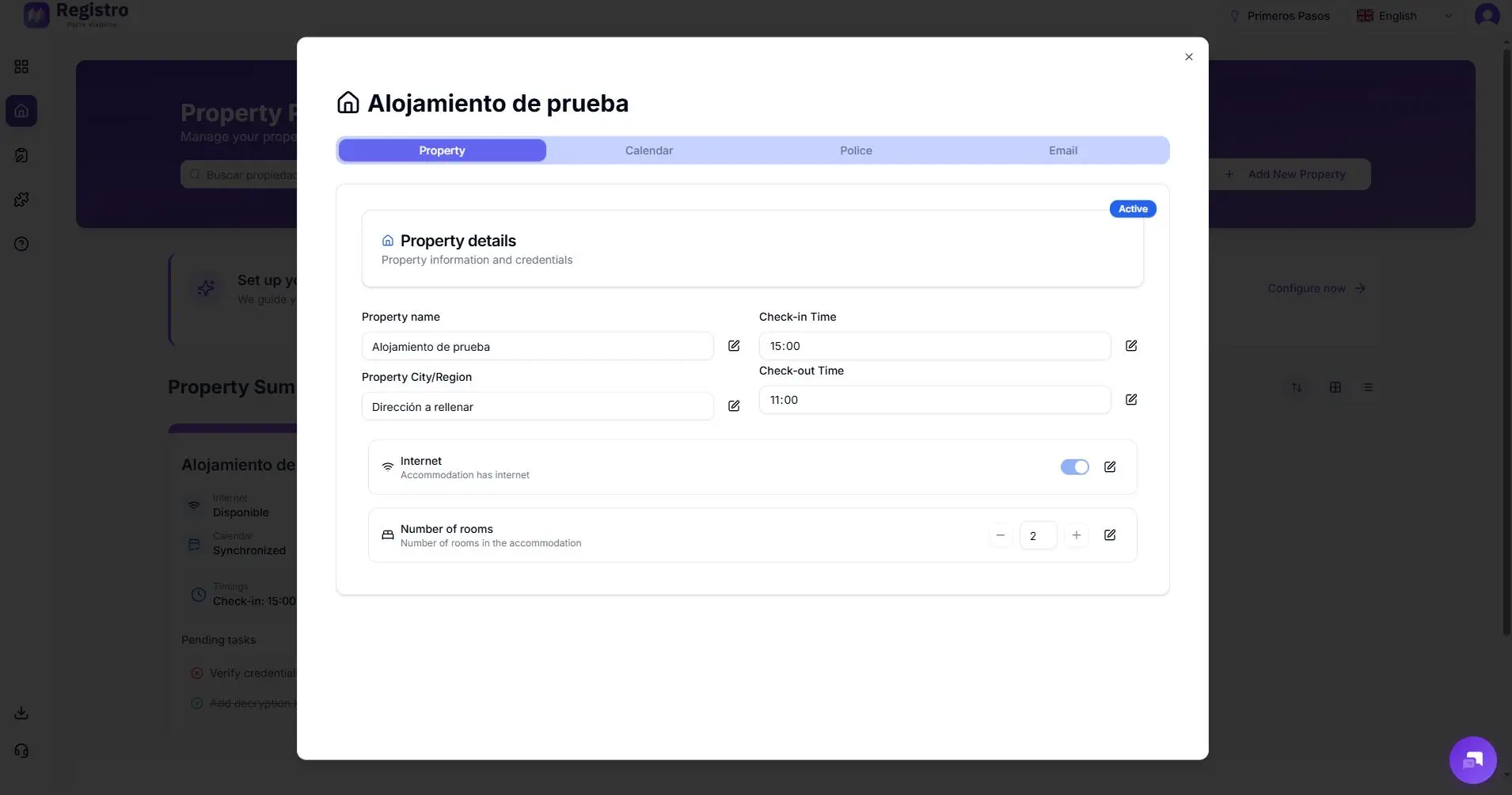
We will continue configuring the calendar by adding the portals of the OTAs we use to list and book the accommodation, check our guides to integrate the platforms into our app, such as Holidu or VRBO, and we will paste the Calendar URL:
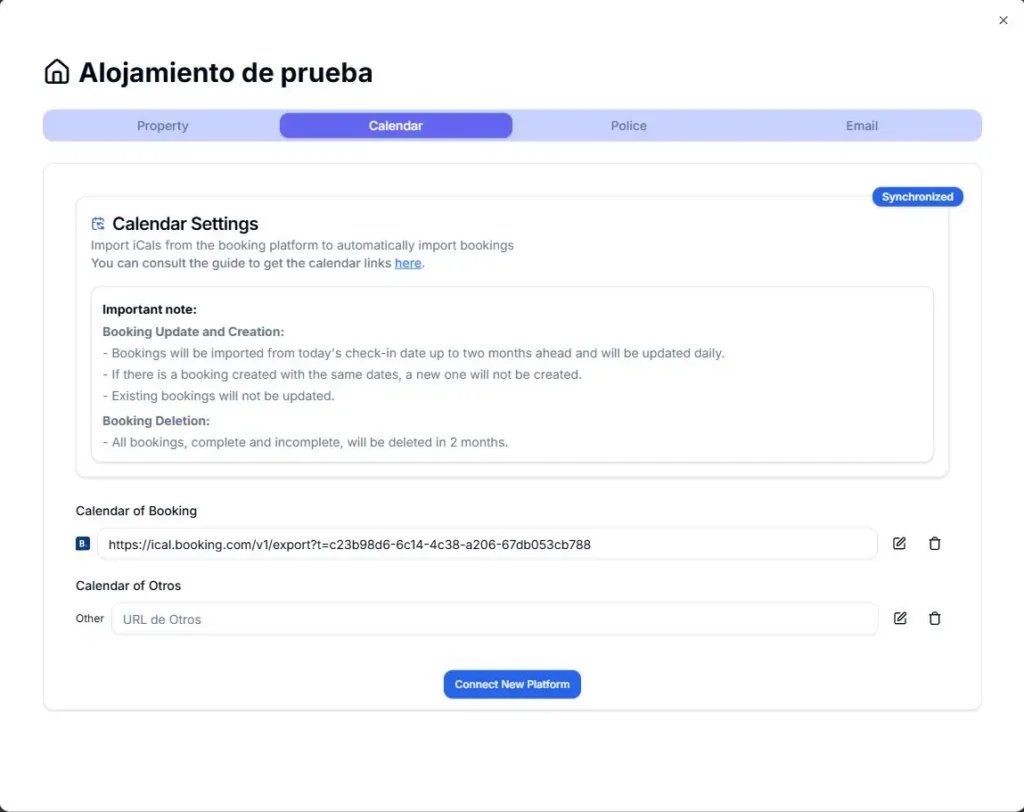
2. Connectivity with SES.HOSPEDAJES
This is the critical step. Your registration system must be connected via API with the Ministry of the Interior platform. Once the guest signs their part:
- The system generates the compressed file.
- It automatically sends it to the authorities.
- Receive and store the response code (the shipping receipt) for your legal file.
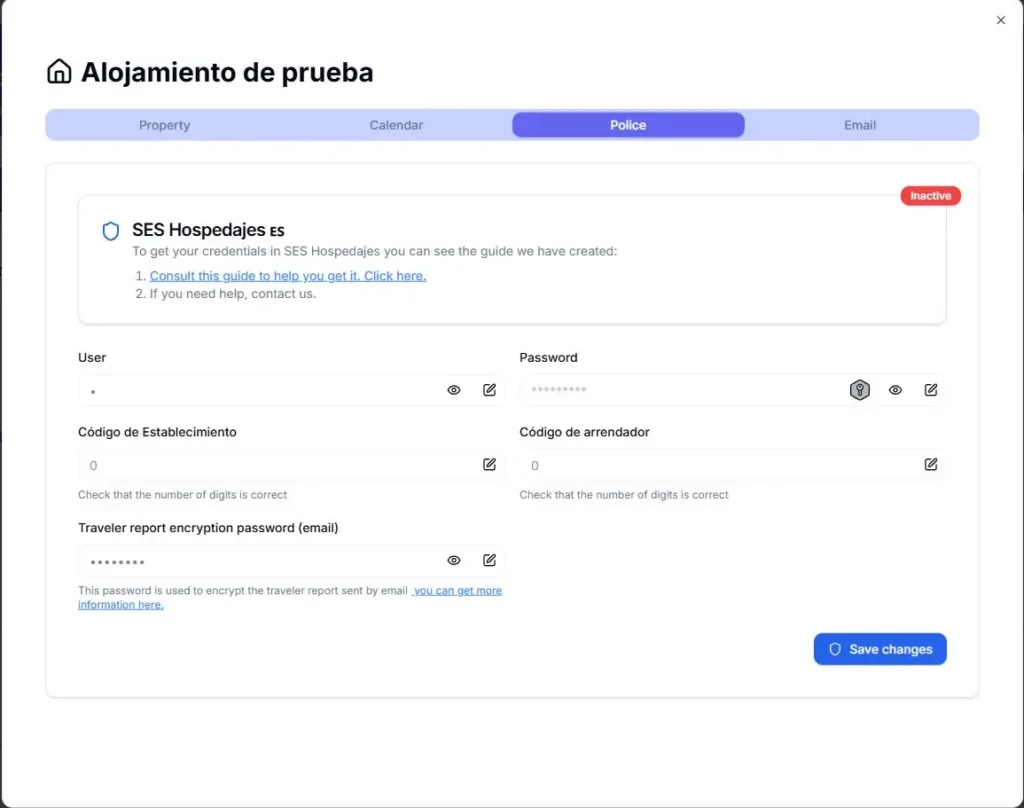
To perform the connectivity visit our guide, but you will need to fill in the data related to SES.HOSPEDAJES:
- We must fill in the user and password for SES.HOSPEDAJES.
- The Establishment Code we are registering.
- Our Personal Landlord Code.
- Finally, we will set an encryption password for our traveler’s report.
With Travel Report Registration we can create a notice if the client does not complete the report, establishing how long before the link will be sent automatically for them to complete the registration and configure a custom welcome message.
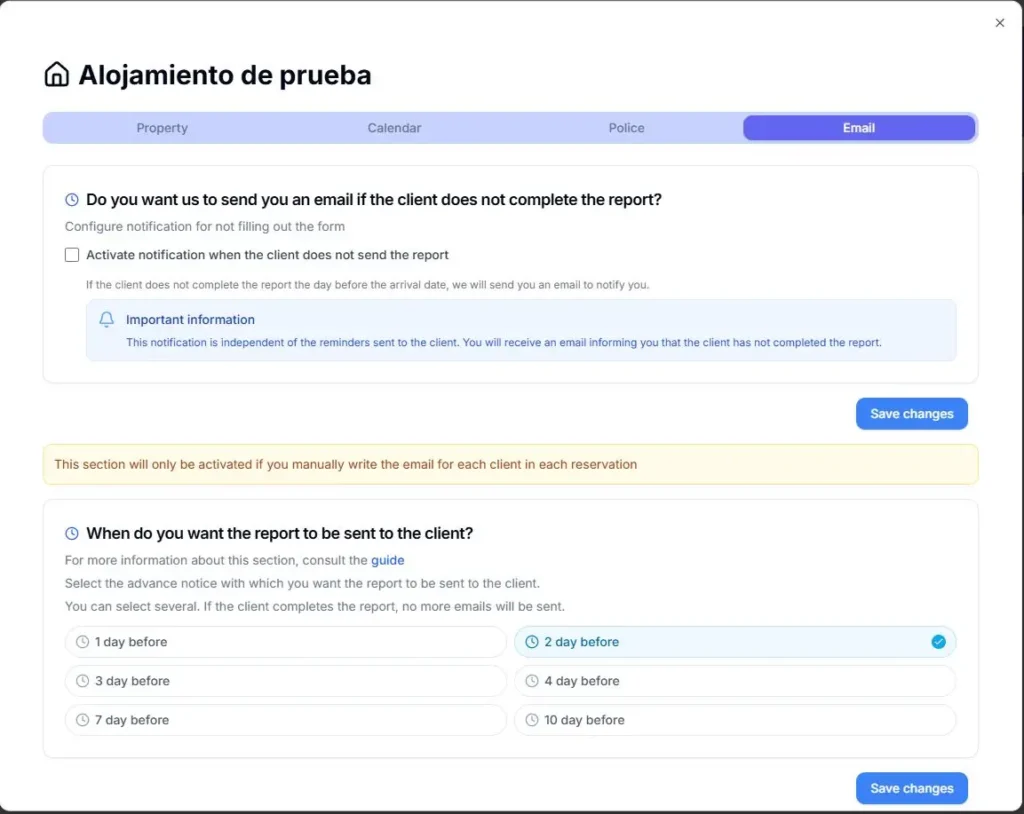
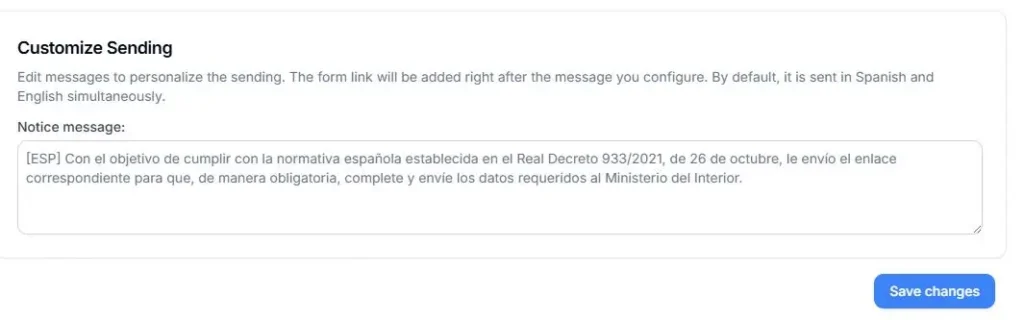
Once set up, we can paste the welcome message into our trusted OTA so that it is also sent automatically at the time of booking.
3. Create a reservation
As an example, we show you how to register a guest. First, from the mobile application (available on IOS and Android), we can create a new reservation or start check-in.
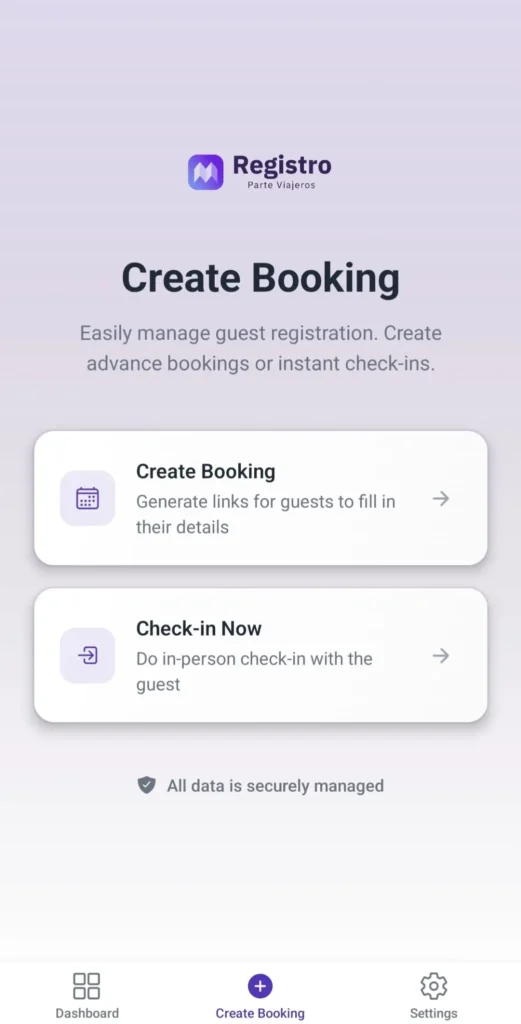
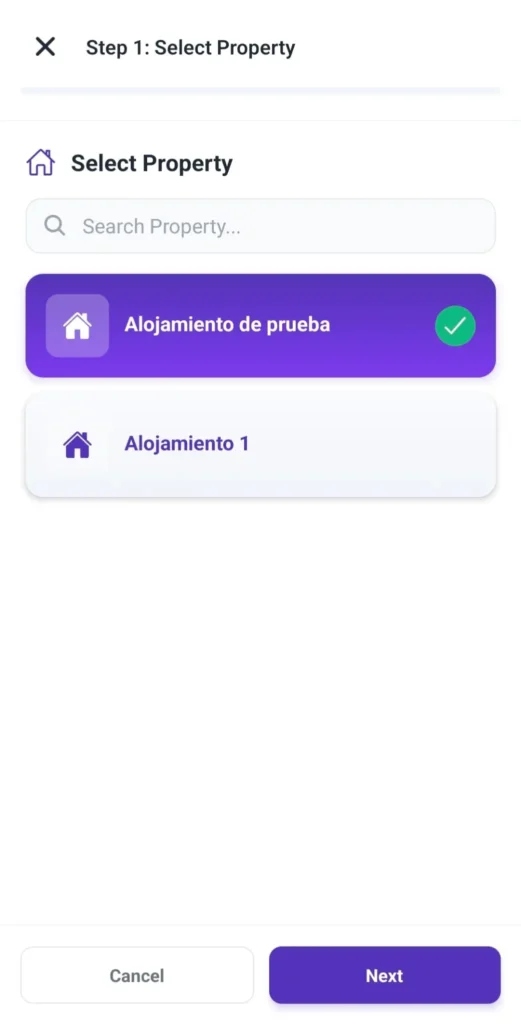
Secondly, we will select the property from which we want to create the registration report:
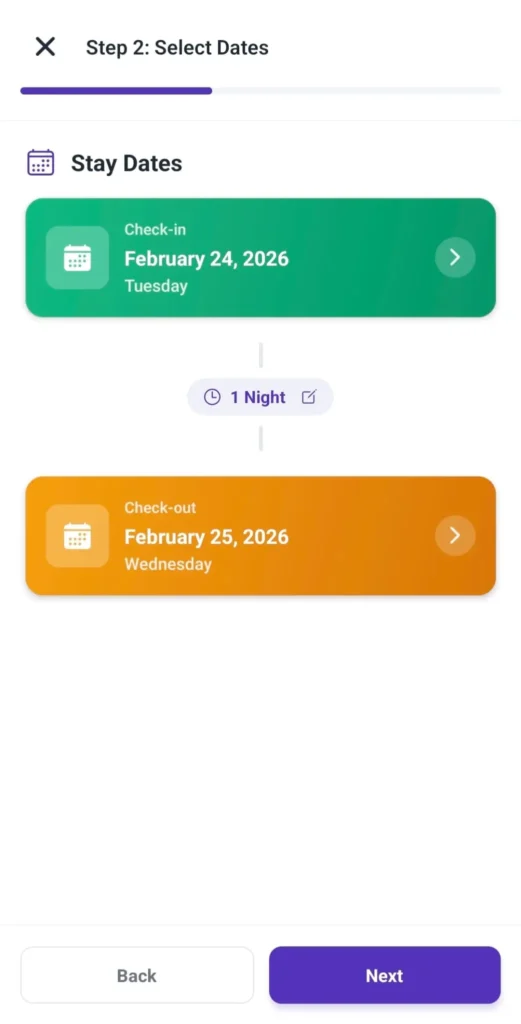
Thirdly, we will set the check-in and check-out dates:
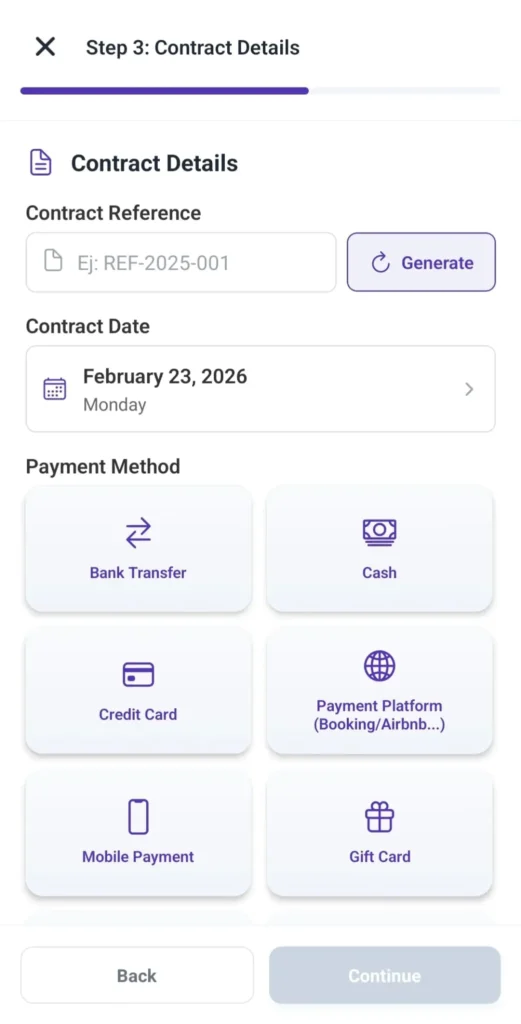
In fourth place, we will be able to generate a Reference for the contract, select its date, and choose a payment method:
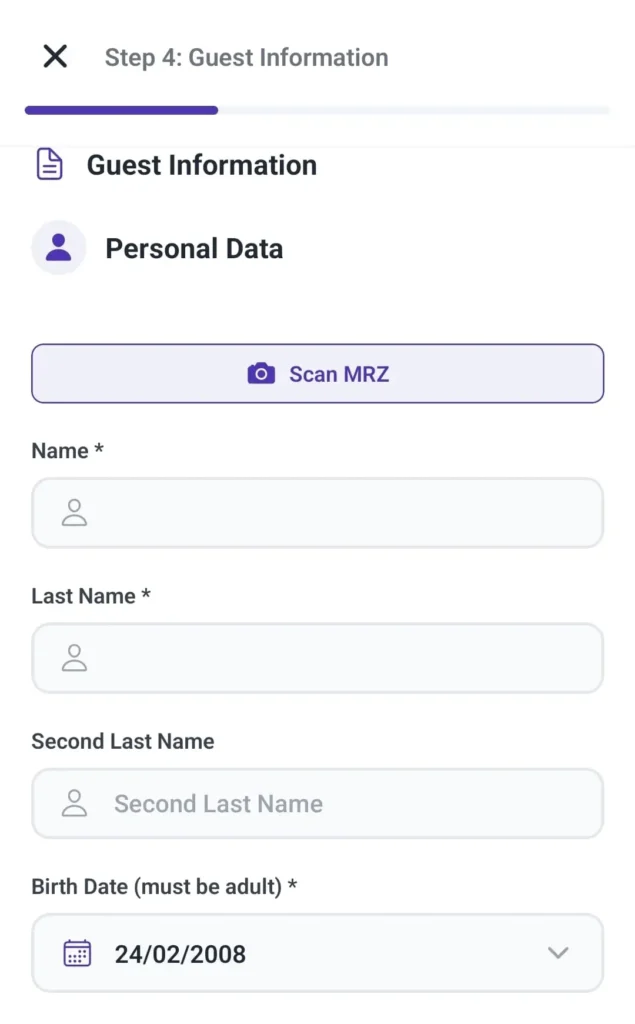
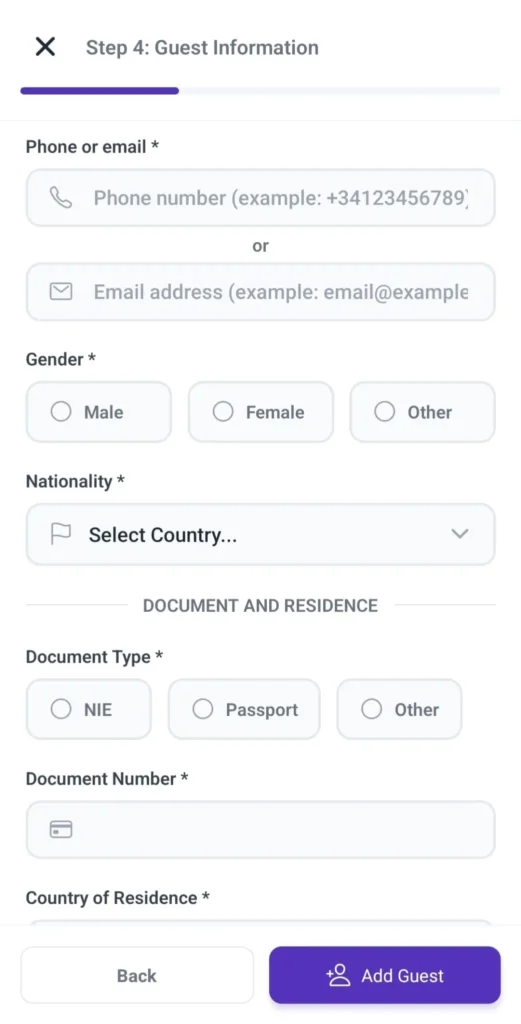
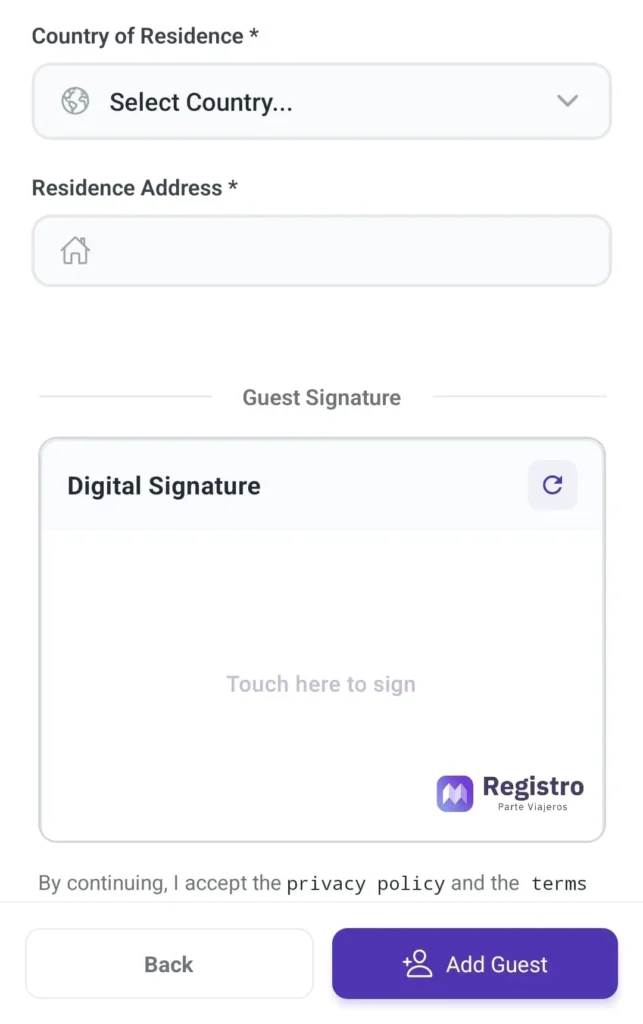
Finally, the guest data will be filled in: we use tools that allow scanning the MRZ (the character strip at the bottom of ID cards and passports). This technology instantly extracts name, surnames, document number, and date of birth, directly inputting them into the check-in form. If there is no MRZ code because it is a foreign passport, we will fill in that data manually; then we will fill in the contact details, gender, nationality, type of identity document, document number, guest address, and we will let the guest sign in the box.
And we would have already completed the registration of the traveler’s report automatically with our application!
With our automatic registration method for a small price, you can simplify the registration process and forget about bureaucratic obligations while maintaining a friendly welcome profile for your guests.


