

Performing guest check-in registration from the mobile app is very simple. In this guide, we explain step by step how to do it so that you can easily manage your guests’ information and comply with registration obligations quickly and safely.
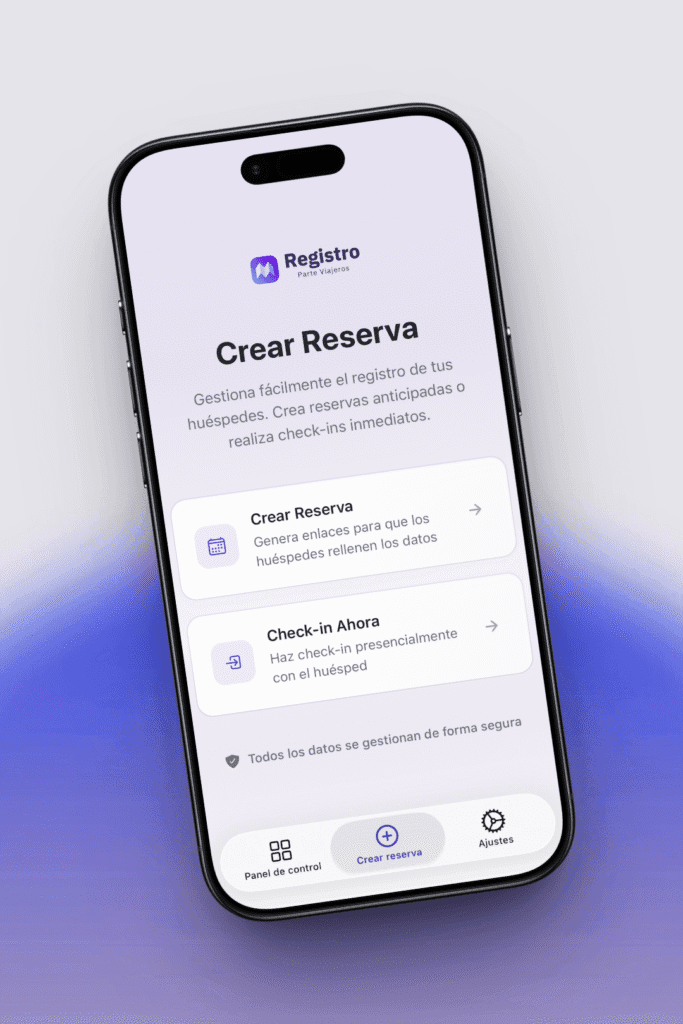
The application offers two ways to check-in travelers, according to your needs, send a link to the guest so they can complete the information on their own or carry out the check-in in person directly from the device.
Make the in-person check-in from the mobile application
If you prefer to do it directly at the accommodation, you can complete the in-person check-in from the app. The application will guide you step by step and ask for the necessary information from each traveler.
Additionally, it includes the MRZ scanning feature, which allows automatic reading of passport or identity document information using the device’s camera. This automatic scan ensures precise, fast, and secure registration, with data processed on the device.
This option is ideal for registering guests at the time of check-in or when they have not completed the process online.
Generate the link for the traveler to complete the online registration.
This option allows you to create an online check-in that the guest can fill out before their arrival. You just have to generate the link from the mobile application and share it via email, message, or any other means.
When accessing the link, the traveler will be able to enter their personal data, document number, date of birth, and other information required for traveler registration.
This way, when you arrive at the accommodation, the process will be much faster and you will only have to confirm the data.


