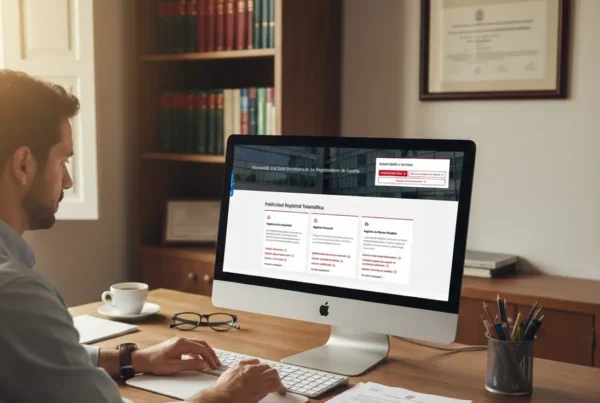
Since January 2, 2026, the new regulation has come into effect with the Order VAU/1560/2025, this obligation is recorded in the BOE: https://www.boe.es/eli/es/o/2025/12/22/vau1560 depending on our operating system, we must carry out the N2 registration on Mac.
establishing the obligation to submit an annual information form, which will be done through the program N2 of the College of Property Registrars. To do so, we will have to follow the following steps:
🧍♂️Which accommodations are required to register their guests?
All short-term accommodations, whether rented professionally or not, even if they are not rented regularly, if they are advertised through online booking platforms. However, hotels, motels, aparthotels, motels, or campsites should not be registered.
🏘What is meant by short-term accommodations?
It refers to all those rentals for tourist or vacation purposes, for students, for short stays for work, and for medical reasons.
📋 What data do I have to record for each accommodation?
For each accommodation, the Unique Rental Registration Number must be indicated, if this accommodation has had activity during the previous year and for what purpose it has been used.
👉How do I get the Unique Rental Registration Number?
The Unique Rental Registration Number (NRUA) can be obtained through the website of the College of Property Registrars by accessing its electronic office or by submitting a paper form at the College of Property Registrars. At Registro Parte Viajeros, we offer you a guide to obtain this number.
📤 What data do I have to send for each guest?
For each of the accommodations made last year, you will only need to send the number of guests, your check-in date, and your check-out date for each of the holiday homes identified with the registration number indicated above.
✅Fields to be Filled in for each Accommodation (NRUA)
-Purpose of the Accommodation: indicating between 1 and 5 according to the type of lease, in order: vacation/tourist, work, studies, medical reasons, and other reasons.
–Number of guests: Actual number of guests staying at the accommodation
–Entry date: in dd/mm/yyyy format at the guest’s access to the accommodation
–Departure date: same format dd/mm/yyyy, on the departure day, if it is not delivered it will be considered that the accommodation remains active.
– Activity box: This box should only be checked if the accommodation was inactive during the past year.
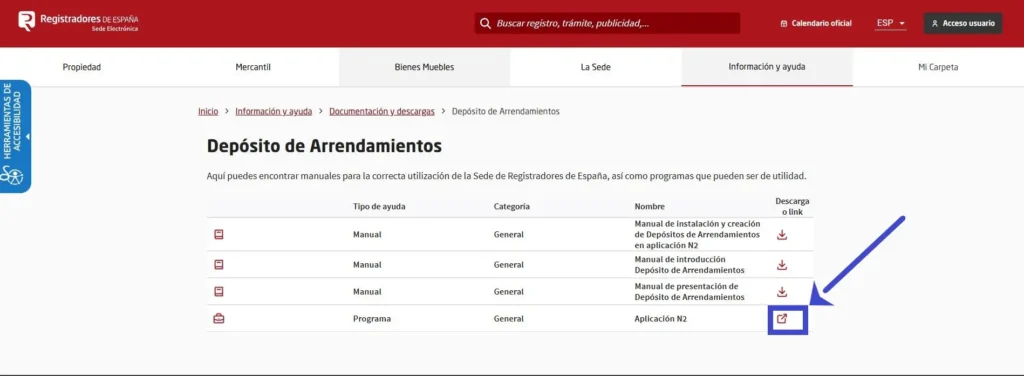
1️⃣ To install the N2 program on Mac, you must first download the application from the Electronic Headquarters of Registrars at https://sede.registradores.org/sede/sede-corpme-web/home.
2️⃣ There, go to “Information and help”, then to “Documentation and downloads” and then to “Lease Deposits”, where you will find the icon to download application N 2. You can also download it from the section “Quick Access to Services” in “Lease deposits”.
Keep in mind that the Mac version will be available starting February 16 and has certain limitations compared to the Windows version, as it only allows generating the zip file with the XBRL for submission through the portal, with a maximum limit of 325 activity rows per instance.
Although the program for Mac is not yet available, the registration procedure will be very similar to the PC version. Remember that through Registro Parte Viajeros we provide you with a free application to convert your CSV data downloaded from the accommodation announcement and booking platforms.
Also, if we offer you the services to automate the entire traveler report registration process, so that at the end of the year you have all the information ready to export and enter into the N2 program.